Range is the most misunderstood spec in networking. No router can promise that its signal will reach a backyard office or the far bedroom of a two-story house, because walls, floors, and neighbors’ networks decide the result. What buyers can do is compare the coverage figures that makers publish, the antenna and band design, and the number of simultaneous devices a router is built to handle. That is the practical meaning of the keyword “best long range wifi routers.”
This guide covers six routers and mesh systems whose titles make an explicit coverage claim, either as a square-footage figure or as a plain long-range label. They span WiFi 5, WiFi 6, and WiFi 7, from a modest dual-band unit to a three-piece mesh kit that lists coverage of up to 6,500 square feet. It is written for people with a big floor plan, a thick-walled house, or a detached garage, who want to know whether a single router will do the job or whether a mesh system is the better fit in 2026.
Our Top Picks
 TP-Link AXE5400 Tri-Band WiFi 6E RouterWiFi 6E, Tri-Band AXE540012.91 x 10.43 x 4.72 inches1.5 poundsCheck on Amazon
 TP-Link AC1200 Gigabit Dual Band WiFi RouterWi-Fi 5 AC12008.46 x 4.92 x 1.81 inches0.71 PoundsCheck on Amazon




Top 3 picks at a glance
Quick Picks
As an Amazon Associate we earn from qualifying purchases at no extra cost to you.




| Product | Best for | Key spec from the title |
|---|---|---|
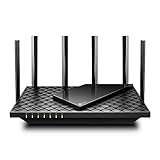
| TP-Link BE6500 (BE400) | Mid-size home moving to WiFi 7 | Covers up to 2,400 sq. ft., 90 devices |
| TP-Link Archer AX73 | Long-range WiFi 6 for streaming | AX5400 dual band, long range coverage |
| TP-Link Archer BE600 | Large home with many devices | BE9700 tri-band, up to 2,600 sq. ft., 120 devices |
| TP-Link Archer A6 | Small home, modest connection | AC1200, 4 antennas, long range coverage |
| NETGEAR Nighthawk WiFi 7 | Multi-gig WiFi 7 with solid coverage | Up to 2,500 sq ft, 9.3 Gbps, 100 devices |
| TP-Link Deco X55 3-Pack | Multi-floor or sprawling homes | AX3000 mesh, up to 6,500 sq ft |
How to Choose
Coverage figures: use them as a ceiling
A claim of 2,400 or 2,600 square feet describes a best case, with open floor plans and few obstructions. Brick, concrete, metal studs, and mirrors cut that number sharply. If your home is larger than the stated coverage, or has more than one floor, move up a tier or choose a mesh set. A rough rule is to treat roughly two thirds of the published figure as realistic in a house with typical interior walls.
Bands and standards: WiFi 5, 6, and 7
Lower frequency bands travel farther through walls, while higher bands carry more speed. A dual-band router offers 2.4 GHz and 5 GHz; a tri-band design adds another 5 GHz or 6 GHz channel for backhaul or extra devices. WiFi 7 brings wider channels, such as the 320MHz listed on one title, but those only help if your devices support them. For many homes, a good WiFi 6 router offers excellent range without the extra cost.
Antennas, processors, and device counts
Antennas matter for range, but the number alone is not decisive. Look for stated device capacity, such as 90, 100, or 120 devices, since a congested router performs worse at range. A quad-core CPU, as listed on one title, helps keep throughput steady when many gadgets connect. Ignore vague speed totals like 9.3 Gbps or 9700 Mbps; they are the sum of all bands and no single device will see them.
Ports, mesh options, and where budget models cut corners
Check for a multi-gig WAN port if your internet plan is faster than gigabit, and for enough LAN ports for wired gear. Budget models cut corners on the number and speed of Ethernet ports, on processor strength, and on update support. Mesh compatibility, such as OneMesh or EasyMesh in some titles, lets you add a second unit later if range falls short, which is a cheaper fix than replacing the router. Before buying anything, also check where your modem sits: a central location beats any spec upgrade, and a short Ethernet run to a better spot is the cheapest range extender there is.
The 6 Best Options
TP-Link BE6500 (BE400)
This dual-band WiFi 7 router lists coverage up to 2,400 square feet, 90 devices, dual 2.5Gbps ports, USB 3.0, a quad-core CPU, and the HomeShield security suite. It targets a mid-size home with a fast internet plan, such as a three-bedroom house where the router sits near the living room and a couple of remote workers need steady video calls. The USB 3.0 port also adds the option of sharing a drive across the network.
- Strength: 2.5Gbps ports allow multi-gig wired connections.
- Strength: a quad-core CPU and a 90-device capacity suit busy households.
- Trade-off: dual-band design offers less spectrum than the tri-band options.
Skip it if your home is well above the stated coverage figure and you would be better off with mesh, or if you have no devices that can use WiFi 7 and a cheaper WiFi 6 router would satisfy the same rooms.
TP-Link Archer AX73
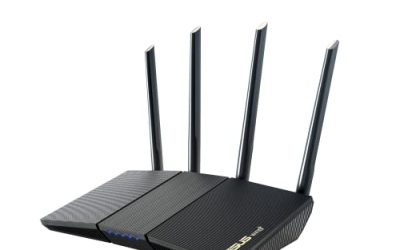
The AX73 is an AX5400 WiFi 6 dual-band gigabit router whose title explicitly mentions long-range coverage and streaming. It suits a family that has WiFi 6 phones, laptops, and streaming boxes and wants strong coverage without stepping up to the newest standard. The streaming emphasis in the title points to living-room and bedroom TVs as the typical use, not to heavy wired networking.
- Strength: AX5400 WiFi 6 speed class with a long-range label.
- Strength: gigabit wired ports for typical broadband plans.
- Trade-off: the title gives no square-footage figure, so coverage is harder to compare.
Skip it if you have a multi-gig internet plan or need WiFi 7, since the wired ports here are listed as gigabit. Anyone who wants a stated square-footage figure to compare homes should also look at the models with explicit numbers.
TP-Link Archer BE600
This tri-band WiFi 7 router has the strongest specs on the list: BE9700, a 10G port, a 2.5G port, three 2.5G LAN ports, 320MHz channels, coverage up to 2,600 square feet, 120 devices, and VPN support.
- Strength: tri-band design and 120-device capacity for crowded networks.
- Strength: 10G and 2.5G ports future-proof a wired setup.
- Trade-off: it is a premium unit for people who may not need so many multi-gig ports.
Skip it if your internet plan is below gigabit and your devices are mostly older. A household of three people with a handful of gadgets will not use the capacity this unit is built for, and a simpler router would serve the same rooms.
TP-Link Archer A6
The A6 is the budget entry: an AC1200 dual-band gigabit router with MU-MIMO, four antennas, OneMesh, and AP mode. Its title says long-range coverage, which fits a small house, an apartment, or a rental where the internet plan is modest and the goal is simply to remove weak spots in the bedrooms. The AP mode also lets it act as an access point behind another router.
- Strength: four antennas and MU-MIMO for steady coverage in smaller spaces.
- Strength: OneMesh and AP mode allow later expansion.
- Trade-off: WiFi 5 speed class limits performance with many modern devices.
Skip it if you have a fast internet plan or a large household, because an AC1200 class router can become the bottleneck once several people stream at the same time.
NETGEAR Nighthawk WiFi 7
Netgear’s WiFi 7 entry lists up to 2,500 square feet, 9.3 Gbps, a 2.5Gb port, 100 devices, and two 2.5G plus two gigabit ports. It targets users who want a simple setup and reliable performance from a brand known for consumer routers, and it fits a home where a gamer, a few streamers, and several smart devices all share the connection.
- Strength: WiFi 7 with multi-gig ports and a 100-device capacity.
- Strength: easy setup is called out in the title.
- Trade-off: coverage is capped at 2,500 square feet, so a very large home may need mesh.
Skip it if you want a TP-Link ecosystem or need more than the listed ports. Households that expect to add mesh units later should confirm which add-on products the maker supports before they commit.
TP-Link Deco X55 3-Pack
This is the only mesh system in the guide. The title lists AX3000 WiFi 6, coverage up to 6,500 square feet, three gigabit ports per unit, and a promise to replace a router and extender, making it the strongest answer for multi-floor homes. Because the units are placed in different rooms, the signal starts closer to every device, which solves the dead-zone problem that a single router in one corner cannot.
- Strength: three units cover up to 6,500 square feet.
- Strength: three gigabit ports per unit allow wired devices at each node.
- Trade-off: WiFi 6 and gigabit ports are not suited to multi-gig internet plans.
Skip it if your home is small, since one router would cost less and be simpler to manage. Anyone with a multi-gig plan who wants the full speed at every node should look at the WiFi 7 models instead.
Which One Fits Your Situation
A large two-story house
The TP-Link Deco X55 3-Pack is the best fit, since mesh nodes fix dead zones that a single router cannot. The Archer BE600 is the alternative if one powerful router is placed centrally and you would rather manage a single device, though it will not match the mesh kit’s reach at the far ends of a very large layout.
A mid-size home with a fast plan
The TP-Link BE6500 (BE400) or NETGEAR Nighthawk WiFi 7 offer multi-gig ports and good coverage figures. Pick the one that matches your preferred app and ecosystem.
A family with many streaming devices
The Archer AX73 combines WiFi 6 speed and long-range labeling for a stable streaming network at a moderate tier.
An apartment or small house on a basic plan
The Archer A6 keeps costs low and still lists long-range coverage, along with AP mode if you want to add it later. If one room still has a weak signal, adding a compatible unit through the OneMesh feature is the simplest upgrade path.
Common Mistakes
- Placing the router in a closet or at the back of the house, where it hides the signal from most rooms.
- Judging range by antenna count alone and ignoring the band design and device capacity.
- Paying for WiFi 7 when your devices and internet plan cannot use it.
- Expecting a single router to cover a house much larger than the published coverage.
- Ignoring wired backhaul; Ethernet between mesh nodes improves range more than any antenna.
Related guides
- Windows Macos Linux Gaming Performance Comparison Strengths Weaknesses
- Desktop Operating Systems Gaming Performance Strengths Weaknesses
- 5G Home Internet Wifi Modem Settings Low Latency Gaming
Frequently Asked Questions
Is mesh better than a long-range router?
For large or multi-floor homes, mesh usually gives more even coverage. For small and mid-size homes, a good single router is simpler and cheaper.
Does WiFi 7 give more range than WiFi 6?
Not by itself. WiFi 7 adds speed and efficiency features, while range depends on power, antennas, and placement. A well-placed WiFi 6 router can beat a poorly placed WiFi 7 unit.
What coverage figure should I trust?
Treat published square footage as a best-case ceiling. Plan for less in homes with brick, concrete, or several floors.
Do I need a 2.5G WAN port?
Only if your internet plan is faster than gigabit or you plan to upgrade soon. Otherwise a standard gigabit port is enough.