Most WiFi extenders fix one problem: a weak signal in a far room. An extender with an Ethernet port fixes a second one that shoppers often discover later, which is the wired device stranded where the cable does not reach. A smart TV, a game console, a desktop PC, or a network printer sitting in a back bedroom can plug straight into the extender’s port and use its connection to the main router, skipping the flaky wireless link on the device itself. That wired option is why this keyword is worth searching for, rather than buying the cheapest booster.
This guide is for renters and homeowners with a dead zone, gamers whose console is two rooms from the router, and anyone setting up a home office in a spare room. As 2026 listings crowd the category with giant coverage claims, it helps to know that the printed square footage is a marketing ceiling, not a promise. The six extenders below are sorted by what their titles say about bands, speeds, and device counts, with a clear separation between a known brand and generic imports.
Our Top Picks


Top 3 picks at a glance
Quick Picks
As an Amazon Associate we earn from qualifying purchases at no extra cost to you.


| Product | Best for | Key spec from the title |
|---|---|---|
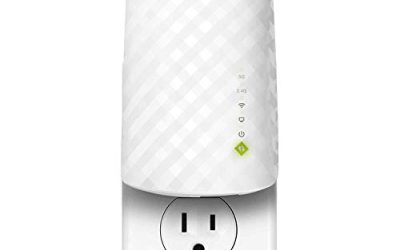
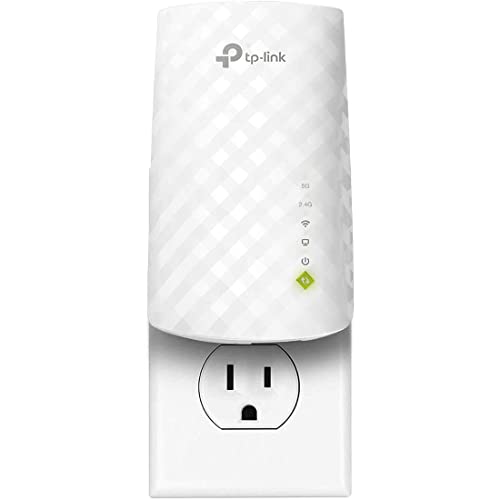
| TP-Link RE220 Extender | Small homes and trusted setup | Dual band 5GHz/2.4GHz, Ethernet port, covers up to 1200 sq ft, 32 devices |
| AX3000 WiFi 6 Extender | Newer devices and busy networks | WiFi 6 AX3000, 165+ devices, Ethernet port |
| ROQRL AC1200 Extender | Three-in-one repeater flexibility | AC1200 dual band, 3-in-1 repeater and router, Ethernet port |
| 1200Mbps Dual Band Extender | Mid-size homes on a budget | 1200Mbps dual band, Ethernet port, up to 18999 sq ft claimed |
| 2.4GHz 300M Extender | Light use and lowest tier | 2.4GHz 300M, 85+ devices, Ethernet port |
| Jancane Extender | Simple one-key setup | Up to 5800 sq ft, 55 devices, Ethernet port, 1-key setup |
How to Choose
Prefer dual band over single band
A 2.4GHz-only extender reaches farther through walls but tops out at modest speeds and shares a crowded band with microwaves and baby monitors. Dual-band models add 5GHz, which is faster at shorter range. Many dual-band extenders still repeat on the same radio they receive from, which can halve throughput. Treat any figure as a theoretical maximum and plan around real-world use instead. Extenders that offer a dedicated link back to the router, when listed, avoid some of that loss.
Interpret the coverage and device claims sensibly
Listings cite square footage from the low thousands to above 20,000, and device counts from 32 to 165. Those numbers describe a best-case scenario with open air and no walls. A sensible rule is to divide the claim aggressively and place the extender halfway between the router and the dead zone, where it still receives a strong signal. An extender in the dead zone itself only repeats weakness, so a quick walk-through with a phone showing signal bars can help you pick the spot.
Check the Ethernet port details
The port is the point of this keyword. Look for a stated speed: Gigabit is ideal, while Fast Ethernet at 100Mbps caps wired devices below many internet plans. A single port serves one device; to connect more, add a small switch. Also verify whether the unit can act as an access point, which is a cleaner way to bring wired internet into a room. If your router and extender are far apart, a physical cable between them beats any wireless repeat.
Weigh the brand and the standard
WiFi 6 (AX) improves handling of many devices, but only helps if the router also supports it, since the extender’s link to the router sets the limit. A known brand typically offers a better app, firmware updates, and customer support than generic imports. Budget models cut corners on antenna quality, port speed, and long-term software support, and the titles rarely admit which corner was cut. Read the full spec list and the manual, if available, before relying on a feature.
The 6 Best Options
TP-Link RE220 Extender
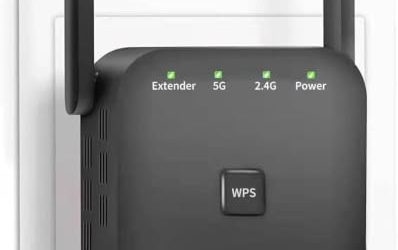
The RE220 is the most modest and the most conventional entry. The title lists dual-band 5GHz and 2.4GHz operation, an Ethernet port, up to 44 percent more bandwidth than a single-band design, and coverage up to 1200 square feet with 32 devices. Those numbers are small, which makes them more believable. For a one-bedroom apartment or a single stubborn room, a modest extender from an established brand is often a calmer purchase than a giant-claim import, because setup guides and firmware updates are easier to find if something goes wrong.
- Strength: honest coverage claims and a recognizable brand.
- Strength: dual-band design with a wired port for one device.
- Trade-off: it targets small spaces and lacks WiFi 6.
Skip it if you have a large house or many modern devices, or if you need more than one wired port without adding a switch.
AX3000 WiFi 6 Extender
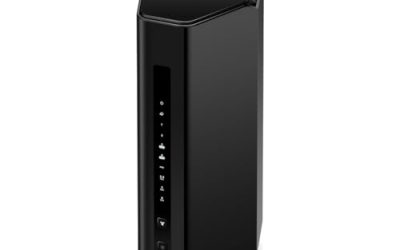
This unbranded listing leans into the newest standard: WiFi 6, AX3000 class, 5.8GHz and 2.4GHz bands, and an Ethernet port. The title claims 21099 square feet and 165-plus devices, which is a very big number. It suits buyers with WiFi 6 routers and devices who want the matching standard in the extender. In a busy household, the practical gain from WiFi 6 is better handling of many simultaneous connections, so phones, laptops, and smart speakers contend less. The unbranded nature of the listing means buyers should plan on using the return window if needed rather than assuming the headline numbers will hold.
- Strength: WiFi 6 and AX3000 class give the most modern spec in the group.
- Strength: a wired port adds flexibility for consoles and TVs.
- Trade-off: coverage and device counts are very ambitious claims for a plug-in unit.
Skip it if you want brand support or documented performance, or if your router is an older single-standard model that cannot take advantage of WiFi 6.
ROQRL AC1200 Extender
The ROQRL listing is a 3-in-1 design: repeater, router, and amplifier functions, in an AC1200 dual-band package with an Ethernet port. The title claims up to 15,999 square feet. The multi-mode idea is attractive if you want to switch between extending and creating a small wired-to-wireless network. A 3-in-1 label can also mean the product is stronger on paper than in daily use, so decide which single mode you will use most and judge it on that one.
- Strength: dual band and multiple operating modes add flexibility.
- Strength: Ethernet makes it usable as a wired bridge.
- Trade-off: AC1200 is an older standard than WiFi 6.
Skip it if you want WiFi 6 or a long-established brand.
1200Mbps Dual Band WiFi Extender
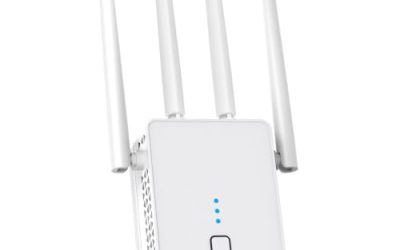
This unbranded 1200Mbps model advertises dual-band operation across 5.8GHz and 2.4GHz and an Ethernet port, with coverage up to 18999 square feet. It is positioned as a general-purpose booster for a mid-size home. Its pitch is straightforward: the usual 5GHz and 2.4GHz pair, a wired port, and a coverage claim that sounds large. Treat the number as a ceiling and the dual-band pairing as the real selling point.
- Strength: dual-band speed class at an entry-level tier.
- Strength: a wired port for one stationary device.
- Trade-off: the brand is not named, so support is uncertain.
Skip it if you want a documented warranty or app experience.
2.4GHz 300M WiFi Extender
This is the lowest tier. It lists a 2.4GHz-only band at 300M, coverage up to 10999 square feet, 85-plus devices, and an Ethernet port. The single band means longer reach but slower speeds, so it suits light tasks such as basic browsing, smart-home gadgets, or email. It can still be useful when the goal is a stable connection for a thermostat, a smart plug, or a printer that never moves, and the lowest tier is easy to justify for those jobs.
- Strength: 2.4GHz penetrates walls better than 5GHz.
- Strength: it is the simplest option for low-demand devices.
- Trade-off: speeds are too limited for 4K streaming or fast downloads.
Skip it if you game, stream in high resolution, or have a fast internet plan.
Jancane WiFi Extender
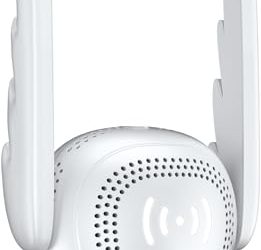
The Jancane lists up to 5800 square feet, 55 devices, a long-range amplifier design, an Ethernet port, and one-key setup. Of the generic imports, its claims are among the more modest, which can be a point in its favor. One-key setup is the other headline feature, and for someone who has struggled with extender apps before, a simple button-press pairing can matter more than extra bands.
- Strength: one-key setup suits users who dislike app configuration.
- Strength: moderate coverage claims are easier to believe.
- Trade-off: the title does not state the band type or speed class.
Skip it if you need a clear speed specification.
Which One Fits Your Situation
A console stuck in a back bedroom
The TP-Link RE220 gives a wired port and a dual-band link from a known brand, which is the cleanest fix for one stranded device.
A home with a WiFi 6 router and many devices
The AX3000 WiFi 6 Extender matches the standard and lists the highest device count. Treat its coverage claims with caution, and place it where the router signal is still strong.
A flexible setup that may change over time
The ROQRL AC1200 Extender offers multiple operating modes, which helps if you rearrange rooms or use it as a wired bridge.
A basic upgrade for a smart plug or a printer
The 2.4GHz 300M Extender or the Jancane unit is enough for light, low-bandwidth devices that just need a connection. Keep expectations modest: these are fixes for reach, not for speed.
Common Mistakes
- Placing the extender in the dead zone instead of halfway to it.
- Trusting giant square-footage claims without discounting for walls.
- Buying a 2.4GHz-only unit for streaming or gaming.
- Assuming the Ethernet port runs at Gigabit speed without checking.
- Choosing an unbranded extender and ignoring firmware and support.
Related guides
- Windows Macos Linux Gaming Performance Comparison Strengths Weaknesses
- Desktop Operating Systems Gaming Performance Strengths Weaknesses
- 5G Home Internet Wifi Modem Settings Low Latency Gaming
Frequently Asked Questions
Does an extender with an Ethernet port reduce speed?
An extender typically loses some throughput when repeating a signal, wired or wireless. Using the Ethernet port at least spares the device from a weak wireless link, which usually gives a more stable connection.
Is a mesh system better than an extender?
Mesh systems manage handoff between nodes more smoothly, but they cost more. An extender is a targeted fix for one dead zone, especially when the main need is a wired port in that room.
Can I use the Ethernet port to connect a computer?
Yes. That is the typical use: plug a desktop, console, or TV into the port. Use a short cable and confirm the port speed for best results. If the room needs several wired devices, add an inexpensive unmanaged switch to the extender’s port.
Will an extender work with any router?
Most do, because they connect over standard WiFi, though a few routers with unusual security settings need a tweak during pairing. Matching standards helps, so a WiFi 6 extender benefits most with a WiFi 6 router.