
The moment you film a presenter who is reading a script verbatim without looking at a screen off-camera, you know they are working with a teleprompter. The difference between a polished broadcast-style delivery and a nervous, eye-line-breaking mess usually comes down to the equipment between the lens and the glass. A teleprompter is a deceptively simple concept: a beamsplitter at a specific angle reflects text toward the speaker while allowing the camera to see through it. But the execution varies enormously across the market, and choosing wrong means warped text, visible frame edges, or a setup that takes longer to assemble than the actual shoot.
When shopping for the best professional teleprompters for video production, the buyer problem is always the same: you need a device that is optically clean enough to fool the camera, physically stable enough to survive a location shoot, and compatible with the specific camera body and display you already own. Good units nail the glass coating and frame rigidity. Bad ones rattle, introduce chromatic aberration at the edges, or lock you into one screen size forever. The eight models below span compact personal rigs to broadcast-ready trays, and the right choice depends on how you work.
As an Amazon Associate we earn from qualifying purchases at no extra cost to you.



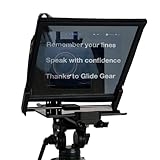
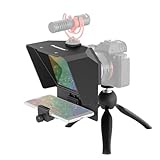


Our Top Picks


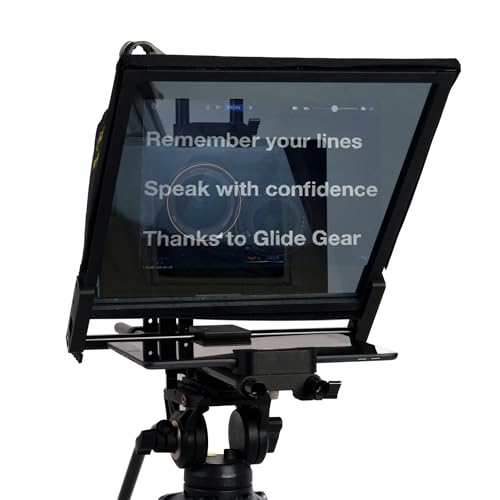

Top 3 picks at a glance
Quick Picks
| Product | Best for | Price |
|---|---|---|
| Little Prompter | Creators filming at home with laptops or webcams | Check on Amazon |
| Desview T5 | DSLR shooters who want adapter rings included | $99 |
| Neewer X14 III | Production teams needing a rigid all-metal frame | Check on Amazon |
| Leeventi Teleprompter 4.0 | Tight-budget professionals wanting a large display | Check on Amazon |
| Glide Gear TMP 750 | Studio work where speed and zero assembly matter | $349 |
| AMBITFUL Mini 7.5″ | Desktop setups with limited space | Check on Amazon |
| GVM 12″ | Traveling videographers who need a collapsible kit | $99 |
| Glide Gear TMP 1000 | Full production workflows with a tray and hard case | $499 |
How We Compared
We evaluated these models against four criteria that consistently determine whether a teleprompter survives real production use. First, optical quality: the beamsplitter coating must be true enough that the camera sees a clean image without color fringing or softness. Second, build rigidity: metal frames beat plastic at every price point because flexing during a take is invisible until playback. Third, compatibility breadth: whether the unit accepts multiple screen sizes and camera types without additional purchase. Fourth, setup time: in 2026, crews expect assembly-free or tool-free configurations because every wasted minute on location compounds across a schedule.
The 8 Best Professional Teleprompters For Video Production in 2026
Little Prompter
The Little Prompter targets creators who shoot solo from a desk with a built-in laptop camera or a modest webcam. Its compact personal format means you attach it directly in front of the lens with no stand required, and it works with both iOS and Android apps. The beamsplitter glass is small, which limits script readability at distance, but for tight head-and-shoulders framing it performs well.
- Pro: Genuinely no studio setup needed; mounts in seconds.
- Pro: Compatible with the broadest range of consumer cameras including built-in laptop webcams.
- Con: Compact glass size restricts working distance and line count compared to larger units.
Skip this if you are shooting medium or wide shots, or if your presenter needs to stand more than a few feet from the camera.
Desview T5
The Desview T5 bridges smartphone convenience and DSLR integration. It ships with adapter rings covering the 49-82mm range, a coated glass element, a Bluetooth remote, and a companion app that supports streaming workflows. For shooters who already own a mirrorless or DSLR body and want a prompter without rethinking their entire rig, this is a practical entry into the mid-tier.
- Pro: Multiple adapter rings included eliminate a separate purchase step.
- Pro: Bluetooth remote gives the presenter hands-free control during takes.
- Con: The free app is functional but less polished than dedicated prompter software.
Skip this if your camera has a non-standard lens thread outside the included ring range, or if you need a display larger than a typical smartphone or tablet.
Neewer X14 III
Neewer has iterated the X14 platform enough times to land on a genuinely rigid all-metal frame with a 14-inch beamsplitter tilted at 45 degrees for consistent reflection geometry. The RT113 remote and app control cover both operator-directed and presenter-directed scenarios, and the upgraded quick-release plate is compatible with Manfrotto 501PL, meaning it slides onto existing studio and field tripods without a base plate swap. Assembly-free design cuts setup to minutes.
- Pro: All-metal construction eliminates the flex that plagues budget units during long takes.
- Pro: Manfrotto QR compatibility integrates into existing support systems.
- Con: At 14 inches the display is large enough to crowd a tight desktop setup.
Skip this if your workspace is extremely confined or if you primarily shoot with smartphones without a camera body.
Leeventi Teleprompter 4.0
The Leeventi 4.0 delivers a 12-inch aluminum-alloy frame at a price that undercuts many plastic alternatives. It accepts iPads, tablets, and smartphones as the display source, pairs with Android and iOS control apps, and supports both remote and app-driven scrolling. For video recording in controlled or semi-controlled environments, it punches well above its cost.
- Pro: Aluminum-alloy frame at this price point is rare and provides meaningful rigidity.
- Pro: Broad device compatibility across phone, tablet, and DSLR without extra rings.
- Con: Lacks a dedicated carry case, so travel protection is on you.
Skip this if you need a hard-shell case for frequent location work or if the remote control latency in the bundled app feels too sluggish for live delivery.
Glide Gear TMP 750
The TMP 750 is a production-focused unit with a 17-inch glass panel, a hard case, and a no-assembly design that snaps into position in seconds. It accepts smartphones, tablets, and all camera types via its mounting system. The large glass means presenters can stand at a comfortable distance and still read without squinting, which directly improves on-camera delivery.
- Pro: 17-inch glass is the sweet spot for professional headroom and readability at distance.
- Pro: Hard case and zero-assembly design make it location-ready out of the box.
- Con: No included tray for accessories like a microphone or monitor.
Skip this if your budget cannot stretch past the mid-hundreds or if you only ever shoot with a smartphone and do not need large-format glass.
AMBITFUL Mini Teleprompter 7.5″
The AMBITFUL Mini is a desktop-first solution that includes a tripod designed for tabletop or shelf placement. At 7.5 inches, the glass is small, but the entire system is light enough to sit on a desk without counterweight concerns. It works with smartphones and DSLRs, making it suitable for podcasters or educators who record sitting at a fixed position.
- Pro: Includes a desktop tripod so you need no additional support gear.
- Pro: Lowest overall footprint; fits beside a laptop or monitor without crowding.
- Con: Limited readability at any meaningful distance due to the small glass.
Skip this if your presenter stands more than two to three feet from the camera or if you need to display a large block of text at once.
GVM 12″
The GVM 12-inch teleprompter collapses for transport, which is its defining feature. It requires no installation once unfolded, uses an HD reflective display surface, and supports app remote control. A carry case is included, making it the most travel-friendly option at under $100. For documentary shooters and freelance videographers who bounce between locations weekly, the collapsible form factor saves space in already-oversized camera bags.
- Pro: Collapsible design with included carry case makes transport straightforward.
- Pro: Installation-free unfolding means you can go from bag to shooting position in under a minute.
- Con: Repeated collapse and unfold cycles may eventually loosen the joint tolerances.
Skip this if you are permanently stationed in a studio where rigidity and large format matter more than packability.
Glide Gear TMP 1000
The TMP 1000 sits at the top of this list because it adds a working tray to the 17-inch glass platform, giving you a surface for small accessories like a confidence monitor, a lavalier receiver, or a set of keys. It still carries the hard case and no-assembly design of its sibling, and the tray transforms it from a camera-mount prompter into a functional station that keeps the presenter’s immediate area organized.
- Pro: Tray lets you stage accessories within arm’s reach without a separate table.
- Pro: 17-inch glass with full case and zero-assembly setup represents a complete production package.
- Con: Highest price in this roundup and the largest footprint, unsuitable for small spaces.
Skip this if you are a solo creator with a fixed camera position and no need for accessory staging, or if the budget sits closer to the under-$200 range.
Buying Guide
Glass Size and Working Distance
Beamsplitter glass determines how far your presenter can stand from the camera while still reading comfortably. Compact units under 10 inches force the speaker within two or three feet, which works for webcam framing but not for wider compositions. A 12-inch panel covers standard single-shot documentary framing, while 14 to 17 inches allows comfortable eye-line contact at four feet or more. Match the glass to your typical shot before considering anything else.
Frame Material and Mounting System
Plastic frames flex under the weight of a tablet, which tilts the glass and breaks reflection geometry mid-take. Aluminum or steel frames resist this, and all-metal units like the Neewer X14 III hold alignment for hours. Check the mounting interface against your existing tripod or cage. A quick-release plate compatible with a standard like Manfrotto 501PL saves time; proprietary mounts may lock you into one support system.
Display Compatibility and Control Method
A teleprompter is only as good as the text you can feed it. Confirm whether your chosen unit accepts the device you already own: smartphone, tablet, or dedicated monitor. Control method matters too: a Bluetooth remote suits solo operators, while app-based control lets a producer off-screen manage scroll speed during interviews. Free bundled apps are functional but often lack fine-grained speed curves or teleprompter-specific font rendering.
Our Verdict
The Glide Gear TMP 750 is the top pick for working professionals who need large-format glass, zero assembly, and a case that survives weekly location travel. For budget-conscious creators who still want metal construction and a respectable 12-inch display, the Leeventi Teleprompter 4.0 at under $60 is the standout value. One exception: if your workflow demands a hard case, a tray for accessories, and you have the budget, the TMP 1000 earns its premium over the 750 by adding a functional staging surface that keeps a busy set tidy.
FAQ
Can a teleprompter work with a built-in laptop camera?
Yes, and the Little Prompter is specifically designed for this scenario. The key is positioning the glass at the correct angle directly in front of the webcam so the camera sees through it while the presenter reads the reflection. Resolution is limited by the laptop sensor, but eye-line contact is genuinely preserved.
Do I need a separate teleprompter app or can I use a video editor?
A standard video editor can display scrolling text on a tablet, but dedicated prompter apps provide mirrored rendering, adjustable font weight, speed curves, and remote control. The included or free companion apps on most units here cover basic needs; upgrading to a professional app later is worthwhile if you do high-volume scripted work.
Will a teleprompter show up in the recorded image?
A properly coated beamsplitter is invisible to the camera lens. Low-quality or scratched glass can introduce a faint haze or ghost edge at the corners of frame. Check the coated glass on budget units carefully before committing to a paid shoot, and clean the surface with a lens cloth between sessions.
What is the difference between a prompter with a tray and one without?
A tray attaches below or beside the glass assembly and gives the presenter a stable surface for a phone, notes, a lavalier pack, or a small monitor. Without a tray, everything must rest on a separate table or hang from the prompter frame, which increases clutter and risk of bumping the glass during a take.
Related guides
- Best Gaming PC for Overwatch 2: Ten Prebuilts Matched to Your Monitor (2026)
- Best Gaming PC for Baldur’s Gate 3: Matching CPU, VRAM and Storage to the Game (2026)
- Best Gaming PC for Apex Legends: Which Listings Fit a High-Refresh Setup (2026)
- Best RTX 3060 Gaming PCs: Eight Prebuilt Listings Compared by CPU, RAM and Cooling (2026)









