
Our Top Picks

The Short Answer
Yes, undervolting your GPU is undeniably worth it for gaming, provided you are willing to spend 30 to 60 minutes testing system stability in utility software like MSI Afterburner. Undervolting lowers operating temperatures, drastically cuts fan noise, and reduces power consumption without dropping your frame rates. For modern graphics cards operating in constrained home office environments or compact desktop setups, lowering your core voltage actually improves long-term gaming performance by preventing thermal throttling during extended play sessions.
What You Actually Get
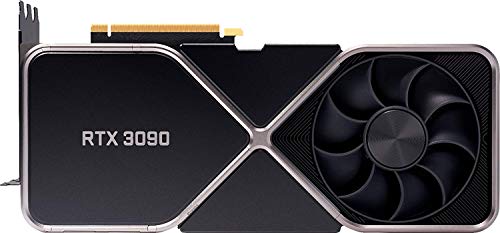
When you unbox a modern high-performance graphics card—such as an MSI Gaming GeForce RTX 3090 24GB Ventus 3X (often retailing around $1,850 renewed) or a massive flagship like the nVidia GeForce RTX 3090 Founders Edition (around $2,400)—the manufacturer sends it out with a very conservative factory voltage curve. Graphics card makers pump excess voltage into the GPU core to guarantee that every single card operates stably out of the box, regardless of subtle manufacturing defects in the silicon. However, this factory setting causes the GPU to consume far more electrical power than it actually needs to maintain its rated clock speeds.
As an Amazon Associate we earn from qualifying purchases at no extra cost to you.

Undervolting is the process of manually adjusting the GPU voltage-frequency curve so the card runs at its full stock clock speed (or higher) using significantly less power. Instead of letting a card pull 1.050 volts at peak boost, you recalibrate it to hold that same clock speed at 0.880 to 0.900 volts. The practical results inside your home workspace and gaming room are immediate and measurable across four major categories:
1. Thermal Reduction: A standard flagship graphics card pulling 350 to 400 watts under full gaming load can easily reach core temperatures of 80°C to 85°C, with memory junction temps spiking higher. A successful undervolt routinely drops core temperatures by 6°C to 12°C, keeping the graphics card operating in a comfortable range of 68°C to 74°C.
2. Room & Acoustic Comfort: High-end graphics cards feature large cooling shrouds weighing 3 to 4 pounds and using three 90mm fan assemblies. When a card runs hot, these fans ramp up to 2,200+ RPM, creating an annoying 42 to 45 dBA hum right at your desk. Dropping the thermal output allows fan profiles to slow down to a whisper-quiet 1,300 to 1,500 RPM (around 32 dBA), dramatically improving your ambient room environment.
3. Power Efficiency: Undervolting reduces real-time power draw by 50 to 100 watts per hour. In smaller home offices, a GPU pulling 350 watts acts like a miniature space heater, quickly raising the ambient temperature of your room during long gaming sessions. Lower power consumption keeps your personal environment noticeably cooler.
4. Consistent Frame Times: Factory GPUs constantly adjust their boost clocks up and down based on heat limits. When thermals rise, the card throttles its clock speeds down, causing micro-stutters in frame pacing. An undervolted card maintains a steady, flat clock speed indefinitely, resulting in smoother 1% low frame rates.
Pros
- Significant Temperature Drops: Decreases core and memory temperatures by 6°C to 12°C without purchasing expensive aftermarket water coolers or additional case fans.
- Dramatically Quieter Desk Setup: Lowers fan speeds by 20% to 35%, removing distracting fan whine while wearing open-back headphones or working nearby.
- Reduced Room Heat & Power Consumption: Reduces overall board power draw by 50W to 100W, helping keep small gaming spaces cool and slightly lowering electricity usage.
- Eliminates Thermal Throttling: Keeps the core clock speed completely flat during hours-long gaming sessions, ensuring consistent frame rates without sudden dips.
- Extends Hardware Lifespan: Exposing delicate electrical components and memory VRAM to lower peak voltages and lower thermal cycles reduces long-term physical wear.
Cons
- Requires Time Investment: Finding your specific card’s lowest stable voltage requires 30 to 90 minutes of trial-and-error testing across multiple games.
- Potential System Instability: Setting the voltage too low causes games to crash to the desktop or display a driver reset until you adjust the voltage slightly back up.
- Software Reliance: Your custom voltage profile relies on utility programs like MSI Afterburner loading automatically every time Windows boots up.
- Silicon Lottery Variation: Every individual GPU chip behaves differently; your specific card might achieve a massive 120mV voltage reduction, while an identical model owned by someone else might only handle a 50mV drop.
Who Should Buy It
Undervolting is ideal for gamers who own high-wattage graphics cards drawing 250 watts or more under load, especially those running demanding titles at 1440p or 4K resolutions. It is a must-do optimization if your PC sits in a small bedroom or home office where fan noise and heat radiation become uncomfortable. Furthermore, owners of compact Small Form Factor (SFF) PC cases where interior air clearance is restricted will see massive benefits in system stability. In 2026, with power-hungry graphics hardware pushing home electrical circuits and desktop thermals to their limits, undervolting remains the single best zero-dollar upgrade available to PC enthusiasts.
Who Should Skip It
You can skip undervolting if you own an entry-level or budget graphics card that draws under 150 watts of power. Lower-tier cards generate minimal heat and run quietly out of the box, making the thermal gains from undervolting negligible. You should also skip this process if you strongly prefer a strict plug-and-play experience and do not want to spend an afternoon running benchmark loops or troubleshooting occasional game crashes during initial setup.
Cheaper Alternatives
If you want to lower your GPU thermals and quiet your desktop setup without spending time adjusting fine-grained voltage curves, several alternative methods yield similar comfort benefits.
| Option | Cost | Trade-off |
|---|---|---|
| Power Limit Slider Reduction | $0 | Quickly reduces heat by capping total board power in software, but sacrifces 3% to 7% of overall FPS compared to a tuned undervolt. |
| Frame Rate Capping (FPS Limit) | $0 | Prevents the GPU from working at 100% load in lighter games, though it offers zero thermal reduction in heavy, demanding AAA titles. |
| Upgrading Case Airflow Fans | $25 – $70 | Improves overall chassis ventilation with extra 120mm or 140mm fans, but does not lower the actual wattage drawn from your wall outlet. |
| Replacing GPU Thermal Paste | $10 – $15 | Restores heat transfer on older cards by renewing dried-up thermal compound, but requires physically taking your card apart. |
FAQ
Does undervolting void your GPU warranty?
No, undervolting does not void your graphics card warranty. You are reducing the electrical voltage supplied to the processor core, which operates entirely within safe factory parameters. Unlike overvolting—which can force excessive voltage into components and cause permanent hardware degradation—undervolting poses zero physical risk to the graphics card.
How much FPS do you lose by undervolting?
In almost all cases, you lose 0% of your frame rate. Because undervolting keeps the core clock at stock speeds while drastically lowering thermals, your card avoids heat-induced clock dropping. Over extended multi-hour gaming sessions, an undervolted card often yields 1% to 3% higher average frame rates than a stock card that suffers from thermal throttling.
Can undervolting damage your graphics card?
No, delivering lower voltage to a GPU chip cannot physically or electrically damage it. If you set the voltage too low, the card simply lacks enough energy to complete complex render calculations, resulting in a minor display driver crash or game crash. Simply raising the voltage step up by 15 to 20 millivolts fully restores complete stability.
Is undervolting better than just lowering the power limit slider?
Yes, undervolting is superior to lowering the power limit slider. Simply sliding your power limit down forces the GPU driver to downclock both voltage and core frequency simultaneously, which directly lowers your in-game frame rates. Undervolting lowers the voltage while preserving your maximum target clock speed, giving you cooler operating temperatures without sacrificing gaming performance.
Related guides
- Best Gaming PC for Overwatch 2: Ten Prebuilts Matched to Your Monitor (2026)
- Best Gaming PC for Baldur’s Gate 3: Matching CPU, VRAM and Storage to the Game (2026)
- Best Gaming PC for Apex Legends: Which Listings Fit a High-Refresh Setup (2026)
- Best RTX 3060 Gaming PCs: Eight Prebuilt Listings Compared by CPU, RAM and Cooling (2026)









