Ten terabytes is the point where a hard drive stops being a convenience and becomes a commitment. It is enough to hold a large game library plus raw video footage, a decade of family photos, and a full system backup without juggling multiple disks. It is also the capacity where the differences between drive families start to matter: a drive built for a desktop tower, one built for a network storage box, and one built for a data center rack all share the same number on the label but behave very differently once you plug them in.
This guide is for buyers who have already decided that 10TB is the right size and now need to pick the right kind. Maybe you are filling a NAS bay, replacing a failing internal disk in a gaming PC, or grabbing a simple plug-in drive for archives. The eight options below cover external, desktop, NAS, performance, and enterprise designs, so the useful question is not which drive is best in the abstract but which one fits your enclosure, your workload, and your tolerance for noise and heat in 2026.
Our Top Picks


Top 3 picks at a glance
Quick Picks
As an Amazon Associate we earn from qualifying purchases at no extra cost to you.


| Product | Best for | Key spec from the title |
|---|---|---|
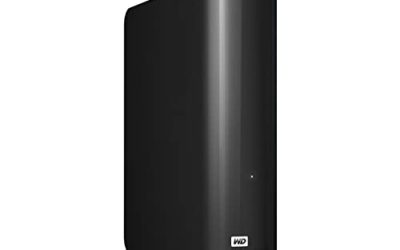
| WD Elements Desktop 10TB | Plug-in backup with no installation | External, USB 3.0, plug-and-play |
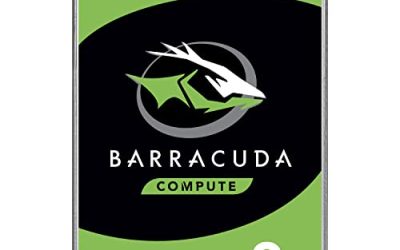
| WD Blue 10TB | General desktop storage | 7200 RPM, 512 MB cache, SATA 6 Gb/s |
| Seagate Enterprise Capacity 10TB | Budget-minded bulk storage | 256 MB cache, 512e, renewed |
| WD Red Plus 10TB | Home and small-office NAS | CMR, 7200 RPM, 512 MB cache |
| WD_Black 10TB | Gaming PC bulk drive | Performance line, 7200 RPM, 512 MB cache |
| Seagate IronWolf 10TB | RAID arrays | CMR, RAID optimized, health management |
| HGST Ultrastar He10 10TB | Server-style 24/7 duty | Power Disable, 256 MB cache, 512e |
| Seagate Exos X10 10TB | Enterprise-class bulk storage | 7200 RPM, 512e, 256 MB cache |
How to Choose
External or internal
The first fork is physical. An external desktop drive like the Elements connects over USB 3.0 and needs nothing but a free port and wall power. The other seven are bare internal 3.5-inch SATA drives, which need a free bay, a SATA data cable, and a power connector, or a NAS or drive dock. Bare drives cost less per terabyte in general and give you more choice of duty class, but they assume you are comfortable opening a case. If you want to move the drive between computers, the external model saves the hassle.
Duty class matters more than the headline spec
All the internal drives here list 7200 RPM and a SATA 6 Gb/s interface, so raw interface speed will not separate them. What separates them is the intended duty. NAS drives such as the Red Plus and IronWolf are built for always-on use and multi-drive enclosures. Enterprise drives such as the Exos, Ultrastar, and Enterprise Capacity are built for data center racks. Desktop drives such as the Blue and WD_Black target a single computer that is not running around the clock. Match the duty class to how many hours a day the drive will spin.
CMR versus unspecified recording
Two of the NAS listings state CMR, which stands for conventional magnetic recording. CMR writes tracks independently and is the safer choice for RAID rebuilds and sustained writes. Listings that do not mention the recording method leave you to check the manufacturer spec sheet for the exact model number before buying. If you plan a multi-drive array, treat a clearly stated CMR listing as a point in its favor.
Cache, sector format, and condition
Cache sizes in this group run 256 MB or 512 MB. A larger cache can help with small repeated reads, but it is a minor factor next to duty class. Several enterprise models list 512e, meaning the drive presents 512-byte sectors while using larger physical sectors internally. That is fine for modern operating systems, but check compatibility with older RAID controllers. Finally, two listings mention renewed or refurbished status, so confirm the seller, the condition grade, and the warranty terms before relying on one for your only copy of anything.
The 8 Best Options
WD Elements Desktop 10TB
This is the no-fuss entry in the group. The title describes an external desktop drive using USB 3.0 with plug-and-play storage, which means no enclosure shopping and no cabling decisions beyond the included connection. It suits people who want a single large place to dump photo libraries, video projects, or a full computer backup and then unplug it.
- Strength: external design means setup is as simple as connecting it to a USB port.
- Strength: the 10TB capacity lets one drive hold what would otherwise take several smaller ones.
- Trade-off: USB 3.0 is the ceiling for transfer speed, and it needs its own power supply and desk space.
Skip it if you plan to build a NAS or install the drive inside a PC, since an internal model is the more flexible choice.
WD Blue 10TB
The Blue line is the familiar desktop choice. Per the title, it runs at 7200 RPM with a SATA 6 Gb/s interface, a 512 MB cache, and a 3.5-inch form factor. It fits a standard tower with an open bay and works as a secondary drive for games, downloads, and media.
- Strength: 512 MB cache is the larger of the two cache sizes in this group.
- Strength: standard 3.5-inch SATA fits nearly any desktop case.
- Trade-off: the listing does not position it as a NAS or RAID drive, so it is better in a single-disk role.
Skip it if the drive will live in a multi-bay network storage box that runs around the clock.
Seagate Enterprise Capacity 10TB (Renewed)
This ST10000NM0016 is an enterprise-class drive with a 256 MB cache, 512e format, and a 7200 RPM spindle, sold as renewed. The renewed status is the draw for buyers who want enterprise build quality at a lower tier of spending, and the Hyperscale label points to data center origins.
- Strength: enterprise heritage suggests a design intended for heavy continuous use.
- Strength: renewed status typically brings the cost down compared with new units.
- Trade-off: a renewed drive carries more uncertainty about prior use, so seller terms and warranty coverage matter.
Skip it if you want a factory-new drive with the simplest warranty path.
WD Red Plus 10TB
The Red Plus is labeled for NAS use and the title states CMR, a 7200 RPM spindle, SATA 6 Gb/s, and a 512 MB cache. That combination is aimed at home and small-business network storage, where the drive sits in an enclosure beside others and rebuilds an array when a disk fails.
- Strength: explicit CMR recording is a plus for RAID and sustained writes.
- Strength: a NAS-oriented design with the larger 512 MB cache.
- Trade-off: it is built for enclosures, so it offers no advantage as a lone drive in a gaming PC.
Skip it if you only need a single internal disk and would rather pick a desktop line.
WD_Black 10TB
The WD_Black Performance drive carries the brand most associated with gaming PCs. The title lists 7200 RPM, SATA 6 Gb/s, a 512 MB cache, and the 3.5-inch size. It is a sensible place to install a huge game library or a scratch disk for large file work in a desktop.
- Strength: performance-line positioning aimed at desktop and gaming use.
- Strength: 512 MB cache and 7200 RPM for responsive large-file access.
- Trade-off: mechanical drives still load games slower than solid state, so it works best as bulk storage next to an SSD.
Skip it if you need RAID-optimized firmware or a drive meant for a multi-bay NAS.
Seagate IronWolf 10TB
The IronWolf is built around NAS systems. The title lists CMR, 7200 RPM, SATA 6 Gb/s, RAID optimization, and IronWolf Health Management, a monitoring feature that works with supported NAS software. It suits a home server or a small-office array that runs all day.
- Strength: RAID-optimized design and CMR recording for multi-drive arrays.
- Strength: health management tooling helps flag problems before a failure.
- Trade-off: the full benefit of the health features depends on a compatible NAS.
Skip it if you want a drive for a single desktop with no array in sight.
HGST Ultrastar He10 10TB
This Ultrastar HUH721010ALE600 is an enterprise drive with a SATA 6.0 Gb/s interface, 7200 RPM, 256 MB cache, 512e format, and a Power Disable feature. The title appears to flag it as renewed, so confirm the condition before ordering. It targets buyers who want server-style endurance for a home lab or storage tower.
- Strength: enterprise-class design intended for continuous operation.
- Strength: Power Disable support can matter for certain server backplanes and enclosures.
- Trade-off: Power Disable can prevent a drive from spinning up on older power connectors unless adapted.
Skip it if your power supply uses standard connectors and you do not want to troubleshoot the pin 3 behavior.
Seagate Exos X10 10TB
The Exos X10 ST10000NM0126 is another enterprise-class entry, with 7200 RPM, SATA 6 Gb/s, 512e sectors, a 256 MB cache, and a 3.5-inch size. Unlike two of its enterprise neighbors, the title does not carry a renewed tag, which matters to buyers who prefer not to take a used-condition drive.
- Strength: enterprise-class drive intended for heavy, sustained workloads.
- Strength: standard SATA connection works in common servers, NAS units, and desktops.
- Trade-off: enterprise drives are often louder and run warmer than desktop models.
Skip it if the drive will sit in a quiet living-room media PC.
Which One Fits Your Situation
You want to copy a whole computer and walk away
The WD Elements Desktop 10TB is the simplest answer. Connect it, point your backup software at it, and unplug it afterward. Nothing needs to be opened or installed, and the drive can move to a different machine when you upgrade.
You are building a home NAS
Choose between the WD Red Plus 10TB and the Seagate IronWolf 10TB. Both state CMR and are aimed at network storage. The IronWolf adds health management tooling, while the Red Plus pairs CMR with a 512 MB cache. Buy matching drives so the array behaves predictably.
You are filling a gaming tower
The WD_Black 10TB suits a PC that already boots from solid state and needs a roomy bulk disk for the game library. If you prefer the WD Blue 10TB for general desktop use and a simpler profile, it covers the same ground with a more everyday positioning.
You are running a home lab or server on a tight plan
The Seagate Exos X10 10TB and the HGST Ultrastar He10 10TB are the enterprise-style options, and the Seagate Enterprise Capacity 10TB is the renewed route. Read the seller terms carefully and keep a second copy of anything important.
Common Mistakes
- Putting a desktop drive in a multi-bay NAS and assuming it will behave like a NAS-rated model during a rebuild.
- Skipping the recording method check, then discovering the exact model number uses a slower technique for sustained writes.
- Treating one big drive as a backup. A single 10TB disk, internal or external, is one failure away from losing everything on it.
- Ignoring renewed status in the title and then being surprised by shorter coverage or a different condition than expected.
- Forgetting power and noise: enterprise drives can be louder, and a Power Disable drive may not spin up on a plain power connector.
Related guides
- Windows Macos Linux Gaming Performance Comparison Strengths Weaknesses
- Desktop Operating Systems Gaming Performance Strengths Weaknesses
- 5G Home Internet Wifi Modem Settings Low Latency Gaming
Frequently Asked Questions
Is a 10TB hard drive better than two 5TB drives?
It depends on your goal. One 10TB drive uses a single bay and a single cable, which saves space and power. Two smaller drives give you the option to mirror data, which protects against a single drive failure.
Can I use an internal drive as an external one?
Yes, with a SATA-to-USB adapter or an enclosure that supports 3.5-inch drives and external power. This is a common way to repurpose a bare drive, but the external Elements model removes the extra purchase.
Do I need a NAS drive for a single-bay setup?
Not strictly. NAS-rated drives are designed for multi-drive enclosures and continuous use, so they make sense if the device runs all day. For occasional backups on one disk, a desktop or external model is usually enough.
Are renewed enterprise drives a safe choice?
They can be good value, but they carry more uncertainty than new stock. Buy from a seller with clear terms, check the warranty, and avoid using a renewed drive as the only home for irreplaceable files.