A DJ’s drive lives a harder life than a typical office backup disk. It gets slid into a gig bag between a laptop and a controller, plugged into a booth where bass is rattling the table, and asked to deliver a track without a hiccup while a crowd is watching. At the same time, the library behind it keeps growing: thousands of tracks, analyzed beat grids, cue points, playlists, and often a few recorded sets. The real question is how to split that library between a big, cheap archive and a small, fast drive you trust at the venue.
This guide is for mobile DJs, club residents, wedding and event performers, and bedroom producers who want external storage in 2026 without guesswork. The lineup mixes spinning portable hard drives, a desktop archive drive, a rugged model, and several USB flash and solid state drives, so you can build a two-drive system: one for bulk storage and one for performing.
Our Top Picks
 Seagate Rugged STFR5000800 5 TB External Hard Drive5TB3.39 x 5.32 x 1.02 inches0.55 poundsCheck on Amazon



Top 3 picks at a glance
Quick Picks
As an Amazon Associate we earn from qualifying purchases at no extra cost to you.





| Product | Best for | Key spec from the title |
|---|---|---|
| WD Elements 20TB Desktop | Home archive of the full library | 20TB, USB 3.0, plug-and-play |
| WD_BLACK D10 8TB | Large portable library | 8TB, works with PC and Mac |
| SSK 128GB USB-C Flash Drive | Pocket performance set | Up to 550MB/s, dual USB-C and USB-A |
| Seagate Rugged 5TB | Gig bag travel | 5TB portable, up to 130MB/s |
| WD_BLACK P10 5TB | Mid-size portable backup | 5TB portable, works with PC |
| MOVE SPEED 256GB SSD | Fast, compact booth drive | 1000MB/s, USB 3.2 Gen2, dual ports |
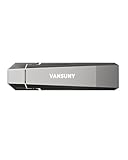
| Vansuny 256GB SSD | Light performance library | Up to 1000MB/s, USB A plus Type C |
| Vansuny 1TB SSD | Full working crate on one SSD | Up to 1000MB/s, USB 3.2 Gen 2 |
How to Choose
Capacity: size the library, then add headroom
A typical MP3 or AAC library runs around a few megabytes per track, while lossless files are several times larger. A working crate of 20,000 compressed tracks fits in a few hundred gigabytes, but add lossless files, video clips for visuals, and recorded sets, and a terabyte disappears fast. As a rule, buy about double what your library occupies today. Archive drives in the 5TB to 20TB range make sense at home, while a 256GB to 1TB drive is plenty for the live crate you carry to gigs.
Think in layers. The archive holds everything you own, organized by genre and year. The performance drive holds only the tracks you have analyzed, tagged, and cued for upcoming events, which keeps software load times short and makes it easy to rebuild a crate if the drive fails. A DJ who plays three different formats of event, such as weddings, bar nights, and corporate parties, may even keep a separate small drive for each, so a wrong crate is never one click away.
Spinning drive versus solid state at the venue
A hard disk drive has moving platters. In a booth with heavy bass, or in a bag that gets bumped, that is a risk, and a spinning disk can also take a moment to wake up. Solid state drives and flash drives have no moving parts, so they handle vibration better and load tracks quickly. The trade-off is cost per terabyte. Many DJs keep the big hard drive at home and copy the night’s crate to a small SSD or flash drive.
Ports, power, and compatibility
Check the connector before capacity. USB-C and USB-A dual connectors, like those on the flash and SSD models here, cover laptops, controllers, and many media players. Portable hard drives draw power from the USB port, while the 20TB desktop model needs a wall outlet, which is fine at home but awkward on a tour. Also check file system support: standalone players typically read FAT32 or exFAT, and some also read Mac formats. Format the drive to match your gear before loading a library.
Backups and what to ignore
No single drive is a backup. Keep one copy on the archive drive, one on the performance drive, and a third copy somewhere else. Also keep spare cables in the gig bag, because a loose or worn cable is a far more common cause of a mid-set dropout than a failing drive. Ignore peak-speed claims for tasks where DJ software is limited by track loading and analysis, and ignore gaming console branding, which has no bearing on music playback. Budget flash drives sometimes cut corners on sustained write speeds, so a claimed top speed may drop during a large library copy.
The 8 Best Options
WD Elements 20TB Desktop
This is the archive monster of the group. A 20TB capacity and USB 3.0 plug-and-play design make it a place to dump every track, every old set recording, and every video, then forget about space for years. It is a desktop unit, so it belongs on a shelf at home or in a studio rather than in a gig bag.
- Strength: enormous capacity for a full-career library.
- Strength: plug-and-play with USB 3.0.
- Trade-off: a desktop form means it needs wall power and is not meant to travel.
Skip it if you want a drive for the booth or a small crate.
WD_BLACK D10 8TB
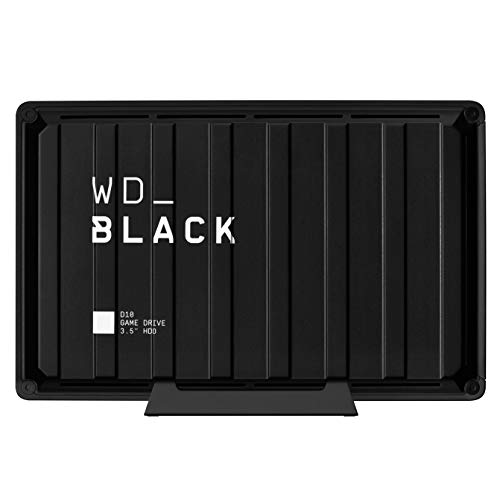
The D10 is listed as a portable external hard drive with 8TB of storage, compatible with PlayStation, Xbox, PC, and Mac. For a DJ, the PC and Mac compatibility is what matters. It suits someone who wants a big library on a single drive that can move between a studio and a second location.
- Strength: 8TB capacity in a portable listing.
- Strength: PC and Mac compatibility.
- Trade-off: it is a spinning hard drive, so rough handling and booth vibration are concerns.
Skip it if you play in loud, bumpy environments and want a drive with no moving parts.
SSK 128GB USB-C Flash Drive
This is a thumb-sized flash drive rather than a traditional hard drive, with dual USB-C and USB-A connectors, USB 3.2 Gen2, OTG support, and a listed speed of up to 550MB/s in a zinc alloy body. It fits a DJ who carries a trimmed set list rather than the full library, or a backup copy of an essential playlist in a pocket.
- Strength: tiny, with both USB-C and USB-A on one stick.
- Strength: no moving parts, with a listed 550MB/s ceiling.
- Trade-off: 128GB limits it to a focused crate.
Skip it if you need your whole library on one device.
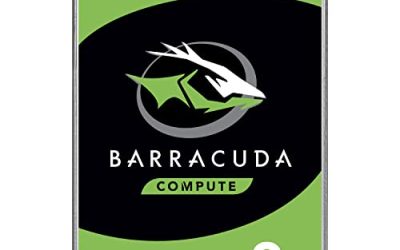
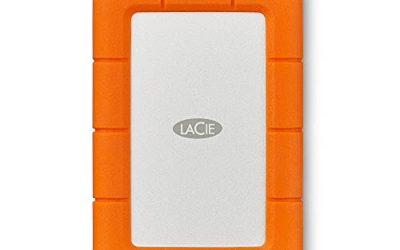
Seagate Rugged 5TB
The name says it all: a portable 5TB drive with a listed speed of up to 130MB/s, built as part of Seagate’s rugged line. The figure is modest next to SSDs, but music files are small and the capacity is generous. It suits a mobile DJ who wants a travel-friendly archive in a gig bag.
- Strength: 5TB in a portable body.
- Strength: rugged positioning suits transport.
- Trade-off: it is still a spinning drive, and the title lists no shock rating, so protect it.
Skip it if you need near-instant loading from a solid state device.
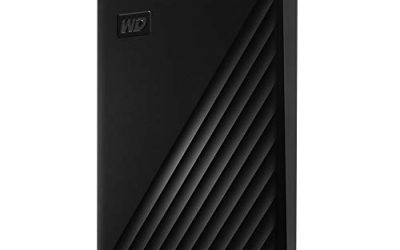
WD_BLACK P10 5TB
The P10 is a portable 5TB external hard drive that works with PlayStation, Xbox, and PC. Its capacity is the same as the Seagate Rugged, and it makes a sensible backup partner for a laptop-based DJ. The title mentions PC but not Mac, so Mac users should confirm formatting.
- Strength: 5TB portable capacity.
- Strength: familiar brand and a portable body.
- Trade-off: the title lists PC but does not mention Mac compatibility.
Skip it if you use a Mac and do not want to reformat.
MOVE SPEED 256GB SSD
This external SSD advertises 1000MB/s read and write, USB 3.2 Gen2, and a dual-port flash drive design with a three-stage push-pull connector. The 256GB capacity is enough for a performance crate and the dual ports let it connect to a laptop or a phone. It is a strong candidate for the drive you plug into a controller at the gig.
- Strength: 1000MB/s listed read and write speeds.
- Strength: dual ports for USB-C and USB-A hosts.
- Trade-off: 256GB fills quickly with lossless files or video.
Skip it if you want the entire library on one device.
Vansuny 256GB SSD
Vansuny’s 256GB solid state drive lists speeds up to 1000MB/s, USB 3.2 Gen 2, and dual USB-A plus Type-C connectors, with Android phone, tablet, laptop, and MacBook compatibility in the title. It is a straightforward, compact option for a DJ who wants an inexpensive performance drive and a spare.
- Strength: broad device compatibility including Mac laptops.
- Strength: no moving parts and dual connectors.
- Trade-off: 256GB is limiting for a growing library.
Skip it if your working crate already exceeds a couple hundred gigabytes.
Vansuny 1TB SSD
The 1TB version offers the same 1000MB/s listed speed and USB 3.2 Gen 2 dual connectors, with enough room for a full working library and recorded sets. For many DJs this is the most balanced choice: a solid state drive with no spinning parts and a capacity that avoids constant file shuffling.
- Strength: 1TB fits a large working crate.
- Strength: dual USB-A and Type-C ports.
- Trade-off: it costs more per terabyte than the large hard drives.
Skip it if your goal is a multi-terabyte archive.
Which One Fits Your Situation
A wedding DJ with a laptop and controller
The Vansuny 1TB SSD holds a full crate and reads quickly, and it has no moving parts to worry about in a crowded hall.
A studio producer archiving years of music
The WD Elements 20TB Desktop gives a home for everything, and the performance crate can live on a separate drive.
A touring DJ who travels by car and plane
The Seagate Rugged 5TB offers a large portable archive in a drive designed for travel.
A club resident who plays a short list on a tight rig
The MOVE SPEED 256GB SSD is small enough to stay in a pocket and fast enough for a set.
Common Mistakes
- Keeping the only copy of a library on a single drive.
- Bringing a spinning hard drive to a loud booth and setting it on a vibrating table.
- Skipping a format check, then discovering a standalone player cannot read the drive.
- Buying on peak speed and ignoring capacity and connector type.
- Forgetting that a desktop drive needs power at the venue.
Related guides
- Windows Macos Linux Gaming Performance Comparison Strengths Weaknesses
- Desktop Operating Systems Gaming Performance Strengths Weaknesses
- 5G Home Internet Wifi Modem Settings Low Latency Gaming
Frequently Asked Questions
Is an SSD better than a hard drive for DJing?
For performance, usually yes, because it has no moving parts and loads tracks quickly. Hard drives win on cost per terabyte for archiving.
How much storage does a DJ need?
Many DJs do fine with 256GB to 1TB for live sets. If you keep lossless files or video, step up to several terabytes for the archive.
Do I need USB-C?
Many modern laptops use USB-C, while older controllers and players still use USB-A. Dual-connector drives cover both, and they save you from carrying an adapter that can fall out of a port during a set.
Can I use a gaming drive for music?
Yes, since the console branding does not change how the drive stores files. Just format it for the computer or player you use.