An encrypted external drive answers one question before any other: what happens if this thing is lost in a taxi, a conference hall, or a checked bag? A plain portable drive hands over every file to whoever plugs it in. An encrypted one scrambles the contents so the data is useless without a passcode. The catch is that “encrypted” covers a wide range, from drives with a dedicated hardware encryption chip, to drives that ship with password-protection software, to rugged drives that leave encryption entirely to your operating system.
This guide is for people who carry client files, tax records, medical paperwork, or unreleased creative work, and for anyone who simply wants a backup that cannot be read by a stranger. As 2026 approaches its final months, hardware-encrypted portable drives remain a small niche, so the list below sticks to listings whose titles actually mention encryption or password protection and ranks them by how much protection the title claims.
Our Top Picks


Top 3 picks at a glance
Quick Picks
As an Amazon Associate we earn from qualifying purchases at no extra cost to you.



| Product | Best for | Key spec from the title |
|---|---|---|
| Apricorn Aegis Padlock 1TB | Everyday hardware-encrypted carry | 256-bit AES XTS hardware encryption, USB 3.0 |
| Apricorn Aegis Fortress L3 2TB | Regulated or high-stakes data | FIPS Level 3 validated, USB 3.0, hardware encrypted |
| OSCOO 1TB Touchscreen SSD | Fast transfers with on-device control | Up to 2000MB/s, touchscreen, password protection |
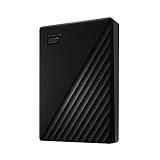
| WD My Passport 4TB | Large backups with software protection | Password protection, ransomware defense software, USB 3.1/3.0 |
| WD My Passport 2TB | Mid-size backups at a gentler tier | Password protection, backup software, USB 3.1/3.0 |
How to Choose
Know the difference between hardware and software protection
Hardware-encrypted drives do the scrambling on a chip inside the enclosure, so the passcode check never depends on your computer. Software password protection, which the WD My Passport listings describe, typically relies on utilities that run on the host. Hardware encryption is the stronger claim; software protection is often more convenient for casual use. Decide which risk you are guarding against before comparing capacities: a lost bag calls for hardware protection, while a shared household desk drawer may be fine with a password gate. Also ask who needs to open the drive. A drive that works the same on any computer is handy for traveling consultants, but a drive tied to one backup utility is easier for a family member to use.
Look for named standards, not vague adjectives
“Military-grade” and “bank-level” are marketing phrases. Concrete labels matter: 256-bit AES is the widely used cipher strength, XTS is a mode designed for storage, and FIPS validation is a government certification with levels. Level 3 adds physical tamper resistance beyond Level 2. If a listing offers no standard at all, treat the encryption claim as unproven. A related detail is the cipher mode: XTS, named on the Padlock, is the mode commonly chosen for disk-style storage, so seeing it in a title is a better sign than a bare “AES” mention. Also compare what each listing says about the lock itself, because a standard on paper still depends on how the passcode is entered and stored.
Size the capacity and interface for your actual use
One terabyte holds a large working project folder or years of documents. Two to four terabytes suit full-computer backups. USB 3.0 and USB 3.1 are plenty for a spinning disk, while an SSD claiming up to 2000MB/s needs a fast port to approach that figure, and real-world speed varies. Also verify that the host ports you own, whether USB-A or USB-C, match the cable bundled.
Plan for recovery and durability
Strong encryption cuts both ways: forget the passcode and the data is effectively gone, with no vendor reset that restores the files. Store the passcode separately, and keep a second backup elsewhere. Spinning drives dislike drops, so a padded sleeve matters, and budget models usually cut corners on enclosure strength before they cut capacity. A drive that ships in a flimsy plastic shell can crack in a bag even when the encryption works perfectly. For frequent travel, shop for an enclosure that feels dense and consider a hard case regardless of which model you pick.
The 5 Best Options
Apricorn Aegis Padlock 1TB
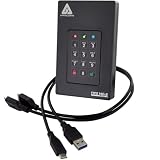
The Aegis Padlock is the most direct answer to the question of a portable drive with real encryption. The title states 256-bit AES XTS hardware encryption, USB 3.0 connectivity, and a 1TB capacity in a portable enclosure. It positions itself for professionals who need protection without managing software installs on every computer they plug into. It is the quiet workhorse of the list: the specs are modest, the claim is specific, and nothing in the title depends on a flashy display or marketing slogan.
- Strength: hardware encryption is named explicitly with a cipher and mode.
- Strength: 1TB is a sensible size for working files and moderate backups.
- Trade-off: the capacity is modest next to the multi-terabyte consumer drives here.
Skip it if you need to back up an entire large library on a single unit.
Apricorn Aegis Fortress L3 2TB
This is the heavy-duty choice. The listing calls it FIPS Level 3 validated, hardware encrypted, 2TB, and USB 3.0. Level 3 is the tier that adds tamper-evident protection, which is why compliance-minded teams look for it. Where the Padlock suits personal and small-business carry, the Fortress L3 is aimed at situations where an auditor might ask for documentation. Anyone deciding between the two Apricorn drives is really deciding whether the certification is worth the capacity and tier jump, and the answer depends entirely on who could ask you to prove your data handling.
- Strength: the FIPS Level 3 validation is the strongest certification claim in this group.
- Strength: 2TB doubles the room of the Padlock.
- Trade-off: this is a specialist tool, and it sits in the premium tier.
Skip it if you only need to keep family photos from casual snooping.
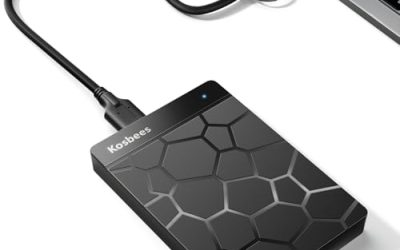
OSCOO 1TB Touchscreen Encrypted SSD
OSCOO takes a very different route: a solid-state drive with a touchscreen, a magnetic design, and password protection. The title advertises transfers of up to 2000MB/s, a smart display, and Mac compatibility. That makes it the quickest option here when you are moving large video files or project folders. It also stands out for its magnetic design, which suggests it is meant to stick to a device or surface rather than dangle on a cable, though buyers should read the full listing for what that means in practice.
- Strength: an SSD with a claimed 2000MB/s ceiling handles big transfers quickly.
- Strength: an on-device touchscreen suggests passcode entry without relying on the computer.
- Trade-off: the title cites no cipher or certification, so the strength of the encryption is unclear.
Skip it if documented standards such as AES or FIPS are a requirement.
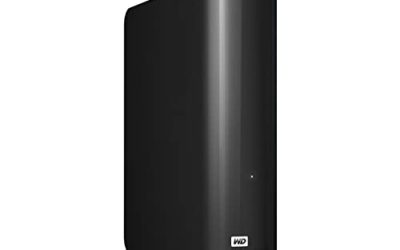
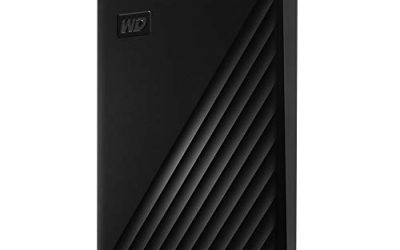
WD My Passport 4TB
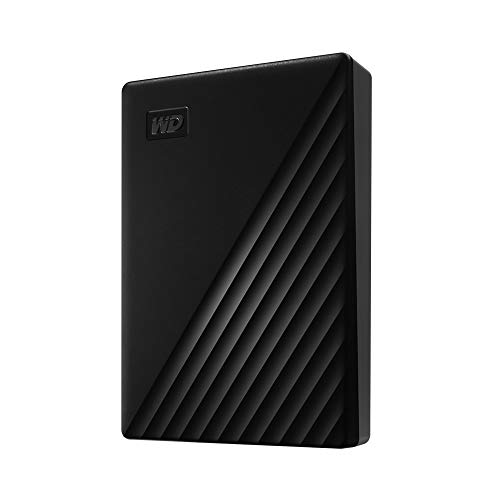
The My Passport is the mainstream pick. The title lists a 4TB portable hard drive in black, backup software, defense against ransomware, password protection, and USB 3.1 with USB 3.0 compatibility. It is built for people who want a large, simple backup that discourages casual access rather than guarding against a determined adversary. Its main selling point is simplicity: plug it in, point the backup software at your folders, and let it run on a schedule.
- Strength: 4TB is the roomiest capacity among the encryption-related listings.
- Strength: bundled backup software and password protection simplify routine use.
- Trade-off: the protection is described as password-based rather than as certified hardware encryption.
Skip it if you handle regulated data and need independent validation.
WD My Passport 2TB
This is the same family at half the capacity, with the same password protection, ransomware-defense backup software, and USB 3.1/3.0 compatibility. It exists for buyers who do not need four terabytes but still want a recognizable brand and a straightforward setup. Treat it as a capacity tier of the 4TB model rather than a separate design. The one real difference is how long the drive lasts before you face a purge of old files, so honestly estimate your library size first.
- Strength: a lower-capacity tier is easier to justify for a single laptop backup.
- Strength: the same software features come along at the smaller size.
- Trade-off: capacity can feel limiting if photos and video accumulate.
Skip it if you expect to outgrow two terabytes soon.
Which One Fits Your Situation
A freelancer carrying client contracts
The Apricorn Aegis Padlock 1TB covers contracts, invoices, and project files with a named cipher. It is the balanced answer when losing the drive would be embarrassing but not catastrophic. Keep the passcode in a password manager, and pair it with a second copy at home.
A clinic or legal office with compliance duties
The Apricorn Aegis Fortress L3 2TB is the one with a certification you can point to. Its FIPS Level 3 label is the clearest signal for audit conversations, and the 2TB capacity leaves room for a year of case files or patient scans without juggling several units.
A video editor moving large files
The OSCOO 1TB Touchscreen SSD prioritizes speed. Pair it with a second backup, since its encryption details are less documented. Editors who also want a proper audit trail for client footage should weigh that gap before committing.
A household backing up several devices
The WD My Passport 4TB offers the most space and a simple password gate. For a single laptop, the 2TB version is enough, and it keeps the same password gate and backup tools at a lower capacity tier.
Common Mistakes
- Assuming any “password protected” drive is hardware encrypted.
- Forgetting that a lost passcode on a hardware-encrypted drive usually means lost data.
- Choosing the fastest SSD while ignoring whether the encryption standard is stated.
- Using the drive as the only copy of important files instead of one of two.
- Plugging a protected drive into shared computers without ejecting it properly first.
Related guides
- Windows Macos Linux Gaming Performance Comparison Strengths Weaknesses
- Desktop Operating Systems Gaming Performance Strengths Weaknesses
- 5G Home Internet Wifi Modem Settings Low Latency Gaming
Frequently Asked Questions
Is hardware encryption better than software encryption?
For portability, usually yes. The scrambling and passcode check happen inside the drive, so it works across computers without installing anything. Software tools can be strong too, but they depend on the host machine being trusted. If you regularly use borrowed or shared computers, that difference matters a lot.
What does FIPS Level 3 mean?
It refers to a US government validation program for cryptographic modules. Level 3 adds physical tamper resistance on top of the lower levels. It matters most for regulated industries and procurement rules.
Can I use these drives on both Windows and Mac?
The WD listing names USB 3.x compatibility, and the OSCOO listing mentions Mac compatibility. For the Apricorn drives, confirm file system and operating system support on the manufacturer page before relying on cross-platform use.
Do encrypted drives protect against ransomware?
Encryption protects against someone reading the data, not against malware encrypting or deleting files on a connected drive. The best defense is an extra backup that stays disconnected after the copy finishes. Think of encryption as protection against theft and backups as protection against failure; you need both for important files.