When a drive holds your game library, your work files or a year of family photos, the warranty length says something about how the maker expects it to hold up. A long coverage period is not a promise that nothing will fail, but it does show confidence and gives you a recourse if something does. The catch is that warranty terms differ wildly between drives that look alike, and the product title is often the only place the term appears.
This guide is for desktop builders, home server owners and anyone replacing a failing disk who wants coverage that outlasts the usual short term. The eight listings below mix mechanical and solid-state storage, internal 3.5-inch and 2.5-inch formats, and workload ratings from everyday use to round-the-clock recording. We focus on what each title actually states, and we flag every case where the warranty is not spelled out. In 2026 five-year terms are common on flash storage but less so on consumer mechanical drives, which is why the term deserves a second look before you click buy. Drives built for cameras and servers follow different rules again, so read each entry with its intended job in mind.
Our Top Picks
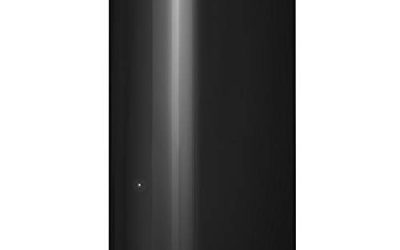
 SEAGATE ST4000VX007 Skyhawk 4TB Surveillance Hard SATA 6Gb/s4TB5.79 x 4.01 x 1.03 inches1.43 poundsCheck on Amazon


Top 3 picks at a glance
Quick Picks
As an Amazon Associate we earn from qualifying purchases at no extra cost to you.


| Product | Best for | Key spec from the title |
|---|---|---|
| Seagate 8TB BarraCuda | Big desktop game library | 8TB, SATA 6 Gb/s, desktop HDD |
| HGST Ultrastar 7K6000 | Enterprise-grade bulk storage | 6TB, 7200 RPM, 128MB cache, 5 year warranty (renewed) |
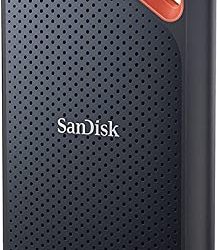
| Gigastone 1TB SSD 2-Pack | Two-drive upgrades | Up to 550MB/s, 24/7, 5-year warranty |
| Seagate SkyHawk 4TB | Camera recorders | Surveillance, 64MB cache, 3.5-inch |
| Seagate SkyHawk 6TB | Larger DVR and NVR systems | 256MB cache, drive health management |
| Gigastone 4TB SSD | Large flash library | Up to 530MB/s, 5-year warranty |
| Gigastone 2TB SSD | Balanced capacity | Up to 550MB/s, TLC with SLC caching |
| Gigastone 512GB SSD 2-Pack | Boot drives and small builds | Two 2.5-inch SATA drives, 5-year warranty |
How to Choose
Read what the warranty actually covers
Five years is the headline figure among these listings, but the fine print decides its value. Some warranties are limited by total data written, some require registration, and a renewed drive may be backed by the seller rather than the original maker. If the title does not state a term, assume you must confirm it on the full listing before purchase. A drive without a clear term is a gamble regardless of reputation. Keep the order confirmation and serial number somewhere safe, because most claims require them.
Match the drive type to the workload
Desktop drives suit gaming and general use. Surveillance drives are tuned for continuous writing and are meant for recorders rather than game installs. Enterprise drives are built for heavy duty cycles and are usually louder and hotter. Solid-state drives with a 24/7 endurance claim suit always-on machines and NAS boxes because they handle constant access without spinning platters. Pay attention to heat as well: a 3.5-inch enterprise drive in a cramped case needs airflow, while a 2.5-inch flash drive barely warms up.
Pick capacity and interface carefully
All eight use SATA, so they fit most desktops and home servers but not M.2-only boards. The 3.5-inch drives need a proper bay and a power connector, while the 2.5-inch SSDs fit laptops and compact cases. For a game library, 2TB or more on flash feels roomy. For bulk media, a 6TB or 8TB mechanical drive gives the best cost per terabyte.
Ignore the speed headline when you only need capacity
Quoted figures like 550MB/s are the ceiling of the SATA interface, so every SATA flash drive sits near it. Differences show up in sustained writes, endurance and heat. Budget flash drives often cut corners on controllers and cache, which is why a stated warranty and endurance rating are better signals than a peak number.
The 8 Best Options
Seagate 8TB BarraCuda
This is the capacity champion of the group, a desktop SATA drive aimed at everyday PC storage and gaming. It suits builders who want a huge library on one disk and can tolerate the slower seek times of a spinning platter, such as someone archiving installed games and media.
- Strength: 8TB is the largest capacity listed here.
- Strength: standard SATA 6 Gb/s fits nearly any desktop.
- Trade-off: the visible part of the title does not state a warranty term, so verify it first.
Skip it if the warranty length is your deciding factor and you cannot confirm it on the listing, or if you want fast game load times. Pairing it with a small flash drive for the operating system is a common way to offset the slow seeks.
HGST Ultrastar 7K6000
An enterprise 6TB drive spinning at 7200 RPM with 128MB of cache, sold with a five-year warranty and labeled renewed. It appeals to home lab users who want server-class hardware for bulk storage at a lower tier of spending. Its high cache and rotational speed point to workloads such as backups, video libraries and shared folders rather than light everyday use.
- Strength: enterprise design and a five-year term stated in the title.
- Strength: 128MB cache and 7200 RPM suit heavy file access.
- Trade-off: renewed means previous use, and the seller may handle the warranty.
Skip it if you want brand-new stock or a quiet desktop drive. Buyers should also confirm who honors the five-year term on a renewed unit, since that detail changes how useful the coverage really is.
Gigastone 1TB SSD 2-Pack
Two 1TB 2.5-inch SATA drives with TLC flash, SLC caching, up to 550MB/s, a 24/7 reliability claim and a five-year warranty. The pair works well for a mirrored setup or for upgrading two machines at once. Both drives use the common 2.5-inch SATA format, so they drop into laptops, small desktops and many NAS trays without adapters.
- Strength: two drives and a five-year term in one purchase.
- Strength: the title lists gaming, PC and NAS use.
- Trade-off: 1TB each is modest if you want one big volume.
Skip it if you only need a single drive or a larger capacity. The pack makes the most sense for someone who already owns two machines that need a storage refresh, because the per-drive cost of coverage is shared across both.
Seagate SkyHawk 4TB
A 4TB surveillance drive with a 64MB cache in a 3.5-inch format and frustration-free packaging. It is made for recorders, where continuous writing from cameras is the daily workload. In a household with a few cameras, it offers a simple, familiar format that most recorders accept, although the buyer should confirm their model’s supported drive list.
- Strength: purpose-built for always-on recording.
- Strength: 4TB gives weeks of footage for a small system.
- Trade-off: the title gives no warranty term and the design is not aimed at gaming.
Skip it if the drive will sit in a gaming PC rather than a camera recorder, because its tuning favors steady writing over quick game loading. It also helps to check the recorder’s compatibility list, because some systems only accept certain capacities.
Seagate SkyHawk 6TB
The larger surveillance model adds 256MB of cache and drive health management for DVR and NVR systems. The health tools matter for a recorder that you want to monitor without opening the case regularly. That makes it a sensible choice for small businesses and homes with many cameras, where finding out about a failing disk early saves footage.
- Strength: 6TB with a big 256MB cache buffer.
- Strength: drive health management is listed.
- Trade-off: warranty length is not stated in the visible title.
Skip it if you want a general-purpose desktop disk for games and files, since the recorder-focused design is aimed at a different job. Owners of larger camera arrays tend to value the bigger cache and health reporting more than the raw terabytes.
Gigastone 4TB SSD
The biggest flash drive in this set, rated for up to 530MB/s with SLC caching and a five-year warranty. It lets a laptop or small desktop hold an entire library without spinning disks. Photographers and video editors with large archives could keep everything on one drive, and the always-on rating also suits a home server that rarely sleeps.
- Strength: 4TB of silent flash storage.
- Strength: five-year coverage and a 24/7 claim.
- Trade-off: flash at this size sits in the premium tier.
Skip it if the budget is tight and you are happy with a mechanical drive, because large flash capacity sits at a premium tier. It is best suited to someone who wants a single large, silent volume in a laptop or small-form-factor desktop and values long-term coverage.
Gigastone 2TB SSD
A 2TB 2.5-inch SATA drive with TLC flash and SLC caching, up to 550MB/s and the same five-year term. It is the balanced choice for a main game drive or a NAS tray. The 2.5-inch size slips into laptops as well, which makes it an easy way to refresh older hardware and extend its life without a full replacement.
- Strength: 2TB is roomy for most libraries.
- Strength: five-year warranty and continuous use claim.
- Trade-off: SATA speed will not match M.2 NVMe drives.
Skip it if your board offers fast M.2 slots you would rather use, as those can move data several times faster than SATA. For a media server or an older desktop that only has SATA ports, however, it is a straightforward and sensible upgrade.
Gigastone 512GB SSD 2-Pack
Two small 512GB SATA SSDs with the same endurance claims, aimed at boot drives and compact builds. A pair lets you equip two machines or keep a spare. They suit light workloads such as office computers, thin clients and media players, where a modest amount of storage is enough and reliability counts more than size.
- Strength: low capacity per drive keeps flash affordable.
- Strength: five-year warranty on both units.
- Trade-off: 512GB fills fast with modern games.
Skip it if you need a large game library on one drive, since 512GB goes quickly once a few big titles are installed. Think of this pair as a tidy way to refresh two older systems, or to keep one drive installed and the other in a drawer as a spare.
Which One Fits Your Situation
You are building a home camera system
The Seagate SkyHawk 6TB or SkyHawk 4TB fit recorders best. Confirm the warranty term first, since the visible titles do not state it.
You want long coverage in a gaming PC
The Gigastone 2TB SSD gives a five-year term at a useful capacity. Step up to the 4TB model if you collect a lot of games.
You need huge bulk storage for media
The HGST Ultrastar 7K6000 carries a stated five-year term, while the Seagate 8TB BarraCuda offers the largest capacity if you verify its coverage.
You are refreshing two older computers
The Gigastone 1TB SSD 2-Pack or the 512GB 2-Pack covers two machines under one purchase. The 512GB pair is plenty for boot drives, while the 1TB pair leaves room for programs and games.
Common Mistakes
- Assuming every drive has a long warranty because one model in the line does.
- Putting a surveillance drive in a gaming PC and expecting desktop behavior.
- Ignoring that renewed drives may be covered by the seller, not the maker.
- Forgetting that SATA flash tops out near 550MB/s regardless of brand claims.
- Skipping backups because a warranty exists; replacement does not restore data.
Related guides
- Windows Macos Linux Gaming Performance Comparison Strengths Weaknesses
- Desktop Operating Systems Gaming Performance Strengths Weaknesses
- 5G Home Internet Wifi Modem Settings Low Latency Gaming
Frequently Asked Questions
Does a longer warranty mean a more reliable drive?
Not by itself. It shows the maker’s confidence and gives you recourse, but backups still matter because a warranty replaces hardware, not your files. A simple second copy on another drive protects you better than any coverage term.
Are renewed drives safe to use?
They can be, especially with a stated warranty, but they have prior use. Treat them as storage for data you can replace or back up elsewhere, and keep the proof of purchase handy in case you need to make a claim.
Can I use a surveillance drive in a PC?
It will work electrically, but it is tuned for recording rather than random access. A desktop or flash drive is a better match for general use, particularly when you launch programs from it and want quick file access.
Do I need a 24/7 rated drive?
Only for machines that run constantly, such as a NAS or a media server. A normal desktop that sleeps overnight is fine with a standard drive. The continuous-use rating becomes useful when a machine records, serves files or downloads around the clock.