A SAS hard drive is not a faster SATA drive; it is a different class of device. Serial Attached SCSI drives speak a protocol built for servers, with dual-port options, longer cable runs, deeper command queues, and error handling designed for arrays that run around the clock. That is why buying one by accident is a common and expensive mistake: a SAS drive will not work on an ordinary desktop SATA port, and a listing that says “NOT a SATA HDD” means exactly that. The real decision is which capacity, form factor, and link speed fit the server, NAS, or storage shelf you already own.
This guide is for homelab builders filling a rack server, small businesses replacing a failed array member, and anyone expanding a SAS-capable NAS or JBOD enclosure. Eight drives are compared below using only what their listings state, split between 3.5-inch high-capacity models and 2.5-inch 10K models. Several are renewed, which can be a smart way to stretch a storage budget in 2026 if you plan for redundancy and keep a spare on hand.
Our Top Picks
Top 3 picks at a glance
Quick Picks
As an Amazon Associate we earn from qualifying purchases at no extra cost to you.




| Product | Best for | Key spec from the title |
|---|---|---|
| Seagate Exos X24 16TB | Maximum capacity per bay | 16TB, 7200RPM, SAS, 2.5M hours MTBF |
| Seagate Enterprise Capacity ST6000NM0034 | Large 12Gb/s storage pools | 6TB, 7.2K RPM, SAS 12Gb/s, 128MB cache, 512n |
| MDD 4TB SAS 12Gb/s | Budget-friendly 12Gb/s capacity | 4TB, 7200RPM, 128MB cache, renewed |
| Seagate ST4000NM0034 | 12Gb/s 4TB replacement | 4TB, 7200RPM, SAS 12Gb, renewed |
| Seagate Constellation ES ST4000NM0023 | Older 6Gbps arrays | 4TB, 7200RPM, 6Gbps SAS, 128MB cache, renewed |
| MDD 1TB SAS 6Gb/s | Small, low-cost array fills | 1TB, 7200RPM, 128MB cache, renewed |
| Seagate ST1200MM0088 1.2TB | Faster 2.5-inch performance tier | 1.2TB, 10K RPM, 2.5-inch, 12Gb/s |
| Dell Huc101212Css600 1.2TB | Dell servers using 2.5-inch bays | 1.2TB, 10K, 6Gbps, 2.5-inch |
How to Choose
Confirm your controller and backplane speed
SAS comes in 3Gb/s, 6Gb/s, and 12Gb/s generations, and drives are generally backward compatible with slower controllers, though they will run at the lower rate. A 12Gb/s drive on a 6Gb/s HBA works fine; a mechanical drive rarely saturates either link anyway. What matters more is that the controller is a true SAS HBA or RAID card, not a SATA-only port, and that your caddies or backplane match the drive’s size. Also confirm whether your chassis needs drive trays, because a bare drive without a caddy is useless in a hot-swap server, and the tray is often sold separately from the drive itself.
Pick the form factor and spindle speed
Three-and-a-half-inch drives at 7200 RPM deliver the most capacity per dollar and suit bulk storage, backups, and media. Two-and-a-half-inch drives at 10K RPM have lower capacity but faster seek times, which helps databases and virtual machines. Count your open bays before deciding, since a rack with only 2.5-inch slots cannot take a 3.5-inch drive.
Understand sector format and workload ratings
The 512n marking on one listing means native 512-byte sectors, which older controllers and some operating systems expect. Newer drives may use 4K sectors, so confirm your system supports the format. Look for enterprise reliability figures, such as the 2.5M hours MTBF on the Exos X24, as a loose indicator of intended duty cycle, and remember that MTBF is a statistical figure, not a warranty.
Weigh renewed units and where budget listings cut corners
Renewed drives can save a lot, but ask about warranty length, SMART health reports, and power-on hours. Never build an array entirely from drives bought in a single batch without a spare, because identical wear patterns can lead to simultaneous failures, and mix at least two sources where the array design allows it. Beware generic listings with sparse part information, and ignore claims that a drive is “faster” without a stated RPM and interface speed.
The 8 Best Options
Seagate Exos X24 16TB
The listing describes a 16TB enterprise internal hard drive with a SAS interface, 7200 RPM, and a 2.5M hour MTBF, model ST16000NM002H. It is the highest-capacity drive here, aimed at buyers who want to consolidate many terabytes into few bays. The title mentions 6GB/s, so confirm link speed with your controller. A buyer migrating a media library, camera footage, or a backup repository from many small drives onto a handful of large ones is the natural audience, provided the array has hot spare capacity and a sound backup routine.
- Strength: 16TB per drive reduces bay count for large archives.
- Strength: An enterprise-class model with a stated MTBF.
- Trade-off: High capacity means long rebuild times when a drive fails.
Skip it if you need a smaller, cheaper drive for a minor expansion.
Seagate Enterprise Capacity ST6000NM0034
This 6TB drive is listed at 7.2K RPM with a SAS 12Gb/s interface, 128MB cache, 3.5-inch form factor, and 512n format, marketed for hyperscale applications. It balances capacity and speed for those building pools on current 12Gb/s controllers. Six terabytes is a comfortable middle point, large enough to cut the number of bays you consume yet small enough that a rebuild after a failure stays manageable for a small business server.
- Strength: The 12Gb/s interface and 128MB cache are modern for a mechanical drive.
- Strength: The 512n sector format works with older controllers.
- Trade-off: It is a bare enterprise drive with no brand packaging or guidance.
Skip it if you need very large capacity per bay.
MDD MAXDIGITALDATA 4TB SAS 12Gb/s
Listed as a renewed 4TB 7200 RPM drive with 128MB cache and a 12Gb/s SAS interface, this MDD model is explicitly labeled not a SATA drive. It is a straightforward capacity fill for 3.5-inch SAS bays at a modest tier. Homelab owners who run a file server or backup target and are comfortable monitoring drive health will see the appeal, because the spec sheet matches far more expensive new drives on paper.
- Strength: 4TB with 128MB cache and 12Gb/s is a solid spec set.
- Strength: Clear labeling prevents confusion with SATA drives.
- Trade-off: Renewed status means the warranty and wear history deserve a close look.
Skip it if you require a new drive with full manufacturer coverage.
Seagate ST4000NM0034
This renewed 4TB 3.5-inch drive lists 7200 RPM and SAS 12Gb. It is a direct, no-frills replacement for an array member where matching the Seagate family matters, or for adding capacity to a set of similar drives. Matching model numbers within an array simplifies firmware expectations and spare management, which administrators often value more than a slightly better spec on a mismatched drive.
- Strength: Same capacity and speed class as other 4TB 12Gb/s options.
- Strength: A named Seagate part number makes matching easier.
- Trade-off: The listing offers sparse details such as cache size.
Skip it if cache size and detailed specs are a priority.
Seagate Constellation ES ST4000NM0023
Listed as a renewed 4TB 7200 RPM drive with a 6Gbps SAS interface and 128MB cache, sold as a bare drive. It suits older servers and arrays built on 6Gbps controllers, where matching legacy hardware is the goal. If a failing drive in an aging server needs to be swapped without upgrading the whole controller, a like-for-like part from the same product family keeps compatibility questions to a minimum.
- Strength: 128MB cache on a 4TB enterprise drive.
- Strength: Well suited to older 6Gbps systems.
- Trade-off: Older generation design than the 12Gb/s models.
Skip it if your controller runs at 12Gb/s and you want matching speed.
MDD MAXDIGITALDATA 1TB SAS 6Gb/s
This renewed 1TB drive lists 7200 RPM, 128MB cache, and a 6Gb/s SAS interface in a 3.5-inch size. It is a small-capacity option for filling out an array or replacing a failed 1TB member cheaply. It makes sense in a legacy array where every member must match, or as a small scratch volume, but few new builds would choose 1TB when larger drives share the same interface and cache size.
- Strength: Clear SAS labeling and a 128MB cache.
- Strength: Suitable for like-for-like replacement of small drives.
- Trade-off: Capacity per bay is low compared with other options here.
Skip it if you want to maximize terabytes per slot.
Seagate ST1200MM0088 1.2TB
A 1.2TB 10K RPM drive in the 2.5-inch format with a 12Gb/s SAS interface, with a Dell part number noted. The faster spindle suits workloads that value responsiveness over raw capacity, such as virtual machines. A small hypervisor host or a database server with a handful of 2.5-inch bays can pair several of these in a mirrored or striped set for responsiveness, and the Dell part number in the title hints at compatibility with Dell chassis.
- Strength: 10K RPM and 12Gb/s deliver a performance edge over 7200 RPM models.
- Strength: The 2.5-inch format fits dense server bays.
- Trade-off: Lower capacity per drive than 3.5-inch options.
Skip it if you need bulk archive storage.
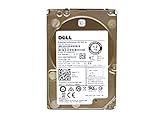
Dell Huc101212Css600 1.2TB
This Dell-branded 1.2TB 10K drive lists a 6Gbps SAS interface in the 2.5-inch format. It is a natural fit for Dell servers that use compatible caddies and expect Dell-supplied parts. For an owner of an older PowerEdge-style server who wants to replace a failed 1.2TB member without introducing a different vendor, this keeps the drive family consistent across the shelf.
- Strength: Dell-labeled part suits Dell servers and their firmware expectations.
- Strength: 10K RPM offers responsive performance.
- Trade-off: 6Gbps is slower than the 12Gb/s Seagate 1.2TB alternative.
Skip it if you do not run Dell hardware.
Which One Fits Your Situation
You are building a bulk archive
The Seagate Exos X24 16TB offers the most capacity per bay, provided your enclosure and controller support it.
You want 12Gb/s on a tight budget
The MDD 4TB 12Gb/s or the Seagate ST4000NM0034 gives 4TB at 12Gb/s in renewed form.
You run virtual machines or a database
Choose the Seagate ST1200MM0088, which pairs 10K RPM with a 12Gb/s link in a 2.5-inch drive.
You maintain an older Dell server
The Dell Huc101212Css600 matches the expected hardware and 6Gbps controllers.
Common Mistakes
- Plugging a SAS drive into a SATA-only port and assuming it is defective.
- Buying 3.5-inch drives for a chassis that only has 2.5-inch bays.
- Mixing sector formats without checking controller support.
- Putting all renewed drives from one batch into a single array with no spare.
- Skipping a read of the SMART report and warranty terms on a refurbished unit.
Related guides
- Windows Macos Linux Gaming Performance Comparison Strengths Weaknesses
- Desktop Operating Systems Gaming Performance Strengths Weaknesses
- 5G Home Internet Wifi Modem Settings Low Latency Gaming
Frequently Asked Questions
Can I use a SAS drive in a normal PC?
Not without a SAS HBA or RAID controller. Desktop motherboards use SATA, and the connectors differ. Install a compatible controller card before buying, and check that the card has the right internal connector and cables for your drive bays.
Is 12Gb/s noticeably faster than 6Gb/s?
For a single mechanical drive, rarely. The interface matters more for large arrays or backplanes. Capacity, cache, and RPM have more impact on day-to-day behavior.
Are renewed SAS drives reliable?
Many give years of service, but quality varies. Look for a clear warranty, a health report, and a seller with a fair return policy, and always use redundancy.
What does 512n mean?
It indicates native 512-byte sectors, which older systems often require. Newer drives may use 4K sectors, so verify that your controller and operating system support the format.