A cap of under 50 dollars turns external storage shopping into a tradeoff with no perfect answer. Mechanical drives give you the most gigabytes per dollar but move data at a crawl and dislike being bumped. Small solid-state drives are quick and sturdy, yet at this budget they usually carry less capacity. Which side you pick depends on what you plan to park on the drive, and the spec lines in each listing tell you more than the brand name does.
This guide is for PC players who need somewhere to move installed games, console owners who want extra room for downloads, and students backing up coursework. We sorted eight candidates by what their titles state: capacity, interface, listed speed, and durability claims. As of 2026, the budget tier includes both spinning drives and compact flash-based ones, so the comparison below is worth reading before you commit to either type.
Our Top Picks




Top 3 picks at a glance
Quick Picks
As an Amazon Associate we earn from qualifying purchases at no extra cost to you.


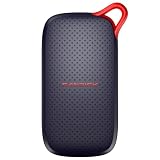


| Product | Best for | Key spec from the title |
|---|---|---|
| Kosbees 500 GB | Basic file backup | Ultra slim HDD, works with PC, Mac, PS4, Xbox |
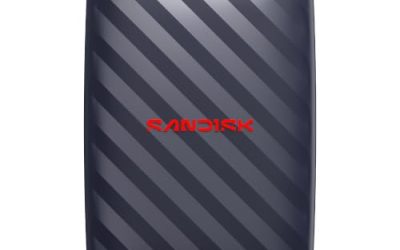
| SanDisk 1TB Portable Drive | Roomy everyday storage | Up to 600MB/s reads, 2M drop protection |
| SSK 250GB Portable SSD | Fast transfers, small library | USB 3.2 Gen2, up to 1050MB/s, A and C cables |
| SanDisk 500GB Portable SSD | Laptop and tablet carry | Up to 1000MB/s reads |
| SanDisk 1TB Extreme Portable SSD | Rough handling | Up to 2000MB/s, IP65, 3M drop protection |
| SanDisk 500GB Portable Drive | Mid-size carry-along | Up to 600MB/s reads |
| GODBPNYMU 500GB | Console storage | USB 3.0 and USB C, PS4 and PS5 listed |
| Kosbees 1 TB | Largest HDD capacity here | Ultra slim HDD, Xbox 360 to PC compatible |
How to Choose
Decide between HDD and SSD first
A mechanical drive stores more per dollar, so the 1 TB class is realistic on a tight budget. Its weakness is vibration: dropping it while it spins is the classic way to lose data. Flash-based drives have no moving parts, and listings that quote 600MB/s or higher reads are describing that technology. For archives that rarely move, mechanical is perfectly fine. For anything you carry daily or launch programs from, flash earns its place even at a smaller size.
Match capacity to the job
Begin by adding up what you already own, then add a third for growth.
Modern games often take 50 to 150 GB each, so a 250 GB drive holds only a handful. A 500 GB drive suits one console or a compact PC library. If the drive will hold photos, videos and installers together, aim for 1 TB. Remember that formatted capacity is always a little lower than the number on the box, and a drive that is nearly full slows down and leaves no room for updates.
Check the port and cable
USB 3.0 or newer is the minimum worth buying, because USB 2.0 would choke a game library. If your laptop only has USB C, look for a USB C connector or a bundled C cable, as the SSK listing mentions. Console owners should confirm the drive is named for their system, since PS5 support depends on the drive meeting the platform requirements. Short, thick cables also tend to be more reliable than long thin ones.
Ignore peak numbers, watch the durability claims
Up to figures describe best-case reads, not sustained copying. Treat them as a ranking tool between listings rather than a promise. Drop ratings and dust resistance matter more if the drive lives in a bag. Budget models often cut corners on the enclosure and skip any written durability claim, so a stated drop rating is a useful tiebreaker between two otherwise similar choices.
One more habit helps at this budget: read the full listing for the warranty period and the file system the drive ships with. Some units arrive formatted for Windows only, and reformatting takes a minute but erases everything on it.
The 8 Best Options
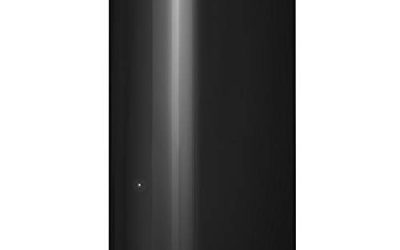
Kosbees 500 GB
This ultra slim mechanical drive targets buyers who just need a place to copy documents, photos and a few games. The title lists compatibility with Windows, Mac, laptops and several Xbox and PlayStation consoles, which makes it flexible across a mixed household where one drive may move between devices.
- Strength: slim body slides into a laptop sleeve easily.
- Strength: broad device compatibility listed in the title.
- Trade-off: no speed or durability figure is given, so expect ordinary hard drive behavior.
Skip it if you plan to run games directly from the drive or carry it around roughly. A mechanical disk this slim still has moving parts inside, so it belongs on a desk or in a padded sleeve, and it works best as a quiet backup target that gets plugged in only when needed.
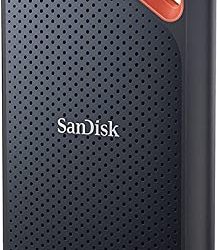
SanDisk 1TB Portable Drive
The listing promises up to 600MB/s reads and describes itself as four times faster than a portable HDD, with protection against drops of up to 2M. That combination suits someone who wants roomy storage without the fragility of a spinning disk, such as a student shuttling project files between a dorm and a lab.
- Strength: 1TB capacity covers photo libraries and several installed games.
- Strength: drop protection and a durable design are stated.
- Trade-off: 600MB/s is far below the top flash drives in this group.
Skip it if you need the quickest possible game load times. The Extreme model above and the faster SSD listings are a better match for that, while this one makes sense as general-purpose space for projects, downloads and the occasional game you play casually.
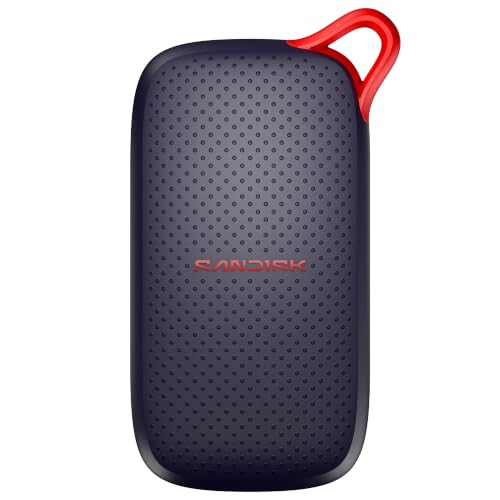
SSK 250GB Portable SSD
SSK pairs a small 250GB capacity with USB 3.2 Gen2 and a stated 1050MB/s ceiling. Both A and C cables come with it, plus SMART and TRIM support, an LED indicator and OTG for phones. It reads like a drive designed for people who swap between a desktop, a laptop and a handset all week.
- Strength: two cable types remove adapter hassle.
- Strength: high listed speed for the capacity.
- Trade-off: 250GB fills quickly with modern games.
Skip it if you want to store a large library or many video projects. Treat it as a fast scratch drive for work in progress rather than a home for everything, and plan to move finished files elsewhere so the space stays free for the next project.
SanDisk 500GB Portable SSD
Described as a new model with up to 1000MB/s reads, this one is aimed at laptops and tablets. The 2M drop protection claim shows it is built for a commute rather than a desk, and the 500GB size is enough for an active work folder plus a small set of games.
- Strength: fast reads in a pocket-friendly format.
- Strength: 500GB is a comfortable middle capacity.
- Trade-off: the title lists no water or dust rating.
Skip it if you need more than half a terabyte at this budget. Buyers who edit photos on the go or keep a handful of favorite games ready to launch will find the speed and size balanced, and the compatibility note makes setup painless for most people.
SanDisk 1TB Extreme Portable SSD
The most capable listing in the group, it claims up to 2000MB/s, IP65 water and dust resistance, and 3M drop protection. It suits creators, hikers and anyone who treats gear roughly and wants footage or saves to survive a rainy trip.
- Strength: top listed speed and the highest durability rating here.
- Strength: 1TB capacity inside a rugged shell.
- Trade-off: it is the premium option of this set, so confirm the listed price still fits your cap.
Skip it if you only archive documents and never travel with the drive. Its ruggedness is wasted on a shelf in a quiet home office, and a plain mechanical drive would cover simple backups for far less if the budget is genuinely tight, leaving room for other purchases.
SanDisk 500GB Portable Drive
This sibling of the 1TB model repeats the 600MB/s read figure, the claim of being four times faster than a portable HDD, and 2M drop protection, but at half the capacity. It fits a buyer who wants the sturdy flash feel without paying for space they will not use.
- Strength: durable design with stated drop protection.
- Strength: manageable size for a single console or laptop.
- Trade-off: for similar money the 1TB version may offer better value per gigabyte.
Skip it if capacity matters more to you than a sturdy build. Shoppers comparing it against the 1TB twin should weigh how much space they will realistically use, since doubling capacity within the same family is often a small step up in cost for a large step up in room.
GODBPNYMU 500GB
A compact mechanical drive with both USB 3.0 and USB C connections, plug and play operation, and PS4 and PS5 named in the title. It is a straightforward option for console storage expansion or for moving documents between a desktop and a newer USB C laptop without extra adapters.
- Strength: dual connection types cover old and new laptops.
- Strength: no software setup is needed.
- Trade-off: it is a lesser known brand and lists no speed or drop rating.
Skip it if you want a recognizable manufacturer behind the drive. With no stated speed or durability rating, it is best used as secondary storage for files that are replaceable, rather than the only copy of anything important to you, and keep a second backup elsewhere.
Kosbees 1 TB
The larger sibling of the 500 GB model keeps the ultra slim shell and the long compatibility list, spanning PC, Mac, laptops and consoles. It offers the most capacity per dollar among the mechanical choices, which makes it a natural pick for a family photo archive or a set-and-forget backup.
- Strength: 1 TB for backups, media and archives.
- Strength: works across several platforms.
- Trade-off: as a spinning drive it handles drops and vibration poorly.
Skip it if the drive will travel daily or hold games you launch from it. Its value lies in bulk space for photos, videos and old projects, so use it as a cold archive for rarely opened material and keep anything you open every day on faster storage nearby.
Which One Fits Your Situation
You game on a PlayStation or Xbox
The GODBPNYMU 500GB names PS4 and PS5, and the Kosbees 1 TB lists a long run of Xbox and PlayStation models. Pick whichever matches your console and capacity needs, and leave the fast flash drives for a PC.
You carry the drive in a backpack
The SanDisk 1TB Extreme Portable SSD is built for abuse with its IP65 and 3M drop claims. The SanDisk 500GB Portable Drive is the lighter-spending way to get a durable shell, as long as half a terabyte is enough.
You want maximum speed at a small size
The SSK 250GB Portable SSD or the SanDisk 500GB Portable SSD both list reads near 1000MB/s. Choose the SSK for its dual cables and phone support, and the SanDisk for the extra space and drop rating.
You are backing up family photos and documents
Speed hardly matters when files sit untouched for months, so the Kosbees 1 TB gives the most room for the money. Keep a second copy somewhere else, because any single external drive can fail without warning.
Common Mistakes
- Buying a drive with an older USB 2.0 style connection and expecting game-library speeds.
- Choosing the biggest capacity without checking that the budget cap still holds.
- Treating a peak speed figure as a sustained transfer rate for every file.
- Ignoring the cable type and ending up needing an adapter for a USB C laptop.
- Carrying a spinning drive loosely in a bag while it is still running.
Related guides
- Windows Macos Linux Gaming Performance Comparison Strengths Weaknesses
- Desktop Operating Systems Gaming Performance Strengths Weaknesses
- 5G Home Internet Wifi Modem Settings Low Latency Gaming
Frequently Asked Questions
Is an SSD or HDD better for a tight budget?
An HDD gives more space for the money, while an SSD gives speed and sturdiness. For backups pick the HDD; if you move files often or launch games from the drive, pick flash.
Will these drives work with my console?
Only the listings that name PS4, PS5 or Xbox state support. Check your exact console model against the title before buying, and format the drive the way your console asks.
How much capacity do I need?
Five to ten modern games fit in 500GB, depending on size. For a mixed library of media, documents and games, go to 1TB so updates do not squeeze you.
Does a higher MB/s figure always mean faster copying?
Not always. The number is a best-case read speed, and your computer port, cable and file type all affect real results. Use it to compare listings, not to predict exact times. Large single files copy closer to the headline number than thousands of small ones.