
Here is the problem every live streamer eventually hits: you move. You lean forward to show a controller, you stand up to grab a mic from a shelf, you shift left to point at something on a second monitor. A fixed webcam turns all of that into a static talking-head shot where half the energy of your content disappears. AI auto-tracking webcams solve this by detecting your face or body and physically panning, tilting, and sometimes zooming to keep you framed without you ever touching the camera.
But this category is crowded, and the quality gap between products is enormous. A mediocre tracker will lose you the moment you turn away from the lens, fight with itself under mixed lighting, or lock onto a moving object in the background instead of you. The good ones use phase-detection autofocus alongside AI subject recognition, track smoothly enough that viewers never notice the camera is adjusting, and integrate cleanly into OBS or Streamlabs without proprietary software headaches. Price also spans a wild range, from under eighty dollars to well past six hundred, so picking right matters.
As an Amazon Associate we earn from qualifying purchases at no extra cost to you.




Our Top Picks


Top 3 picks at a glance
Quick Picks
| Product | Best for | Price |
|---|---|---|
| EMEET PIXY | Absolute beginners | Check on Amazon |
| TONGVEO 4K PTZ | Large rooms and churches | $309 |
| OBSBOT Tiny 2 Lite | Solo creators upgrading | $159 |
| OBSBOT Tiny 3 | High-end desktop streaming | $349 |
| OBSBOT Tiny SE | Smooth motion capture | $89 |
| OBSBOT Tail Air NDI 4K+ | Multi-camera pro setups | $648 |
| TONGVEO Wireless PTZ | Cable-free hybrid meetings | $229 |
| OBSBOT Tail Air NDI 4K | Professional wireless streaming | $598 |
How We Compared
We evaluated each camera on four criteria: tracking reliability (does it hold subject lock when you turn, crouch, or leave frame briefly), image quality at typical streaming resolutions, integration flexibility (NDI, HDMI, USB, software support), and value at its listed price. A camera that tracks perfectly but produces muddy 720p footage fails the first test. One with gorgeous optics that loses you every time you walk past a window fails the second.
The 8 Best AI Auto Tracking Webcams for Live Streaming in 2026
EMEET PIXY Dual-Camera PTZ
The PIXY is the camera I recommend to anyone who wants to test whether auto-tracking actually improves their stream before committing real money. Its dual-camera design uses one sensor for wide establishing shots and a second for tighter subject framing, so you can cut between angles with a physical button press. The PDAF plus AI autofocus locks in noticeably fast, and the 2K resolution gives you more cropping headroom than the 1080p competitors in this price bracket.
- Dual-camera switching lets you create a two-angle feel with one device
- 0.2-second autofocus keeps your face sharp when you lean in unexpectedly
- Tracking loses lock if you step more than a few feet from the desk
Skip it if your setup has you moving across a large room or you need reliable long-range tracking. It is a desk-bound solution at its best.
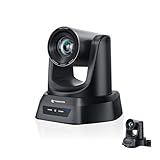
TONGVEO 4K AI PTZ Camera
This is the camera for streamers who also run church services, conference halls, or school broadcasts. The 20X optical zoom means you can place the unit across the room and still get a tight close-up. Four output options (HDMI, USB 3.0, LAN, and PoE) make it compatible with almost any signal chain, and PoE support removes the need for a separate power cable in permanent installations.
- Twenty times optical zoom covers rooms that desktop webcams cannot reach
- PoE and LAN outputs allow integration into existing AV infrastructure
- Bulk and weight make it impractical on a small desk
Skip it if you need something portable or your streaming space is under fifteen feet deep.
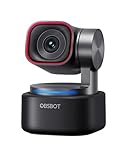
OBSBOT Tiny 2 Lite 4K
For solo creators who want a clear step up from a fixed webcam without overthinking the purchase, the Tiny 2 Lite hits a sweet spot. OBSBOT’s software ecosystem is mature, the 4K sensor provides detail that survives platform compression better than 1080p, and the PTZ motor runs quietly enough that viewers will not hear it adjusting mid-stream.
- 4K capture retains sharpness after bitrate-heavy platform processing
- Companion app offers preset positions and gesture-based triggers
- Software occasionally requires a reinstall after Windows updates
Skip it if you need NDI output or hardware-level integration with professional switchers.
OBSBOT Tiny 3 AI-Powered Spatial Audio
The Tiny 3 adds spatial audio capture to the PTZ formula, meaning the microphone array can shift its focus as the camera tracks you. For streamers who record with a single device and do not want a separate mic arm in frame, this reduces clutter noticeably. Image quality matches the 2 Lite, and the build feels like a step above in the lineup.
- Spatial audio tracks your position, keeping voice levels consistent
- Eliminates the need for a visible microphone in tight setups
- Price sits well above what the visual upgrade alone would justify
Skip it if you already own a quality dedicated mic or audio interface.
OBSBOT Tiny SE 1080P 100FPS
The Tiny SE trades resolution for frame rate, and for live streaming where you move a lot, 100FPS at 1080P is arguably the more useful trade. Motion looks smoother, tracking latency feels lower because the subject position updates more frequently, and most streaming platforms cap at 1080P anyway. The price under ninety dollars makes it hard to beat for the specific use case of high-motion commentary.
- 100FPS eliminates judder when you gesture or shift quickly
- Lowest price among OBSBOT models with reliable tracking
- No 4K capture means less flexibility for post-production re-cropping
Skip it if you record in high resolution and plan to crop or zoom in editing.
OBSBOT Tail Air NDI 4K+ Remote Control
This is a professional-grade wireless camera designed for streamers who need more than one angle. NDI support means it drops into vMix, OBS with the NDI plugin, or Tricaster systems as a network source with no capture card. The 4K+ designation signals higher effective resolution than the standard Tail Air, and the remote control unit allows an operator to manage the camera independently of the streamer.
- NDI over Wi-Fi eliminates capture cards and HDMI cables entirely
- Dedicated remote allows a second person to manage framing live
- Price puts it firmly in the professional equipment tier
Skip it if you are a solo creator with a single-camera setup and no need for multi-angle switching.
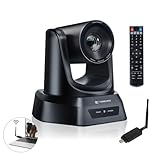
TONGVEO Wireless AI PTZ Camera
The built-in 5.8GHz receiver means this camera pairs with its own transmitter, so you can place it across a room without running any cable to the computer. For churches, classrooms, or hybrid meeting rooms where cable management is a genuine pain, this removes the most common installation barrier. The 1080P 60fps output is a sensible compromise between quality and wireless bandwidth stability.
- Completely wireless installation with no LAN or power cable to the PC
- 3X optical zoom covers small-to-medium rooms without digital cropping
- 1080P ceiling limits detail compared to 4K competitors at similar prices
Skip it if you need 4K output or your streaming environment already has clean cable routing.
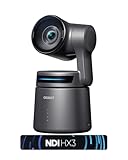
OBSBOT Tail Air NDI 4K
The standard Tail Air delivers the same NDI wireless workflow as the 4K+ model at a lower price, with 4K resolution being the primary difference rather than a deficiency. For streamers building a multi-camera production who do not need the extra resolution headroom or remote unit of the 4K+, this is the smarter allocation of budget.
- 4K NDI wireless source integrates into any NDI-compatible switcher
- Fifty dollars less than the 4K+ variant for nearly identical tracking
- Wi-Fi signal can degrade in rooms with heavy RF interference
Skip it if you already own a wired camera and your setup does not benefit from wireless placement flexibility.
Buying Guide
Tracking Algorithm and Sensor Type
Not all tracking is equal. Phase-detection autofocus (PDAF) combined with AI subject recognition tracks faster and holds lock better than contrast-detection alone. Check whether the camera tracks faces, full bodies, or both. Face tracking is sufficient for desk streaming; body tracking matters if you stand up or walk. Some models let you lock the algorithm onto a specific subject, which prevents it from switching to a person who walks behind you.
Resolution and Frame Rate Tradeoffs
Streaming platforms like Twitch and YouTube compress heavily at 1080P, and most viewers watch at 1080P or lower. A 1080P 100FPS camera will often look better in motion than a 4K 30FPS one for live content, even if the 4K model produces a sharper still frame. If you record locally for editing, 4K gives you re-cropping flexibility that 1080P cannot match.
Integration and Output Options
USB is the simplest path and works with any streaming software. NDI over Wi-Fi or Ethernet removes capture cards and allows wireless multi-camera setups, but requires network-compatible software. HDMI output suits dedicated switchers and capture cards. PoE is critical for permanent installations where you want a single cable for power and data. Match the output to your existing workflow before worrying about image specs.
Our Verdict
For the majority of solo streamers reading this, the OBSBOT Tiny SE is the best starting point under a hundred dollars. Its 100FPS motion and reliable tracking at $89 make it the highest-value entry in the category. If you are upgrading from a basic fixed webcam and want the most noticeable quality jump, the OBSBOT Tiny 2 Lite 4K earns its price. And if your workflow demands multi-camera wireless switching, the OBSBOT Tail Air NDI 4K is the tool that actually works without a capture card in the chain.
FAQ
Will AI tracking webcams work in dark or poorly lit rooms?
Most rely on visible-light subject detection, so very dark rooms cause tracking to fail or hunt. A ring light or key light aimed at your face makes a dramatic difference. Infrared or LiDAR-assisted models handle low light better but are rare in the consumer streaming tier.
Do I need a dedicated app for these cameras to track?
The OBSBOT and EMEET models require their companion software running in the background for auto-tracking to function. Some TONGVEO PTZ cameras can be controlled via IR remote or RS232 commands without a PC app, making them suitable for standalone installations.
Can I use a tracking webcam as a regular webcam too?
Yes. Disabling tracking in the software or using the manual position controls turns any of these into a standard fixed webcam. You are not locked into the tracking feature.
Is 4K worth it over 1080P for live streaming?
For the broadcast signal itself, rarely, because platforms compress aggressively. For local recording and post-production cropping, 4K gives you meaningful flexibility that 1080P cannot recover once downscaled.
Related guides
- Best Gaming PC for Overwatch 2: Ten Prebuilts Matched to Your Monitor (2026)
- Best Gaming PC for Baldur’s Gate 3: Matching CPU, VRAM and Storage to the Game (2026)
- Best Gaming PC for Apex Legends: Which Listings Fit a High-Refresh Setup (2026)
- Best RTX 3060 Gaming PCs: Eight Prebuilt Listings Compared by CPU, RAM and Cooling (2026)









