
A graphics card’s VRAM cooling problem usually shows up in the least convenient place: a compact gaming desk, a warm home office, or an entertainment cabinet where the GPU is already working hard and airflow is limited. When the card’s original pads have dried out, torn during a repaste, or no longer make even contact with the heatsink, replacement pads can help restore the physical connection between memory modules and the cooler.
The catch is that GPU thermal pads are not a one-size-fits-all purchase. Thickness matters as much as conductivity, and a pad that is too thick can prevent the cooler from seating correctly while one that is too thin may leave a gap. For 2026 buyers, this ranking focuses on pad assortments, stated conductivity, compression-oriented options, sheet size, and value for common VRAM replacement projects.
As an Amazon Associate we earn from qualifying purchases at no extra cost to you.




Our Top Picks
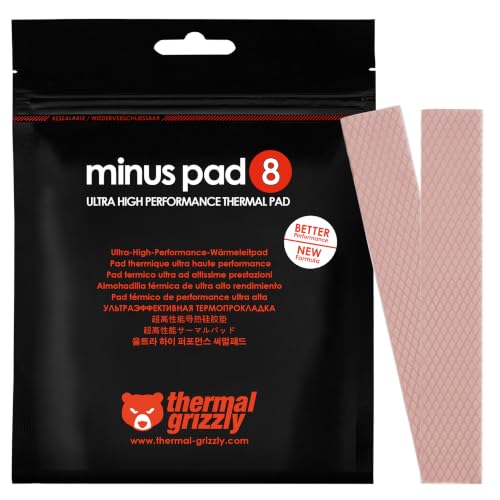 Thermal Grizzly Minus Pad 8 120x20x1.0 mm 2120x20x1.0mm (2 Pack)4.7 x 0.8 x 0 inches0 poundsCheck on Amazon
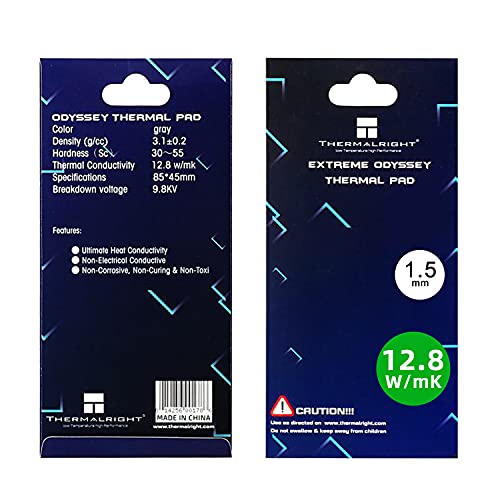 Thermalright Thermal Pad 1.5mm 12.8 W/mK85x45x1.5mm3.35 x 1.77 x 0.06 inches0.1 poundsCheck on Amazon
 Thermal Grizzly High Compression Thermal Pads120x100x4.0mm (2 Pack)4.7 x 3.9 x 0.2 Inches0.3 poundsCheck on Amazon
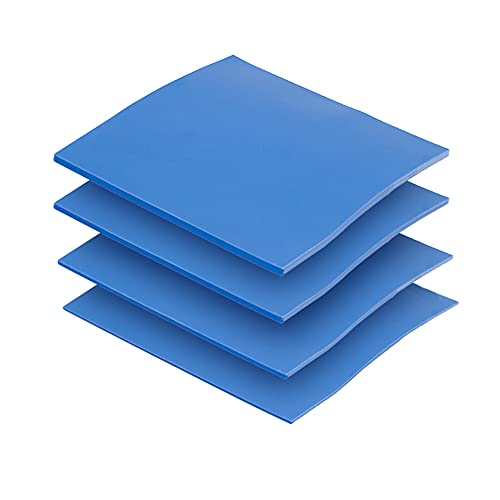


Top 3 picks at a glance
OwlTree 4 Pack Thermal Pad,100x100mm 0.5mm 1mm 1.5mm 2mm Highly Efficient Thermal...Check priceThermal Grizzly Minus Pad 8 120x20x1.0mm 2Pack - Thermal Interface PadCheck priceThermalright Thermal Pad 1.5mm 12.8 W/mK, 85x45x1.5mm, Non Conductive Heat Resistance, Odyssey...Check priceQuick Picks
| Product | Best for | Price |
|---|---|---|
| OwlTree 4 Pack Thermal Pad | First-time GPU pad replacements | Check on Amazon |
| Thermal Grizzly Minus Pad 8 120x20x1.0mm 2Pack | Narrow 1.0 mm VRAM runs | Check on Amazon |
| Thermalright Odyssey 1.5mm | Performance-focused 1.5 mm replacements | Check on Amazon |
| Thermalright Odyssey 1mm | Performance-focused 1.0 mm replacements | Check on Amazon |
| Thermal Pads 4 Pack 14.8 W/m.K | Value shoppers needing multiple thicknesses | Check on Amazon |
| Thermal Grizzly Minus Pad High Compression 4.0mm | Large, thick-gap applications | Check on Amazon |
| Frienda 6 Pcs Thermal Pads | Budget-minded sheet quantity | Check on Amazon |
| Thermal Grizzly Minus Pad High Compression 3.0mm | Thick 3.0 mm fitment needs | Check on Amazon |
How We Compared
We ranked these thermal pads around the factors that matter most when working on GPU VRAM: stated thickness, pad area, stated thermal conductivity when provided, nonconductive construction where specified, and the practical value of receiving multiple sheets or thicknesses. A versatile assortment ranks well for uncertain fitment, while single-thickness pads rank well when a GPU teardown or manufacturer documentation has already confirmed the needed size.
We also considered the realities of cutting pads for memory modules. Wide sheets create more layout flexibility, while long narrow strips can reduce waste for a straight row of VRAM chips. Rankings do not assume that a higher stated W/mK figure automatically produces better results in every graphics card. Correct thickness, even contact, careful installation, and an accurately seated heatsink remain essential.
The 8 Best Picks
1. OwlTree 4 Pack Thermal Pad — Best Overall for Flexible DIY Repairs
The OwlTree set is the most approachable choice for a homeowner or PC builder replacing GPU VRAM pads without complete confidence about the original thickness. It includes four 100×100 mm sheets in 0.5 mm, 1 mm, 1.5 mm, and 2 mm options, giving you useful flexibility for different contact points inside a graphics card. Its stated 6.0 W/mK conductivity is geared toward practical maintenance rather than chasing the highest specification on the page. The silicone construction is described as heat resistant and suitable for GPU, CPU, SSD, laptop heatsink, IC, and LED cooling work.
- Pros: Four common thickness choices in one purchase.
- Pros: Generous 100×100 mm sheet dimensions for custom cuts.
- Con: The stated 6.0 W/mK conductivity is lower than several performance-oriented options here.
Skip it if you have already verified a single thickness and specifically want a higher stated conductivity pad.
2. Thermal Grizzly Minus Pad 8 120x20x1.0mm 2Pack — Best for Confirmed 1.0 mm VRAM Strips
Thermal Grizzly’s Minus Pad 8 package is a focused choice for repairs where 1.0 mm is already confirmed. The two 120x20x1.0 mm pads are shaped as long, narrow strips, which can be convenient for graphics cards with a linear arrangement of memory modules. At around $9, it is also one of the more affordable targeted options in this roundup. This is a thermal interface pad rather than an assortment, so it rewards careful planning: measure the original material or consult reliable card-specific teardown information before opening the GPU.
- Pros: Two matching 120x20x1.0 mm strips simplify a known 1.0 mm job.
- Pros: Lower price for a purpose-built option.
- Con: No alternate thickness is included.
Skip it if your card needs varied pad heights or if you need broad sheets for irregular layouts.
3. Thermalright Odyssey 1.5mm — Best Performance Pick for 1.5 mm Fitment
The 1.5 mm Thermalright Odyssey pad is for detail-oriented builders who have confirmed that their GPU VRAM requires this thickness. Its 85x45x1.5 mm format is compact but large enough to cut multiple smaller pieces for a targeted repair. Thermalright states 12.8 W/mK conductivity, and the silicone pad is described as nonconductive and heat resistant. Those attributes make it a strong candidate for GPUs, as well as laptops, consoles, SSDs, CPUs, and other electronics where a 1.5 mm thermal interface is required. Its around $18 price reflects its more specialized positioning.
- Pros: Stated 12.8 W/mK conductivity.
- Pros: Nonconductive, heat-resistant silicone construction.
- Con: Costs more than multi-thickness budget sets.
Skip it if you need 1.0 mm material, want several thicknesses on hand, or have a very large coverage area.
4. Thermalright Odyssey 1mm — Best Premium 1.0 mm Sheet
This 1.0 mm Odyssey version makes sense when your GPU’s VRAM pads are known to be 1.0 mm and you prefer a broad rectangular sheet over narrow strips. The pad measures 85x45x1.0 mm and carries the same stated 12.8 W/mK conductivity as the 1.5 mm version. It is also described as nonconductive and heat resistant, with listed compatibility covering PC, PS5, PS4, laptop, heatsink, GPU, CPU, SSD, VRAM, and LED cooler applications. At around $16, it is a premium single-thickness choice for buyers who value its stated specification.
- Pros: Stated 12.8 W/mK conductivity in a confirmed 1.0 mm format.
- Pros: Sheet shape supports custom VRAM pad layouts.
- Con: Only one thickness is supplied.
Skip it if your original pads are thicker than 1.0 mm or if you want the lowest-cost option for experimentation.
5. Thermal Pads 4 Pack 14.8 W/m.K — Best Value Multi-Thickness Set
This gray four-pack is the value standout for shoppers who want a broad selection without a high price. For around $8, it includes 100×100 mm sheets in 0.5 mm, 1 mm, 1.5 mm, and 2 mm thicknesses. The product lists 14.8 W/m.K conductivity and describes the silicone material as nonconductive and heat resistant. That combination makes it appealing for GPU VRAM replacement projects where the original thickness has not yet been verified, as well as laptop, CPU, SSD, and heatsink tasks. The large sheets leave room for careful tracing and recutting.
- Pros: Four thicknesses cover many common maintenance scenarios.
- Pros: Strong stated 14.8 W/m.K figure at a budget price.
- Con: Buyers still need to verify which included thickness their GPU requires.
Skip it if you need a specialized 3.0 mm or 4.0 mm pad, or prefer a dedicated high-compression product.
6. Thermal Grizzly Minus Pad High Compression 4.0mm — Best for Thick Gaps
The Thermal Grizzly Minus Pad High Compression 4.0 mm set is a specialty option for projects with unusually thick pad requirements. It includes two 120x100x4.0 mm pads, providing a substantial amount of material for large contact areas or multiple components. The “High Compression” designation is the main reason to consider this product: thick pads need to accommodate the pressure and fitment demands of a cooler assembly without encouraging careless stacking. At around $28, it is the most expensive pick in this list, but its dimensions and thickness serve a distinct need that thinner assortments cannot cover.
- Pros: Two large 120x100x4.0 mm pads.
- Pros: High-compression design is tailored to thick-pad use cases.
- Con: High price and highly specific thickness limit its general usefulness.
Skip it unless 4.0 mm is clearly required; it is not a substitute for correctly sized thinner VRAM pads.
7. Frienda 6 Pcs Thermal Pads — Best for Extra Sheet Quantity
Frienda’s six-piece thermal pad set is a straightforward budget option for someone who wants more material on hand for general GPU, laptop, or CPU maintenance. The gray pads measure 100×100 mm, and six pieces can be appealing when a project includes multiple components or when you want reserve material for future repairs. At around $9, the package is priced competitively with smaller, more narrowly focused options. The listing does not provide the thickness or conductivity details needed to make a precise VRAM fitment decision, so it is best treated as a quantity-driven purchase rather than a specification-led upgrade.
- Pros: Six 100×100 mm pads provide ample cutting material.
- Pros: Budget-friendly price for the stated quantity.
- Con: Thickness and thermal conductivity are not specified in the provided product details.
Skip it if you need to match a documented VRAM thickness or want a stated W/mK rating before buying.
8. Thermal Grizzly Minus Pad High Compression 3.0mm — Best for Confirmed 3.0 mm Applications
The 3.0 mm Thermal Grizzly Minus Pad High Compression pack fills the gap between conventional thin VRAM pads and the extra-thick 4.0 mm version. It includes two 120x100x3.0 mm pads, making it a practical choice when a device genuinely needs thick material across a sizeable area. Like the 4.0 mm option, the high-compression designation is its defining feature. At around $25, it is a premium, specialized purchase rather than an all-purpose starter pack. It will be most useful to experienced DIYers following verified specifications from their particular GPU or electronics project.
- Pros: Two large 120x100x3.0 mm pads provide extensive coverage.
- Pros: High-compression format suits a specialized thick-gap need.
- Con: Not economical for routine thin-pad VRAM replacements.
Skip it if your card uses 0.5 mm, 1.0 mm, 1.5 mm, or 2.0 mm pads; thickness should never be guessed.
Buying Guide
Match Thickness Before Comparing Conductivity
Thickness is the first specification to confirm. Use the original pad as a reference when possible, and avoid assuming every VRAM chip on the card uses the same height. A 1.0 mm pad and a 1.5 mm pad are not interchangeable simply because both fit physically within the cooler. Too much material can interfere with heatsink contact; too little can leave a thermal gap.
Choose Sheet Shape for Your Layout
A 100×100 mm sheet is useful for custom layouts, uneven chip placements, and keeping extra material for later. The 120x20x1.0 mm Thermal Grizzly strips are more efficient when the card uses a neat row of similarly sized VRAM contacts. For thick applications, the 120×100 mm high-compression sheets offer much more coverage.
Understand What a W/mK Rating Does—and Does Not—Tell You
Stated conductivity provides a point of comparison, but it is not a guarantee of a specific temperature change in your GPU. Contact pressure, surface condition, pad thickness, cutting accuracy, and heatsink installation all affect real-world performance. Select the correct fit first, then use conductivity and price to choose among pads that meet that fitment.
Our Verdict
The OwlTree 4 Pack Thermal Pad is the best overall choice because its 0.5 mm, 1 mm, 1.5 mm, and 2 mm sheets make it forgiving for first-time GPU maintenance. For the strongest value on stated specifications, the around $8 four-pack with 14.8 W/m.K conductivity is especially compelling. If you have verified a specific 1.0 mm or 1.5 mm requirement and want a more focused option, the corresponding Thermalright Odyssey pad is the better fit. Reserve the Thermal Grizzly high-compression pads for clearly documented 3.0 mm or 4.0 mm needs.
FAQ
What thickness thermal pad should I use for GPU VRAM?
Use the thickness specified for your particular graphics card or match the original pad carefully. Common options in this roundup include 0.5 mm, 1.0 mm, 1.5 mm, 2.0 mm, 3.0 mm, and 4.0 mm, but the correct choice depends on the card’s cooler and component layout.
Can I stack thermal pads to make a thicker pad?
It is better to buy the correct thickness rather than stack pads. Stacking can introduce additional interfaces and makes it harder to predict cooler pressure and contact. Choose a dedicated 3.0 mm or 4.0 mm product when that thickness is required.
Are GPU thermal pads electrically conductive?
The Thermalright Odyssey pads and the 14.8 W/m.K four-pack are described as nonconductive. Always check the specific product description before installation and keep pad pieces accurately cut and positioned.
How much thermal pad material do I need?
The answer depends on the number and size of VRAM modules, plus whether you are replacing pads elsewhere on the card. A 100×100 mm sheet offers flexible cutting room, while a 120×20 mm strip can be enough for a narrow, confirmed 1.0 mm VRAM layout.
Related guides
- Best Gaming PC for Overwatch 2: Ten Prebuilts Matched to Your Monitor (2026)
- Best Gaming PC for Baldur’s Gate 3: Matching CPU, VRAM and Storage to the Game (2026)
- Best Gaming PC for Apex Legends: Which Listings Fit a High-Refresh Setup (2026)
- Best RTX 3060 Gaming PCs: Eight Prebuilt Listings Compared by CPU, RAM and Cooling (2026)









