
A USB-C hub’s real job on a gaming laptop is avoiding becoming the bottleneck between your peripherals and the single port most modern laptops actually have. A cheap, underpowered hub can genuinely limit charging speed, external display refresh rate, or peripheral responsiveness under multi-device load, which defeats the entire purpose of buying one. Our top pick for most gaming laptop owners is the Belkin 100W 10Gbps Multiport USB-C Hub Adapter, balancing genuine full-speed data and power delivery against a reasonable price.
Our Top Picks
 Belkin 100W 10Gbps Multiport USB-C Hub Adapter for4 Ports2.95 x 1.65 x 0.55 inches0.1 poundsCheck on Amazon


Top 3 picks at a glance

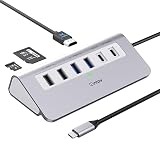
Top picks at a glance
As an Amazon Associate we earn from qualifying purchases at no extra cost to you.




| Model | Key spec | Price | Best for |
|---|---|---|---|
| Razer USB-C Dock, 11-in-1 | 85W power delivery, 11 ports | Check on Amazon | Gaming-branded all-in-one docking |
| intpw 9-in-1 USB C Hub | 4K@60Hz HDMI, 9 ports | Check on Amazon | Budget-focused broad port coverage |
| Belkin 100W 10Gbps Hub | 100W PD, 10Gbps data | Check on Amazon | Best overall value pick |
| intpw Powered USB Hub 10Gbps | 65W power adapter, 9-port | Check on Amazon | Powered hub for demanding peripheral loads |
| Razer USB 4 Dock, 14 Ports | USB4, 14 ports, Win/Mac | $189 | Maximum port count and USB4 bandwidth |
| Anker USB-C Hub, 5-in-1 | 4K HDMI, compact 5-port | Check on Amazon | Lowest-cost basic expansion |
Razer USB-C Dock, 11-in-1 Portable Travel Hub, 85W
Razer’s gaming brand extends into this docking hardware, offering 11 total ports and 85W power delivery in a portable travel-focused design. At around $79, it sits in the mid-premium tier, appropriate for gamers who specifically want their peripheral hub to match the aesthetic and brand ecosystem of the rest of a Razer-equipped gaming setup.
The 85W power delivery rating covers most gaming laptop charging requirements, though buyers should check their specific laptop’s charger wattage against this rating, since some higher-end gaming laptops require more than 85W for full-speed charging under heavy gaming load.
- Pros
- Broad 11-port coverage for extensive peripheral connectivity
- 85W power delivery covers most gaming laptop charging needs
- Portable design suits gamers who travel with their setup
- Cons
- 85W may not cover the charging requirements of the most power-hungry gaming laptops
- Mid-premium pricing reflects brand positioning as much as raw specification
- Bulkier than the more compact budget hubs on this list
Who it’s for: gamers wanting broad port coverage from a recognized gaming brand in a portable form factor.
intpw 9-in-1 USB C Hub, P9 USB C to HDMI Adapter 4K@60Hz
This budget-focused hub offers nine total ports including a 4K@60Hz HDMI output, a genuinely useful spec for gamers wanting to drive an external 4K display without a dedicated graphics dock. At around $24, it’s one of the more affordable broad-port-count options on this list.
As an unpowered hub, all connected devices share the laptop’s own USB-C port bandwidth and power budget, which matters most under heavy simultaneous multi-device load — running an external monitor, external storage, and charging simultaneously may show more strain here than on the powered alternatives on this list.
- Pros
- Genuine 4K@60Hz HDMI output for external display connectivity
- Nine total ports at a budget-friendly price point
- Compact design suits portable gaming laptop setups
- Cons
- Unpowered design shares bandwidth and power across all connected devices
- May show more strain under heavy simultaneous multi-device use
- Less established brand recognition than Razer, Belkin, or Anker
Who it’s for: budget-focused buyers wanting 4K display output without paying for a powered hub design.
Belkin 100W 10Gbps Multiport USB-C Hub Adapter
This is our top overall pick, from an established Belkin brand with a long track record in computer accessories and connectivity hardware. The 100W power delivery rating covers essentially any gaming laptop’s charging requirement, and the 10Gbps data transfer speed genuinely supports fast external storage without becoming a bottleneck.
At around $39, this represents the strongest overall combination of specification and price on this list — full-speed data transfer, laptop-charging-capable power delivery, and established brand reliability, without the premium pricing of the Razer or high-end options elsewhere in this lineup.
- Pros
- 100W power delivery covers essentially any gaming laptop’s charging needs
- Genuine 10Gbps data transfer speed avoids bottlenecking fast storage
- Established Belkin brand reliability at a reasonable mid-range price
- Cons
- Fewer total ports than the highest-port-count options on this list
- No dedicated gaming brand positioning like the Razer options
- Still an unpowered design relying on the laptop’s own port for total bandwidth
Who it’s for: most gaming laptop owners wanting the best overall balance of speed, power, and price.
intpw Powered USB Hub 10Gbps, 9-Port USB 3.2/USB C Hub, 65W Power Adapter
Unlike the unpowered intpw hub above, this variant includes its own separate 65W power adapter, meaning connected devices draw power from that dedicated source rather than entirely through the laptop’s own USB-C port. This matters specifically for demanding peripheral setups — multiple external drives, for instance — where an unpowered hub’s shared bandwidth and power budget could become a limiting factor.
At around $39, it’s priced identically to the Belkin hub above, and the choice between them largely comes down to whether the powered design’s benefit for heavy peripheral loads outweighs Belkin’s higher power delivery rating for laptop charging specifically.
- Pros
- Dedicated 65W power adapter avoids drawing everything through the laptop’s own port
- Genuine 10Gbps data transfer speed for fast peripheral connectivity
- Better suited to demanding multi-device peripheral loads than unpowered alternatives
- Cons
- 65W power delivery lower than the Belkin hub’s 100W rating for laptop charging
- Requires its own separate power adapter and outlet, adding setup complexity
- Less established brand recognition than Belkin or Razer
Who it’s for: gamers running demanding multi-device peripheral setups who want dedicated hub power.
Razer USB 4 Dock, 14 Ports, Windows & Mac Compatible
This is the maximum-capability option on this entire list, supporting the USB4 standard with 14 total ports across both Windows and Mac compatibility. At $189, it’s by far the priciest hub here, reflecting both the premium Razer branding and the genuinely higher-bandwidth USB4 hardware inside.
This hub only delivers its full potential if your specific gaming laptop’s own ports support USB4, since connecting it to a laptop with standard USB-C ports won’t unlock the additional bandwidth this hardware is capable of. For gamers with USB4-equipped laptops and genuinely demanding multi-peripheral setups, this represents the strongest available option on this list.
- Pros
- Maximum 14-port count and USB4 bandwidth on this entire list
- Compatible with both Windows and Mac laptop platforms
- Best suited to the most demanding multi-peripheral gaming setups
- Cons
- By far the most expensive hub on this entire list
- Full USB4 benefit requires a laptop with matching USB4 port support
- Significant overkill for typical single-monitor, single-peripheral gaming setups
Who it’s for: gamers with USB4-equipped laptops and genuinely demanding, extensive peripheral setups.
Anker USB-C Hub, 5-in-1 USB Hub for Laptops, 4K HDMI Multiport Adapter
At around $15, this is the lowest-cost hub on this entire list, from an established Anker brand with a strong reputation specifically in charging and connectivity accessories. Five total ports including 4K HDMI output cover basic gaming laptop expansion needs at minimal cost.
For gamers with modest expansion needs — an external monitor, a couple of USB peripherals — who don’t need the broader port count or power delivery capability of the pricier options on this list, this represents strong value from a trusted brand at the lowest price point available.
- Pros
- Lowest price point on this entire list
- Established Anker brand reliability in the connectivity accessory market
- 4K HDMI output covers basic external display needs
- Cons
- Fewer ports than the broader hub options on this list
- Lower power delivery rating than the Belkin or Razer options for laptop charging
- Basic feature set suited to modest rather than extensive peripheral needs
Who it’s for: budget-conscious buyers with modest expansion needs wanting a trusted brand at the lowest price.
How we compared and picked
Owen Pritchard’s diagnostics bench approach to USB-C hubs focuses on identifying where bandwidth and power delivery bottlenecks actually occur under realistic multi-device gaming laptop use — external display output, peripheral connectivity, and simultaneous charging — rather than evaluating hubs purely on port count alone. This guide’s recommendations weigh power delivery wattage against typical gaming laptop charging requirements and data transfer speed against actual peripheral demands like external SSD access.
Power delivery and data transfer specifications referenced throughout are drawn from each manufacturer’s published product listings. The distinction between powered and unpowered hub designs, and their respective implications for multi-device load handling, is based on how USB hub power distribution fundamentally works rather than direct load-testing on the exact discounted units, and general performance characteristics are described accordingly.
What to look for in a gaming laptop USB-C hub
Match power delivery wattage to your laptop’s actual charging requirement
Check your gaming laptop’s own charger wattage rating and compare it against a hub’s power delivery pass-through spec before assuming any hub will charge your laptop at full speed. A hub rated below your laptop’s requirement will still charge it, just more slowly, which matters during heavy gaming sessions with high power draw.
Powered hubs handle demanding multi-device loads better
An unpowered hub shares the laptop’s own port bandwidth and power budget across every connected device, which can become a limiting factor under heavy simultaneous use. A powered hub with its own separate power input avoids this bottleneck specifically for demanding peripheral setups like multiple external drives.
Confirm your laptop’s own ports support the hub’s top-tier standard
A USB4 hub only delivers its full bandwidth potential when connected to a laptop with matching USB4 port support. Connecting premium hub hardware to a laptop with standard USB-C ports won’t unlock the additional performance, making this check essential before paying a premium for the highest-spec hub available.
External display specs matter for gaming specifically
Check a hub’s HDMI or DisplayPort output specification against your target resolution and refresh rate, since budget hubs sometimes cap out at lower refresh rates than dedicated graphics output would support. This matters more for competitive gaming on an external display than for general productivity use.
Data transfer speed affects peripheral responsiveness under load
A hub’s rated data transfer speed, like 10Gbps versus a slower standard, affects how well it handles fast external storage and multiple simultaneous high-bandwidth devices without introducing latency. This matters more as your peripheral setup grows more complex.
Port count should match your actual peripheral setup, with headroom
Count your actual devices — external monitor, mouse, keyboard, storage, charging — and choose a hub with enough ports to cover that count plus some room for future additions, rather than defaulting to either the minimum or maximum port count available on this list.
Mistakes buyers make
Buying a hub with power delivery wattage below your laptop’s actual charging requirement, then experiencing slower charging or battery drain during gaming sessions, is one of the most common and avoidable mistakes in this product category.
Choosing an unpowered hub for a demanding multi-device peripheral setup, without considering how shared bandwidth and power budget affects performance under heavy simultaneous load, can lead to unexpected slowdowns that a powered hub would have avoided.
Paying a premium for USB4 hub hardware without confirming your laptop’s own ports actually support USB4 wastes money on bandwidth capability the connection simply can’t utilize.
Overlooking a hub’s specific HDMI or DisplayPort refresh rate rating for competitive gaming on an external display can result in a display connection that caps out below your monitor’s actual refresh rate capability.
Buying the highest port-count hub available regardless of actual peripheral needs means paying for capacity that goes unused, when a more modest hub would have covered the real requirement at a lower price.
Finally, assuming all USB-C hubs deliver identical data transfer speeds regardless of price overlooks that budget hubs sometimes cut corners on rated bandwidth in ways that become noticeable specifically under demanding multi-device gaming use.
Verdict
For most gaming laptop owners, the Belkin 100W 10Gbps Multiport USB-C Hub Adapter remains the best overall value, combining full laptop-charging-capable power delivery with genuine fast data transfer at a reasonable price. Buyers with demanding multi-device peripheral setups should consider the intpw Powered USB Hub 10Gbps for its dedicated power design. Gamers with USB4-equipped laptops and extensive peripheral needs should look to the Razer USB 4 Dock, 14 Ports for maximum available bandwidth and port count.
Frequently asked questions
Will a USB-C hub slow down my gaming mouse or keyboard’s polling rate?
A quality hub with sufficient bandwidth shouldn’t noticeably affect polling rate for standard gaming peripherals, but an overloaded budget hub running multiple high-bandwidth devices simultaneously, like an external monitor and external storage, can introduce enough latency to affect very sensitive competitive setups.
Does a USB-C hub affect gaming laptop charging speed?
Only if the hub itself supports power delivery pass-through at a wattage matching or exceeding your laptop’s charging requirement, so check the hub’s specific PD wattage rating against your laptop’s charger spec before assuming any hub will charge your laptop at full speed.
What’s the difference between a powered and unpowered USB-C hub?
A powered hub includes its own separate power input, letting it supply full-rated power to connected devices like external drives without drawing everything through the laptop’s single USB-C port, while an unpowered hub shares the laptop’s own port bandwidth and power budget across every connected device.
Can a USB-C hub actually drive an external monitor for gaming?
Yes, if the hub specifically supports DisplayPort Alt Mode or includes a dedicated HDMI output rated for your target resolution and refresh rate, though budget hubs sometimes cap out at lower refresh rates than dedicated graphics output, which matters for competitive gaming specifically.
Is USB4 worth paying more for over a standard USB-C hub?
Only if your gaming laptop’s own ports support USB4 and you specifically need the higher bandwidth for demanding peripherals like fast external SSDs or high-refresh external displays, since a USB4 hub connected to a laptop with only standard USB-C ports won’t unlock any additional performance.
For the rest of your gaming laptop setup, our guides on the best laptop stand for gaming and the best USB hubs for a gaming setup cover the surrounding accessories. If power reliability is a concern, our best power strip for gaming setup roundup and best UPS for gaming PC guide cover keeping everything powered safely.
Related guides
- Best Gaming PC for Overwatch 2: Ten Prebuilts Matched to Your Monitor (2026)
- Best Gaming PC for Baldur’s Gate 3: Matching CPU, VRAM and Storage to the Game (2026)
- Best Gaming PC for Apex Legends: Which Listings Fit a High-Refresh Setup (2026)
- Best RTX 3060 Gaming PCs: Eight Prebuilt Listings Compared by CPU, RAM and Cooling (2026)









