A search for “best hard drives” is vague on purpose, and the first thing to settle is what kind of drive you actually mean. Plenty of shoppers type that phrase while holding a full laptop, a console that keeps nagging about storage, or a camera card they want to offload. The shortlist below is entirely external storage, which is the easiest upgrade for all three situations because it needs no screwdriver and no opened case.
The selection mixes three SSDs from SanDisk and Samsung with a set of Seagate portable drives and one very large WD desktop unit. Heading into 2026, the practical question is whether you pay for speed and durability or for raw terabytes. Gamers, students, and creators tend to land on SSDs; people archiving family photos or running nightly backups often do better with spinning disks. Use the table to shortlist, then read the reasoning that follows.
Our Top Picks



Top 3 picks at a glance
Quick Picks
As an Amazon Associate we earn from qualifying purchases at no extra cost to you.


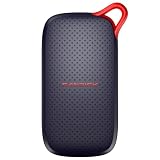


| Product | Best for | Key spec from the title |
|---|---|---|
| SanDisk Extreme Portable SSD 2TB | Rugged speed for creators | Up to 1050MB/s, IP65 |
| Seagate Portable 2TB | Basic backup | USB 3.0, plug-and-play |
| SanDisk Portable SSD 1TB | Laptops and tablets | Up to 1000MB/s reads |
| WD Elements Desktop 20TB | Huge desk archive | 20TB, USB 3.0 |
| Samsung T7 2TB | Gaming and students | USB 3.2 Gen 2, up to 1,050MB/s |
| Seagate Portable 5TB | Large console library | PC, Mac, PS4, Xbox |
| Seagate Portable 1TB | Starter capacity | 1-year rescue service |
| Seagate Portable 4TB | Mid-size backups | 4TB, USB 3.0 |
How to Choose
Start with the speed you really need
A spinning drive over USB 3.0 realistically moves data at a fraction of what an SSD can. The SSDs here quote 1000 to 1050MB/s, which is the territory where copying a 50GB game folder takes about a minute rather than several. If you only run backups overnight, speed barely matters. If you launch games or open project files directly from the drive, it matters a lot.
Match capacity to the job, not the headline number
One terabyte covers a laptop backup or a handful of modern games. Two terabytes is comfortable for a student or casual creator. Four to five terabytes suit big libraries and video archives, and a 20TB desktop drive is for people who intend to consolidate everything. Bigger drives are not automatically better, because a single failure takes more data with it.
Check ports, standards, and power
USB 3.2 Gen 2 delivers up to 10Gbps and suits SSDs; USB 3.0 tops out around 5Gbps and is plenty for hard disks. A desktop-class unit like the 20TB WD generally needs its own power supply, while portable drives pull power over the cable. Confirm that your device has a matching port, or budget for an adapter.
Judge durability and what budget models skip
SSD listings mention IP65 dust and water resistance or drop protection, and those are useful for a bag-carried drive. Spinning disks have moving parts and dislike bumps while running. Budget drives often skip hardware encryption, rugged shells, and long warranties, though a few Seagate listings add a one-year recovery service as a safety net.
The 8 Best Options
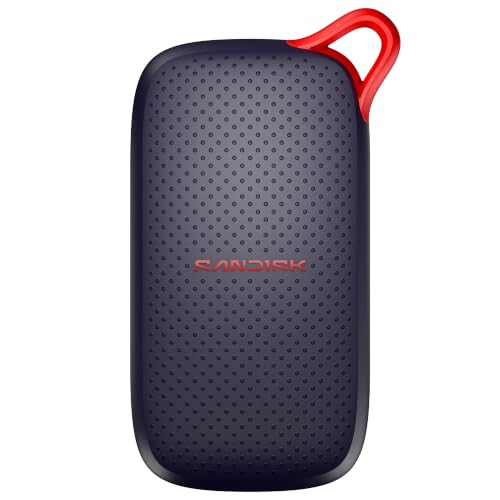
SanDisk Extreme Portable SSD 2TB
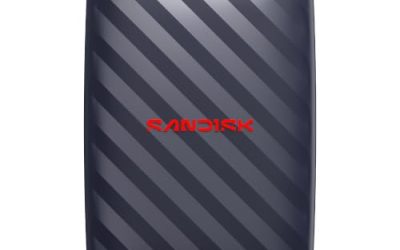
The title claims up to 1050MB/s over USB-C with USB 3.2 Gen 2, plus IP65 water and dust resistance and updated firmware. That combination suits photographers, video editors, and travelers who shuttle large files between machines and want a drive that survives life in a bag. Two terabytes gives room for a project library without going to a bulky external enclosure.
- Strength: Fast transfers on a modern USB-C connection.
- Strength: IP65 resistance to dust and splashes.
- Trade-off: Solid-state storage costs more per terabyte than a spinning disk.
Skip it if your goal is a cheap archive where speed does not matter, since a hard drive gives more space for less. Also note that the firmware update mention in the title suggests the maker keeps refining this line, so run the vendor utility after setup to confirm you are on the latest version.
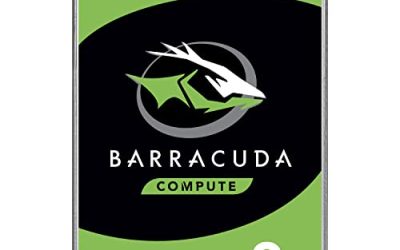
Seagate Portable 2TB (STGX2000400)
This listing stresses everyday HDD storage with plug-and-play backup, USB 3.0, and support for Windows and macOS, plus a trial of creative software and a one-year rescue service. It suits a household that wants a second copy of documents, photos, and school work on a drive that does not require software installation to start working.
- Strength: Simple plug-and-play backup on both major operating systems.
- Strength: Recovery service mentioned in the title.
- Trade-off: Slower and less shock-tolerant than any SSD on this list.
Skip it if you want to run games or edit footage directly from the drive, because a mechanical disk makes those tasks sluggish. It works best as a quiet, set-and-forget backup that you plug in weekly, copy to, and put back in a drawer.
SanDisk Portable SSD 1TB
The title lists up to 1000MB/s read speeds, compatibility with laptops and tablets, and drop protection, in a black body marked as a new model. It is a good fit for students and commuters who want a small, quick drive to carry notes, slides, and media without worrying about the occasional bump on the way to class.
- Strength: Fast read speeds in a pocket-friendly form.
- Strength: Marketed with drop protection and tablet compatibility.
- Trade-off: One terabyte fills up quickly with large video projects.
Skip it if you need multi-terabyte capacity, since this model targets portability more than volume. Because the listing mentions both laptops and tablets, confirm that your tablet has a compatible port and that you have the right cable before relying on it for class.
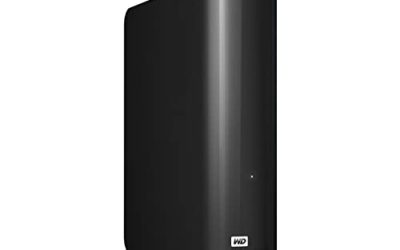
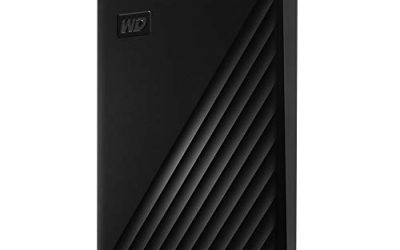
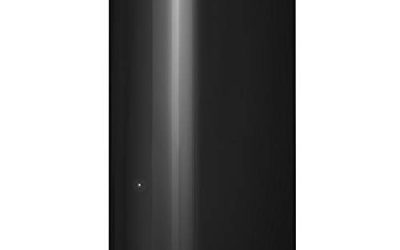
WD Elements Desktop 20TB
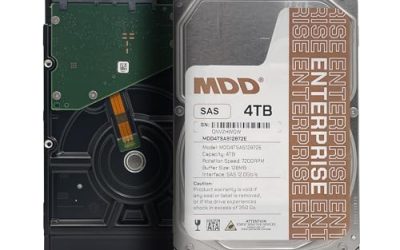
This desktop-class external drive offers 20TB with USB 3.0 and plug-and-play use. It fits home labs, photographers with years of raw files, and families building a central media vault. Because capacity is the headline, the sensible role for this drive is long-term storage that sits on a desk rather than something you carry in a backpack every day.
- Strength: Enormous capacity for consolidated archives.
- Strength: Plug-and-play connection over USB 3.0.
- Trade-off: Large drives concentrate risk, so a second copy elsewhere is wise.
Skip it if you need portability or fast access to working files. Since the title promises plug-and-play use, setup is simple, but the real planning work is deciding where the drive lives and how a second copy of the most important folders will be made.
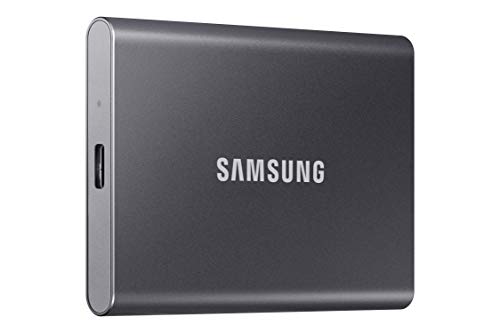
Samsung T7 Portable SSD 2TB
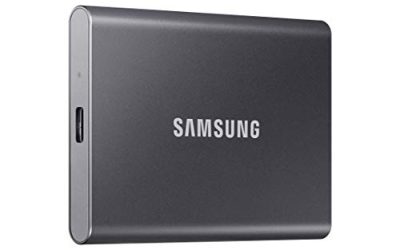
The T7 in Titan Gray is listed with USB 3.2 Gen 2 and speeds up to 1,050MB/s, and the title pitches it at gaming, students, and professionals. That broad audience makes it a safe all-rounder for someone who wants one quick drive for a console library, class projects, and occasional file transfers between computers.
- Strength: High speed on a USB 3.2 Gen 2 connection.
- Strength: Positioned for gamers, students, and professionals alike.
- Trade-off: Carries the SSD premium over a hard disk of the same size.
Skip it if capacity per unit of cost is your main concern. It makes the most sense when one drive has to cover several roles, because you can load a few games, keep class files, and still have room for a camera dump without juggling multiple devices.
Seagate Portable 5TB
With USB 3.0, PC, Mac, PS4, and Xbox compatibility plus a one-year rescue service, this model targets people who want a large single pool of storage for games and files. Five terabytes is generous for a console library or a long run of family photographs, and the portable shell keeps it easy to move between rooms.
- Strength: Big capacity with console compatibility.
- Strength: One-year rescue service in the listing.
- Trade-off: Spinning-disk speeds make heavy installs slower than on an SSD.
Skip it if you want rugged, fast storage you can edit from. Treat it as a roomy shelf for installed games and backups, and remember that large installs read from a spinning disk can take noticeably longer to load than the same game on a solid-state drive.
Seagate Portable 1TB
This is the entry-level capacity in the Seagate portable line, with USB 3.0, PC, Mac, PlayStation, and Xbox support and a one-year rescue service. It suits a first external drive for a laptop backup or a small collection of games, with the lowest cost of entry among the Seagate portables.
- Strength: Console and computer compatibility on one drive.
- Strength: Low-commitment starter capacity.
- Trade-off: A terabyte disappears fast with current game sizes.
Skip it if you already know you hold more than a terabyte of data. A smart way to use it is as a dedicated drive for one job, such as backing up a single laptop, so that its limited capacity becomes a feature instead of a headache, and a full drive is a clear signal to clean up.
Seagate Portable 4TB
The 4TB model offers USB 3.0, a one-year rescue service, and plug-and-play backup for Windows and macOS, alongside a creative software trial. It sits in the sweet spot for freelancers and families who outgrew a one- or two-terabyte drive but do not want a desktop-sized unit on the desk.
- Strength: Generous space without a bulky enclosure.
- Strength: Simple setup on Windows and macOS.
- Trade-off: The title makes no speed or rugged claims.
Skip it if you want to edit video from the drive itself. Between the 2TB and 5TB siblings, this size suits people who dislike carrying multiple drives and still want a rescue service attached to the purchase in case something goes wrong, which is reassuring for anyone storing school or client files.
Which One Fits Your Situation
Student carrying a laptop and tablet
The SanDisk Portable SSD 1TB is compact, quick, and listed with drop protection, which suits a bag that gets tossed around campus.
Console owner short on storage
The Seagate Portable 5TB lists PlayStation and Xbox support and offers plenty of room for a large game library.
Video editor on deadline
The Samsung T7 2TB combines USB 3.2 Gen 2 with speeds up to 1,050MB/s, which shortens copy and load times noticeably.
Building a family photo vault
The WD Elements Desktop 20TB provides the capacity, though it works best with a second copy stored elsewhere.
Common Mistakes
- Buying an SSD for archive storage where a hard disk would give more space.
- Choosing a hard disk for a task that needs fast access, like editing.
- Assuming a desktop-class drive runs from bus power.
- Using the drive as the only copy of important files.
- Ignoring the port on your computer and losing the speed you paid for.
Related guides
- Windows Macos Linux Gaming Performance Comparison Strengths Weaknesses
- Desktop Operating Systems Gaming Performance Strengths Weaknesses
- 5G Home Internet Wifi Modem Settings Low Latency Gaming
Frequently Asked Questions
Are these internal or external drives?
All eight are external drives that connect by USB. That makes them easy to add to a laptop, console, or desktop without opening anything.
Is an SSD worth the extra cost?
If you open files or launch games from the drive, yes. For cold backups, a hard disk usually gives better value.
How much capacity should I buy?
Plan on about twice the data you have today. That leaves room to grow and ensures a backup can hold everything on the original.
Do rescue services matter?
They can help if a drive fails, but read the terms and treat them as a bonus. A second backup remains the real safeguard.