Four terabytes sits in an awkward but popular middle ground. It is large enough to hold a laptop backup plus a couple of years of photos and video clips, yet small enough that buyers still wonder whether to pay for a fast solid-state version or save money with a spinning disk. That single question, hard drive or SSD at the same capacity, drives almost every decision in this category, and it changes who should buy which model far more than brand names do.
This guide is built for people who have settled on 4TB external storage and want to choose between a portable mechanical drive, a pocket-size SSD, and a desktop drive that stays on a shelf. Students, photographers, console owners, and anyone who keeps a growing media library will find a match below. Each pick is judged only on what its listing states, so treat the notes as a shortlist and confirm the final details on the product page before ordering in 2026.
Our Top Picks


Top 3 picks at a glance
Quick Picks
As an Amazon Associate we earn from qualifying purchases at no extra cost to you.



| Product | Best for | Key spec from the title |
|---|---|---|
| WD My Passport 4TB | Protected everyday backups | Ransomware defense software, password protection, USB 3.1/3.0 |
| Seagate Portable 4TB | Simple, low-cost portable storage | USB 3.0, 1-year Rescue, Windows and macOS |
| SanDisk Extreme Portable SSD 4TB (1050MB/s) | Fast, rugged travel drive | Up to 1050MB/s, USB-C, USB 3.2 Gen 2, IP65 |
| SanDisk Extreme Portable SSD 4TB (2000MB/s) | Top speed in this group | Up to 2000MB/s, IP65, drop protection |
| Seagate Expansion Desktop 4TB | Fixed desk backup | USB 3.0 desktop drive |
How to Choose
Decide between hard drive and SSD first
A portable hard drive stores data on spinning platters, so it offers the lowest cost per terabyte but moves more slowly and tolerates shocks poorly while running. A portable SSD has no moving parts, which is why the two SanDisk listings advertise transfer speeds of up to 1050MB/s and up to 2000MB/s, compared with the more modest USB 3.0 ceiling of the hard drives. If you copy large video files often or edit directly from the drive, speed pays off. If the drive mostly sits idle between monthly backups, a hard drive is enough.
Match the port and the standard
The interface sets the upper limit on speed. USB 3.0, also written USB 3.2 Gen 1, tops out far below USB 3.2 Gen 2, which the 1050MB/s SanDisk lists, and a drive advertising up to 2000MB/s needs a fast port to reach anything near that figure. Check that your computer has a USB-C or USB-A port that supports the speed you are paying for. A laptop with only older ports will not unlock the full performance of an SSD, though the drive will still work at lower speed.
Durability and protection features
Look at what the title promises in plain terms. The SanDisk models mention IP65 water and dust resistance, which means the case is built to resist splashes and dust but is not a diving drive. The WD My Passport lists password protection and backup software with defense against ransomware, useful for anyone carrying sensitive files. The Seagate Portable includes a one-year Rescue service, a data recovery offer. These extras matter if the drive travels, and less if it never leaves your desk.
Where cheaper models cut corners
Budget portable hard drives usually rely on a plain plastic shell with little shock protection, a single USB 3.0 connection, and modest software extras. Desktop drives like the Expansion use a separate power adapter, which suits a fixed workstation but ties the drive to an outlet. Capacity also needs a reality check: some operating systems and game consoles format drives differently, so confirm file system compatibility before filling the drive with files you cannot easily move.
One more thing to ignore is the marketing around bundled trials. An Adobe Creative Cloud trial or similar bonus is nice for a week, but it says nothing about how the drive performs or how long it will last. Put your attention on the interface, the form factor, and the protection features, then treat the extras as a small bonus rather than a reason to pay more.
The 5 Best Options
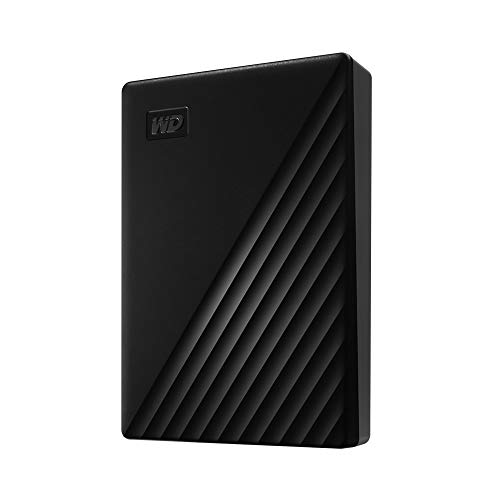
WD My Passport 4TB
The My Passport is a portable drive aimed at people who care about keeping files private as well as safe. The title highlights backup software with defense against ransomware and password protection, along with compatibility with USB 3.1 and USB 3.0 ports. It suits a student or remote worker who carries a laptop and wants a layer of privacy and malware protection without buying separate software, and who is fine with hard drive speeds because most backups run in the background.
- Strength: password protection and ransomware-defense backup software are named in the listing.
- Strength: compatible with both USB 3.1 and USB 3.0 ports, so it plugs into a wide range of laptops.
- Trade-off: as a portable hard drive, it will be slower than the SSD choices and more sensitive to bumps while spinning.
Skip it if you need to edit video directly from the drive or want the quickest possible file transfers. It is also the wrong pick for anyone who prefers a rugged shell, since the title does not mention a water or dust resistance claim.
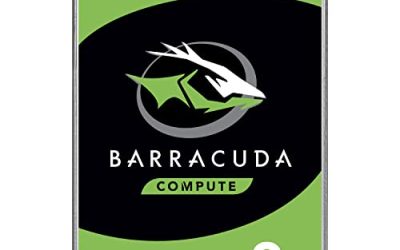
Seagate Portable 4TB
This is the straightforward portable hard drive. The title lists USB 3.0, plug-and-play backup, and support for Windows and macOS, plus a one-year Rescue service and an Adobe Creative Cloud trial. It works as an everyday archive for documents, photos, and downloads that do not need to be opened in a hurry.
- Strength: Rescue data recovery service is included for one year according to the listing.
- Strength: works with both Windows and macOS, which helps in mixed households.
- Trade-off: it is a mechanical drive on USB 3.0, so it is the slower and less rugged route.
Skip it if you carry the drive in a bag daily or need fast transfers for large projects.
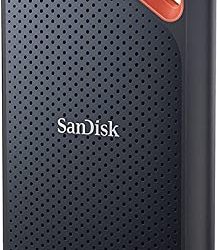
SanDisk Extreme Portable SSD 4TB (1050MB/s)
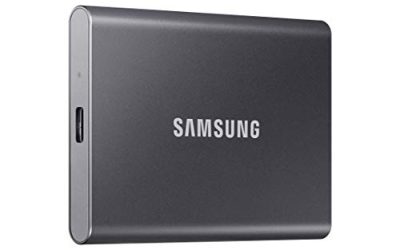
The first SanDisk is a portable solid-state drive with up to 1050MB/s, a USB-C connector, USB 3.2 Gen 2 support, and IP65 water and dust resistance. The title also mentions updated firmware. It fits photographers and video shooters who offload memory cards in the field and want a drive that can survive a damp bag.
- Strength: SSD speeds of up to 1050MB/s cut waiting time for large copies.
- Strength: IP65 resistance adds water and dust resistance for travel.
- Trade-off: solid-state storage at 4TB is a premium purchase compared with a hard drive.
Skip it if you just need a shelf backup and would rather spend less per terabyte. Buyers who copy files only a few times a month will rarely feel the speed advantage, and that money could go toward a second backup drive instead.
SanDisk Extreme Portable SSD 4TB (2000MB/s)
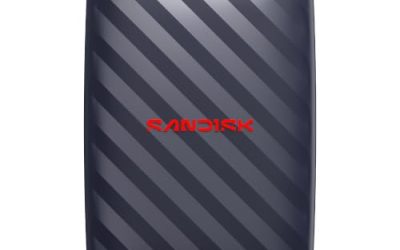
The newer model lists up to 2000MB/s transfer speeds, IP65 water and dust resistance, and drop protection mentioned in the title. It is described as the new model, so it targets buyers who want the fastest option in this group and have a computer with a port that can keep up.
- Strength: up to 2000MB/s is the highest speed figure listed here.
- Strength: combines IP65 resistance with a stated drop protection claim for rough handling.
- Trade-off: you need a compatible fast port, otherwise the extra speed goes unused.
Skip it if your laptop or console has only slow USB ports, since the 1050MB/s version or a hard drive may serve you just as well.
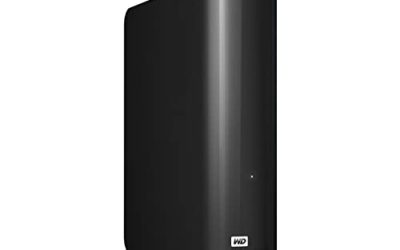
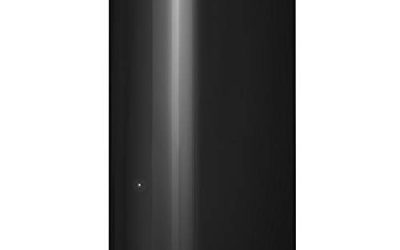
Seagate Expansion Desktop 4TB
The Expansion Desktop is a stay-at-home drive. The title lists 4TB capacity and USB 3.0, and the desktop form factor means it uses its own power adapter. It makes sense as a permanent backup target for a desktop PC or a family media archive that lives next to the router.
- Strength: desktop design is meant to sit in one place and handle regular backups.
- Strength: 4TB capacity at USB 3.0 covers most home backup needs.
- Trade-off: it needs a wall outlet, so it is not a grab-and-go drive.
Skip it if you want something that slips into a jacket pocket or runs off a laptop port. It also makes little sense for frequent travel, since the power adapter and the larger body are extra things to pack, and moving a spinning desktop drive around raises the chance of knocks.
Which One Fits Your Situation
You are a student with a single laptop
The WD My Passport 4TB is the sensible start. Password protection and backup software cover the basics, and USB 3.1 and 3.0 compatibility means it works with older machines. Lecture recordings, thesis drafts, and photo libraries all fit comfortably.
You shoot photos or video on location
Go with a SanDisk Extreme Portable SSD. The 1050MB/s version handles most card-offload workflows, while the 2000MB/s model is for people whose computer ports can use the extra speed. Both list IP65 resistance, which is reassuring on a muddy trip.
You want a set-and-forget backup for a desktop
The Seagate Expansion Desktop 4TB is made for this. Leave it connected to the tower, schedule backups with the operating system tools, and forget about it until you need to restore something. Because it stays on a shelf, size and weight do not matter. If you prefer something portable at similar capacity, the Seagate Portable 4TB is the compact alternative, and it can move to a second computer when needed.
You work across Windows and Mac
The Seagate Portable 4TB names both Windows and macOS support, and its Rescue service adds a safety net. That mix suits a shared household drive for family photos and school documents.
Common Mistakes
- Paying for an SSD with a speed figure of 2000MB/s and then plugging it into a port that cannot deliver it.
- Using one external drive as the only copy of important files. Keep a second copy somewhere else.
- Ignoring file system formatting, which can leave a drive unreadable on a console or a different operating system until reformatted.
- Carrying a spinning hard drive in a loose bag and moving it while it is active, which raises the risk of damage.
- Assuming IP65 resistance makes a drive waterproof. It resists splashes and dust but is not designed for submersion.
Related guides
- Windows Macos Linux Gaming Performance Comparison Strengths Weaknesses
- Desktop Operating Systems Gaming Performance Strengths Weaknesses
- 5G Home Internet Wifi Modem Settings Low Latency Gaming
Frequently Asked Questions
Is 4TB enough for a laptop backup?
For most laptops, yes. A full system image plus years of documents and photos typically fits well within 4TB, though raw video work can fill it quickly. If you shoot large files regularly, consider whether you need more space or a second drive.
Do SSDs last as long as hard drives?
Both types can last for years under normal use. SSDs have no moving parts, which helps with shocks, while hard drives are less sensitive to heavy write volume. Neither replaces a second copy of important data.
Will the drive work with a game console?
Many external drives work for storing games on consoles, but each platform has its own formatting and speed requirements. Check the console maker guidance and the drive listing before relying on it for gameplay.
What does a one-year Rescue service mean?
It is a data recovery offer that comes with some Seagate drives. If the drive fails within the coverage period, the service attempts to recover the files. Confirm the terms on the product page since conditions apply.