An external drive with a USB-C connector solves a modern annoyance: laptops, tablets, and even phones have dropped the old rectangular USB-A port, and a drive that plugs in directly saves you from carrying an adapter. But the keyword hides a real fork in the road. Spinning hard drives deliver huge capacity for little money, while solid state drives give you much faster transfers and better shock tolerance for more cost per terabyte. Deciding which kind of USB-C drive to buy depends on what you store and how roughly you treat your bag.
This guide is for people backing up laptops, moving photo and video libraries, or carrying work files between a desktop and a notebook in 2026. The five models below mix portable hard drives, a rugged drive, a large desktop-class drive, and two SanDisk options, and each is judged strictly on the wording in its listing. Where a listing does not name the connector, the text says so, because “USB-C” in the keyword is something you should confirm rather than assume.
Our Top Picks


Top 3 picks at a glance
Quick Picks
As an Amazon Associate we earn from qualifying purchases at no extra cost to you.


| Product | Best for | Key spec from the listing |
|---|---|---|
| WD My Passport Ultra 5TB | Portable backups with software | 5TB, USB-C and USB-A, ransomware defense, password protection |
| Seagate One Touch 8TB | Maximum capacity at a desk | 8TB desktop HDD, USB-C compatible, Rescue Recovery |
| LaCie Rugged USB-C 2TB | Fieldwork and travel | 2TB portable HDD, drop, shock, dust, and rain resistant |
| SanDisk Portable Drive 1TB | Fast, durable carry drive | Up to 600MB/s read, up to 2M drop protection |
| SanDisk Portable SSD 1TB | Fastest transfers | Up to 1000MB/s read, compatible with laptops and tablets |
How to Choose
Hard drive or solid state
A mechanical portable hard drive stores several terabytes cheaply but has spinning parts, so it is slower and less forgiving of drops while running. A solid state drive has no moving parts and reads at several hundred megabytes per second, which is why a 600MB/s or 1000MB/s read speed in a listing is worth noticing. If your use is archiving and backup, capacity wins. If you edit video from the drive or move large folders daily, speed wins. Many buyers end up owning one of each: a fast drive for current projects and a big, slow one for the archive.
Capacity and how much you really need
One terabyte holds roughly a few hundred thousand photos or a modest video library, while 4TB and above suits full laptop backups with several versions. A useful rule is to buy at least double the size of the data you want to protect, so older versions and growth fit. Remember that advertised capacity is measured in decimal units, so a 5TB drive shows up as noticeably less usable space once formatted. Giant capacities, such as 8TB, make most sense for a desk-bound archive, since desktop-class drives are bulkier and often need more power.
Connector, cable, and compatibility
USB-C describes the connector shape, not the speed. A USB-C port can run at several different speeds depending on the standard behind it, and a drive described as USB 3.0 compatible will not exceed the limits of that standard. Look for the cable shipped in the box, check whether it is USB-C to USB-C or USB-C to USB-A, and confirm that your computer’s port supports the standard you want. Mac users should also check the drive’s default format, since some drives ship formatted for Windows.
Durability, security, and where budget drives cut corners
Drop ratings, dust and rain resistance, and shock resistance matter if the drive lives in a bag. Password protection and backup software add value for personal archives. Budget drives usually cut the cable quality, the build, and the software, and very low-capacity models may use older enclosures. Ignore sticker-style claims about speed, and look for a stated read figure and the connector type. Hardware encryption and password tools are worth having if the drive will hold tax records or client files, since a lost drive then does not expose the data.
The 5 Best Options
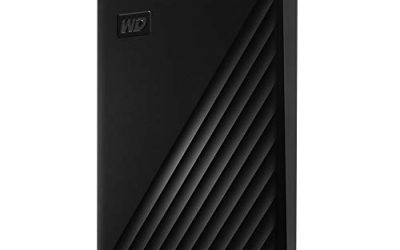
WD My Passport Ultra 5TB
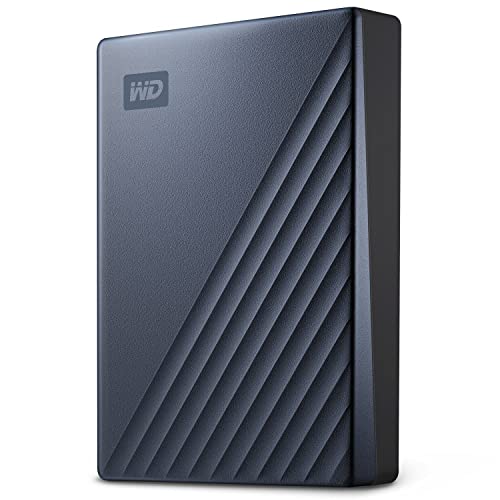
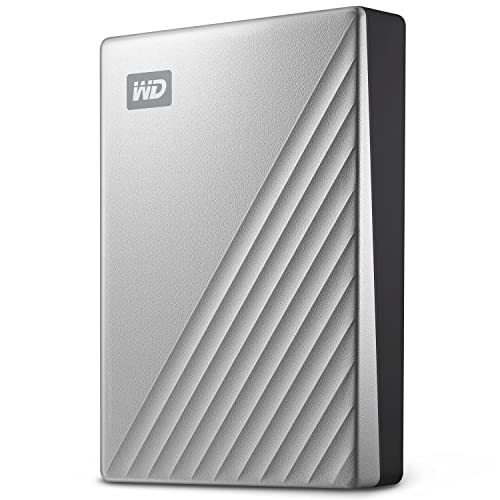
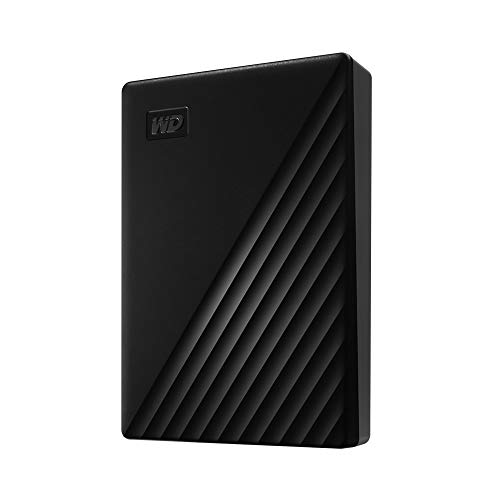
This portable drive offers 5TB of storage in a compact enclosure, with a USB-C connection that also works with USB-A, backup software with ransomware defense, and password protection. It fits anyone who wants to back up a whole laptop or a growing photo collection and likes the idea of software that automates the job.
- Strength: 5TB of capacity in a portable form factor, with USB-C and USB-A support.
- Strength: password protection and backup software add practical safeguards.
- Trade-off: as a mechanical drive, it is slower than the SanDisk SSD and less shock tolerant while running.
Skip it if you edit video directly from the drive or want something with no moving parts. Buyers who prefer a Mac-formatted drive should confirm the format before using it, because the listing here describes the standard version. A drive this large also holds a lot of eggs in one basket, so pair it with a second copy of anything irreplaceable.
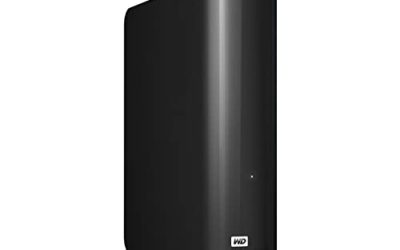
Seagate One Touch 8TB
The Seagate One Touch is an 8TB desktop-class hard drive that is described as USB-C compatible with Windows and macOS and includes Rescue Recovery services. It is the capacity champion of the group and suits a home office or a media library that needs plenty of room in one place.
- Strength: 8TB is the largest capacity here, ideal for archives and full-family backups.
- Strength: compatible with both Windows and macOS, with a recovery service listed.
- Trade-off: a desktop-class drive is a fixed-location device rather than a carry-anywhere one.
Skip it if you need to toss the drive into a backpack every day. Confirm the power requirements and the supplied cable before buying, since bigger drives often depend on more than bus power. Plan on a permanent spot on a shelf or desk, with enough ventilation around it for long copy jobs.
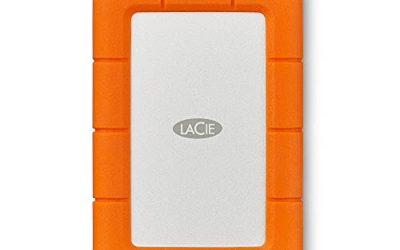
LaCie Rugged USB-C 2TB
The LaCie Rugged is a 2TB portable hard drive with a USB-C connection that is USB 3.0 compatible and built to be drop, shock, dust, and rain resistant. It is made for photographers, field engineers, and anyone whose storage rides in a bag over rough ground.
- Strength: drop, shock, dust, and rain resistance protect data on the move.
- Strength: compatible with both Mac and PC.
- Trade-off: 2TB is modest next to the 5TB and 8TB drives, and it is still a spinning disk.
Skip it if you want the highest capacity per budget or never leave the desk. Its toughness is the reason to pay for it, so treat it as protection for work you cannot recreate. The rugged shell is also easier to trust in a crowded backpack, though no drive is immune to a hard fall while spinning.
SanDisk Portable Drive 1TB
This 1TB SanDisk drive lists up to 600MB/s read speeds, a claim that it is four times faster than a portable hard drive, a durable design, and drop protection stated at up to 2M. The listing excerpt does not name the connector, so check that it matches your port before buying.
- Strength: up to 600MB/s read speed is much faster than a mechanical portable drive.
- Strength: durable design with a stated drop-protection rating suits daily carry.
- Trade-off: only 1TB, and the connector type is not specified in the listing text.
Skip it if you need several terabytes or a verified USB-C cable. It is a good second drive for current projects, not an archive. Students and remote workers who shuttle documents between a desktop and a laptop will find the lighter capacity perfectly adequate for everyday use.
SanDisk Portable SSD 1TB
The second SanDisk is a 1TB portable SSD with up to 1000MB/s read speeds, compatibility with laptops and tablets, and the same up-to-2M drop protection. It is the speed leader of the group for anyone moving big files or working straight from an external drive.
- Strength: up to 1000MB/s read speed, the fastest listed here.
- Strength: compatible with laptops and tablets, with drop protection stated.
- Trade-off: the cost per terabyte is higher than a mechanical drive, and only 1TB is offered.
Skip it if your goal is bulk backup at the lowest cost per terabyte. As with its sibling, confirm the connector and cable the listing includes before relying on it with a USB-C-only device. Since solid state storage has no spinning parts, it also copes better with the knocks of a daily commute than the hard drives above.
Which One Fits Your Situation
You need to back up an entire laptop and keep versions
Choose the WD My Passport Ultra 5TB. The capacity leaves room for repeated backups, and password protection suits a drive that holds personal documents.
You are building a family archive at home
The Seagate One Touch 8TB is the better fit. Park it near your desk, let it hold photos and videos, and keep a second copy elsewhere.
You work in the field or travel a lot
Pick the LaCie Rugged USB-C 2TB. The drop, shock, dust, and rain resistance are exactly the features a bag-bound drive needs.
You edit video or move large folders
The SanDisk Portable SSD 1TB is the speed pick, with the SanDisk Portable Drive as the gentler alternative if you can accept lower read speeds.
If you cannot decide, split the job in two. Use a large, inexpensive drive such as the WD or Seagate for the slow, safe archive, and a small SanDisk drive for what you touch every day. That pairing covers both speed and capacity without forcing one drive to do everything, and it gives you a second copy for free.
Common Mistakes
- Assuming the USB-C shape guarantees fast speeds, when the standard behind the port decides it.
- Buying only as much capacity as your data uses today, leaving no room for growth or versions.
- Keeping the only copy of important files on a single external drive.
- Using a desktop-class drive as a travel drive without checking its power needs.
- Ignoring the drive format and then wondering why a Mac or a Windows PC cannot write to it.
Related guides
- Windows Macos Linux Gaming Performance Comparison Strengths Weaknesses
- Desktop Operating Systems Gaming Performance Strengths Weaknesses
- 5G Home Internet Wifi Modem Settings Low Latency Gaming
Frequently Asked Questions
Is an SSD or a hard drive better for backups?
A hard drive gives more capacity for the money, which suits backups. An SSD is faster and tougher, which suits active projects and travel.
Will a USB-C drive work with older computers?
Often yes, through a USB-A cable or adapter, but check what the listing includes. Speeds are limited by the older port, so an old laptop will not reach the quoted read figures on a fast drive.
How much capacity do I need?
Aim for at least double the size of the data you want to protect. That leaves room for older versions and for the library to grow.
Do I need a second backup?
Yes. A single drive can fail or be lost, so keep a second copy on another drive or in cloud storage.