
The best cloud gaming service is the one whose library model matches how you already buy games, and that decision matters far more than any frame rate figure on a provider’s marketing page. If you own a large Steam or Epic Games Store collection and want to keep it, a bring-your-own-library service such as GeForce NOW or Boosteroid is the sensible starting point. If you would rather pay one fee and play from a curated list, a catalogue service such as Xbox Cloud Gaming or Amazon Luna fits better. If you need a machine that behaves like a real PC, with mods and unusual launchers, a rented cloud PC such as Shadow is the only model that comes close. And if you already own a capable gaming rig, streaming it around the house with Sunshine and Moonlight, or with Parsec, costs nothing per month and usually beats every commercial option on latency.
What follows compares those four models on what decides whether a subscription survives past month two: what happens when a title disappears, how much connection stability you need, and how far away the nearest datacenter sits.
As an Amazon Associate we earn from qualifying purchases at no extra cost to you.

![Xbox Game Pass Ultimate – 1 Month Membership – Xbox Series X|S, Xbox One, Windows, Cloud Gaming Devices [Digital Code]](https://m.media-amazon.com/images/I/51bMCG9v4vL._SL500_.jpg)


Our Top Picks

Top 3 picks at a glance
Short answer
Pick the model first, then the brand. Bring-your-own-library streaming protects money you have already spent and is the safest default for an established PC gamer. A catalogue service is cheaper per hour if you play a wide spread of titles and do not mind losing them, and it suits households where a TV or tablet is the main screen. A rented cloud PC answers niche requirements, not price. Self-hosting is the best value if the hardware already exists. Pricing, tier names and resolution limits change often enough that they are not worth memorising, so confirm them on the provider’s own page before paying.
| Option | When it fits | Trade-off |
|---|---|---|
| Bring-your-own library (GeForce NOW, Boosteroid) | You already own dozens of PC games and keep buying them | Only titles the publisher opted in can be streamed |
| Included catalogue (Xbox Cloud Gaming, Amazon Luna) | You want breadth, low commitment, TV or tablet play | Access ends when a title leaves the catalogue |
| Rented cloud PC (Shadow) | You need mods, odd launchers or other software | Highest cost, and you maintain the machine yourself |
| Self-hosted (Sunshine plus Moonlight, Parsec) | You own a gaming PC and mainly stream inside the home | Host must stay on; remote access depends on upload and NAT |
The library model decides what you can actually play
Every other difference between these services is downstream of one question: who owns the games. A bring-your-own-library service is renting you a GPU and a seat in a datacenter, then launching titles from storefront accounts you link to it. Your purchases stay yours, and cancelling removes nothing from your Steam or Epic Games Store account.
The catch is the per-title support list. Publishers choose whether their games can be streamed, and that choice is revocable. Titles have been added and pulled from streaming platforms repeatedly, usually with little warning and no compensation, because the subscription never promised any specific game. Take the ten games you genuinely play, search each against the provider’s current supported list, and treat anything missing as permanently unavailable rather than coming soon.
A catalogue service works the other way around. The subscription bundles the games, so there is nothing to buy and nothing to lose financially, but there is also nothing permanent. Rotation is a normal part of the model, and a game leaving means the save you built over forty hours becomes inaccessible until you acquire the title another way. Some catalogue services now let subscribers stream selected games they already own alongside the rental list, which blurs the line usefully, though the supported storefronts vary.
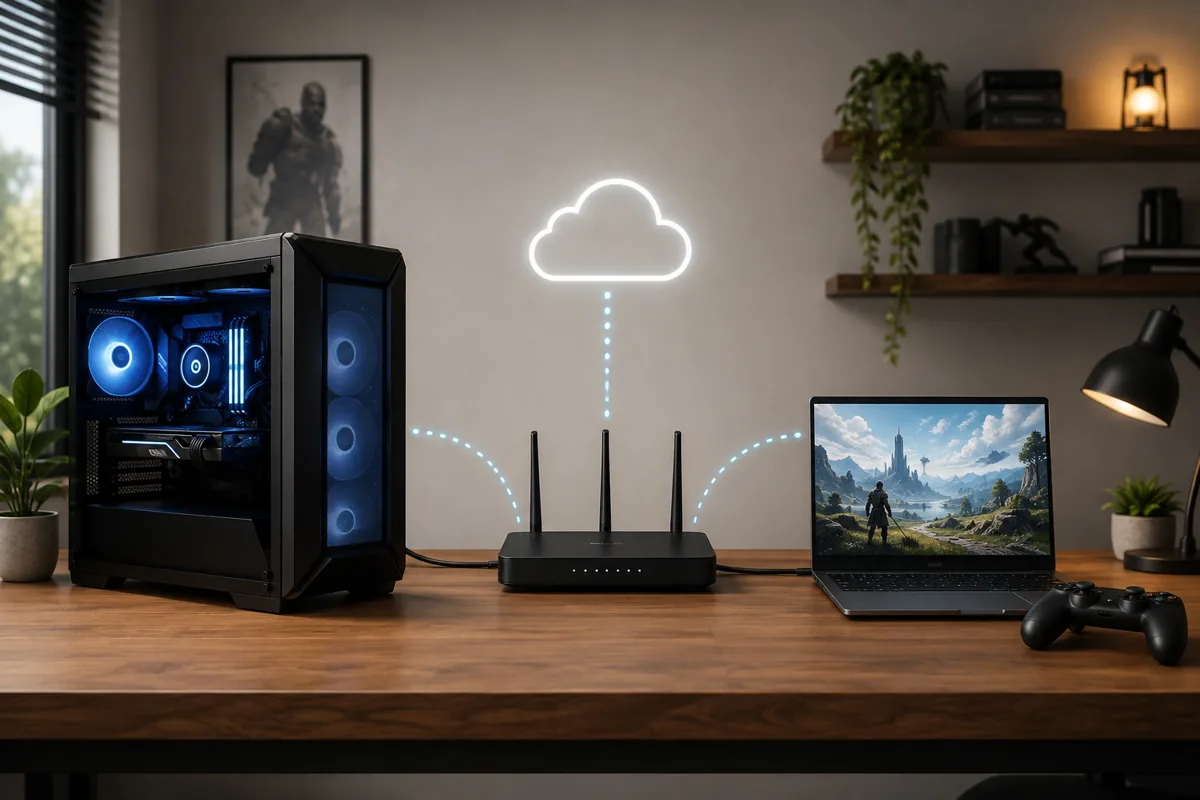
Self-hosting inverts the economics entirely. You already bought the GPU, so the marginal cost is a power bill and some setup time. Sunshine acts as the host on the gaming PC and Moonlight as the client; Parsec covers similar ground with its own relay infrastructure. Neither cares which storefront a game came from, because the game runs on your own machine.
How the four models behave in practice
GeForce NOW is the largest bring-your-own-library service. You link storefront accounts, NVIDIA runs the game on datacenter hardware, and the supported-title list is the boundary of what you can do. It has historically offered a free entry tier with queuing alongside paid tiers with priority access, but tier names and prices have been revised more than once, so read the current page rather than a comparison article.
Boosteroid follows the same bring-your-own principle with its own datacenters and its own, generally smaller, supported list. Its practical value depends almost entirely on geography: if it has a datacenter near you and a competitor does not, it will feel better regardless of any specification comparison, and if it does not, no subscription tier fixes the distance.
Xbox Cloud Gaming is a console-stream model. Sessions run on server hardware in Microsoft’s datacenters, tied to a subscription that also covers downloadable play, which makes it the easiest option to try if you already subscribe for other reasons. Expect console conventions: controller-first design, no mod support, no arbitrary desktop software.
Amazon Luna mixes a subscription catalogue with, for certain titles, the ability to play games you already own through linked storefront accounts. The exact mix of channels, included titles and supported stores has changed repeatedly, so treat any specific claim about coverage as perishable.
Shadow rents a full cloud Windows PC with its own storage. Everything that works on a normal PC works here, subject to the provider’s fair-use rules, and everything annoying about maintaining a PC also applies. It is the model to choose when a specific launcher or mod loader is non-negotiable.
Connection requirements that actually matter
Providers publish a bandwidth floor, typically around 10 to 15 Mbps for a 1080p stream and substantially more for 4K, and that number is the least interesting part of the requirement. Cloud gaming is a real-time video stream with no buffer to hide behind, so a connection averaging 300 Mbps that loses packets during the evening peak produces a worse session than a rock-steady 40 Mbps line.
The metrics worth checking are jitter, the variation in round trip time between packets, and packet loss. A connection with 5 ms of jitter feels smooth; one swinging between 20 ms and 90 ms produces the periodic hitching people describe as stuttering even though the speed test looks perfect. Run a continuous ping to a nearby server for several minutes during the hours you actually play, and watch the spread rather than the average.
Wired Ethernet is the single largest improvement available to most households, because a wired link typically removes tens of milliseconds of variability compared with a congested 2.4 GHz Wi-Fi channel in a block of flats. Where a cable is genuinely impossible, a 5 GHz or 6 GHz link on a clear channel is the next best thing, and a modern adapter helps more than people expect on older laptops, which is why our notes on choosing a wireless adapter for a gaming PC lean on band support rather than headline speed.
Household contention is the other common culprit. One 4K video stream, one large game download and a cloud session compete for the same queues, and consumer routers handle that badly by default. Enabling a smart queue feature usually beats raising your plan speed, and the same principles run through our guide to networking gear for gaming and our comparison of Ethernet cable choices. Check your data allowance too.
Input latency, distance and what you can feel
Total delay is a stack of four separate costs, and understanding the stack explains why some setups feel fine and others feel broken. The first is the network round trip to the datacenter. The second is video encoding on the server. The third is decoding and display on your device. The fourth is your own screen and controller, which existed before you tried streaming.
Distance sets a hard floor on the first cost. Signals travel through fibre at roughly two thirds the speed of light in vacuum, which works out to about one millisecond of round trip per 100 km of path, and real routes are rarely straight, so a realistic multiplier is 1.5 to 2 times the map distance. Someone 200 km from a datacenter might see a network round trip in the teens of milliseconds; someone 2,000 km away faces a floor several times higher, and no amount of spending changes physics.
Encoding and decoding typically add somewhere in the region of 15 to 30 ms combined, depending on the codec, the hardware decoder in your client device, and how aggressively the service buffers to smooth out jitter. Services that prioritise a clean picture buffer more; those that prioritise responsiveness show more compression artefacts during fast motion.
Your own equipment contributes the part people forget. A television in its default picture mode can add substantial processing delay, a controller on Bluetooth adds more than the same controller on a cable, and a slow panel adds its own. Switching the display to its low-latency picture mode and using a wired controller are the two cheapest improvements available, and the diagnostic sequence in our guide on reducing ping and latency applies unchanged to streaming sessions.
Genres, peripherals and mods: where streaming fits
Streaming suits games where a small, consistent delay does not change the outcome. Turn-based strategy, role-playing games, city builders, adventure games and most single-player action titles are comfortable, because the input model tolerates tens of milliseconds without perceptible loss of control. Compression is least visible here too, since the camera moves slowly.
The genres that suffer are competitive first-person shooters, fighting games, rhythm games and precision platformers. In each case the player executes timed inputs against a tight window, and the added delay does not merely feel worse, it changes what you can reliably do. Playing a ranked shooter over a cloud service against opponents on local hardware is a self-imposed handicap that no quality setting removes.
Peripheral support is the second boundary. Controllers are well handled everywhere. Racing wheels with force feedback, flight sticks, head trackers and VR headsets generally are not, because they need low-level USB access a video stream cannot provide. The rented cloud PC model has the best chance here, but device passthrough is still limited and provider-dependent, so verify before buying hardware around it.
Mods are the third. Catalogue and bring-your-own-library services run stock builds on managed images, so mod loaders, script extenders and edited configuration files are usually impossible. If a substantial part of your play is modded, only a cloud PC or your own hardware will serve, and that requirement alone often settles the decision.
How this comparison is verified
Owen Pritchard, our technical guides editor with twelve years in the field, keeps a diagnostics bench with POST cards, spare parts for swap-testing and multiple OS images, and that bench sets the boundary of what we are willing to state as fact. It is very good at answering questions about hardware behaviour. It cannot tell you what a datacenter 800 km away will feel like from your house, so we do not publish single-machine latency figures dressed up as universal results.
What the bench does contribute is controlled comparison. Running the same client device on the same line, first over Ethernet and then over Wi-Fi, isolates how much of a stutter complaint is the service and how much is the last three metres of the network. Swapping between OS images on identical hardware separates a decoder or driver problem from a service problem. Substituting a known-good controller and display removes two variables people routinely blame on the cloud.
Everything here about business models and supported-title policy comes from provider documentation rather than measurement, because those are policy facts that change on the provider’s schedule. That is also why we avoid quoting prices, tier names or resolution caps: a stale number is worse than no number.
How to trial a service before you commit
- List the ten games you have played in the last six months and check each against the provider’s current supported-title or catalogue list. If fewer than seven appear, try another provider.
- Find the provider’s nearest datacenter region and estimate the distance. Anything beyond roughly 1,000 km should lower expectations before you spend money.
- Connect the device you intend to play on with an Ethernet cable, even temporarily. Testing over Wi-Fi first makes it impossible to tell whether a bad result is the service or your network.
- Run a continuous ping to a nearby server for ten minutes during your usual playing hours and note the highest values, not the average. Repeated spikes above about 60 ms predict a poor session.
- Start the trial capped at 1080p and 60 frames per second rather than the maximum on offer. A lower, stable target is a better first test than a high one that collapses under contention.
- Play one slow game and one fast game in the same session, then repeat the fast one on a weekday evening. Peak-hour behaviour is the condition that decides whether you keep the subscription.
When cloud gaming does not work
Some situations defeat every service equally, and recognising them saves a wasted month. Satellite and fixed wireless connections with high baseline round trip times are the clearest example: the delay is imposed by the link itself, before the service does anything, and a faster subscription tier cannot claw it back.
Living far from any datacenter region has the same effect. If the nearest facility is on another continent, the physics above puts the floor beyond what fast-paced games tolerate, and the honest answer is that cloud gaming is not yet a service for your address.
Shared and managed networks are a third category. Student accommodation, offices and many hotels apply traffic shaping, block the ports these services rely on, or carry too many users on one uplink. Self-hosting hits a related wall: carrier-grade NAT on many residential connections leaves your home PC with no reachable public address, so remote streaming needs a relay or a mesh VPN rather than a port forward.
Finally, some libraries do not fit. Competitive players in anti-cheat-heavy shooters, anyone who depends on modded playthroughs, and anyone using force-feedback or VR peripherals will find the constraints structural rather than fixable. The money is better spent on local hardware there, and if the machine you own is the problem, our walkthrough on diagnosing frame rate drops is a more productive starting point than a subscription.
Troubleshooting
Symptom: the picture is sharp but the game hitches every few seconds. The usual cause is jitter rather than bandwidth, most often Wi-Fi interference or a router switching bands mid-session. Move the client to a wired connection to confirm, and if wireless is unavoidable, pin the device to a 5 GHz or 6 GHz network on a fixed, uncongested channel instead of letting the router steer it.
Symptom: the image turns blocky during fast camera movement but recovers when you stand still. That is bitrate starvation: the encoder has been told there is less bandwidth available than the scene needs. Check what else on the network is downloading, then cap the stream to a lower resolution or frame rate target so the encoder works within a budget it can meet.
Symptom: input feels sluggish even though the connection tests clean. Look outside the service. A television not in its low-latency picture mode, a controller on Bluetooth rather than a cable, and a client device doing background work all add delay no provider controls. Change one at a time and retest; the display mode is usually the largest single contributor.
Symptom: sessions end abruptly after a consistent period. Consistency points at a policy, not a fault. Free and entry tiers commonly enforce session length limits. Check the tier’s stated limit first, since that costs nothing to rule out.
Symptom: a self-hosted stream works at home but not away from it. Almost always addressing rather than performance. Confirm whether your ISP gives you a genuine public address; if it does not, use the host software’s relay option or a mesh VPN between the two devices instead of forwarding ports that will never be reachable.
Frequently asked questions
Which cloud gaming service is best if I already own a lot of games?
A bring-your-own-library service is the only model that respects an existing collection. GeForce NOW and Boosteroid both stream titles you already own on linked storefronts rather than handing you a rental catalogue. The limitation is per-title support: publishers opt their games in and can withdraw them later, so check the current supported list for the ten games you play most before subscribing, rather than assuming your whole library is covered.
How much internet speed do I need for cloud gaming?
Stability matters more than headline speed. Most providers publish a floor in the region of 10 to 15 Mbps for a 1080p stream and considerably more for 4K, but a 300 Mbps line that drops packets at peak hours will feel worse than a steady 40 Mbps line. Watch jitter and packet loss rather than download tests, stay wired where possible, and check the provider’s own requirements page.
Does cloud gaming add noticeable input lag?
Yes, always some. The delay budget stacks network round trip, encoding on the server, decoding on your device, and your own display’s processing. Near a datacenter on a wired connection the added delay is small enough that slower games feel normal, while competitive shooters and fighting games stay noticeably worse than local play. Distance is the part you cannot fix: fibre needs roughly a millisecond of round trip per 100 km.
What happens when a game leaves a cloud gaming catalogue?
On a catalogue service you lose access on the removal date, because you were renting availability rather than buying a licence. On a bring-your-own-library service you keep the purchase, but you may lose the ability to stream it if the publisher withdraws streaming support, in which case the game still installs and runs on local hardware. That difference is the strongest argument for the bring-your-own model.
Is streaming from my own gaming PC better than paying a subscription?
Inside your own home it usually is. Sunshine on the host with Moonlight on the client, or Parsec, keeps the round trip on your local network, supports mods and any launcher you like, and costs nothing monthly. The trade-offs are that the host PC must stay powered on, your upload bandwidth caps remote quality, and carrier-grade NAT on many home connections makes access from outside the house awkward.
Related guides
- Best Gaming PC for Overwatch 2: Ten Prebuilts Matched to Your Monitor (2026)
- Best Gaming PC for Baldur’s Gate 3: Matching CPU, VRAM and Storage to the Game (2026)
- Best Gaming PC for Apex Legends: Which Listings Fit a High-Refresh Setup (2026)
- Best RTX 3060 Gaming PCs: Eight Prebuilt Listings Compared by CPU, RAM and Cooling (2026)









