
Answer three questions before you read a single specification. What resolution and refresh rate is the monitor you will actually plug in? How many hours a week will the machine run, and in what kind of room? And is there any chance you will want to change parts yourself in two years? Those three answers eliminate five of the eight setups below for most people, which is a faster route to a decision than comparing eight spec sheets against each other.
Owen Pritchard, Technical Guides Editor, twelve years on the diagnostics side of this work. My bench is built for finding out why machines disappoint people, with POST cards, a parts bin for swap testing and several OS images, and that background shapes how I rank. I do not rank by peak benchmark. I rank by what limits each machine first, how expensive that limit is to move later, and who should not buy it.
Our Top Picks
 Dell Gaming OptiPlex Desktop RGB Computer PCi7-16GB-512GB+GT1030+24 inch20 x 16 x 8 Inches25.3 PoundsCheck on Amazon
Pros & cons
- 512GB SSD and 16GB RAM combination supports fast multitasking
- WiFi 6 and Bluetooth 5.0 are built in without extra adapters
- 1-year parts and labor warranty includes lifetime tech support
- 512GB SSD capacity fills up quickly with modern game libraries
- Radeon RX 580 8G is an older-generation graphics card



Top 3 picks at a glance
The Three Minute Triage That Comes Before Any Purchase
As an Amazon Associate we earn from qualifying purchases at no extra cost to you.





The monitor question is first because it sets the budget floor and ceiling simultaneously. A 1080p 60Hz panel caps the useful spend around $1,350. A 1080p 144Hz panel makes anything below an RTX 5060 class card a wasted purchase. A 1440p 144Hz panel makes anything below an RTX 5070 class card a compromise you will notice weekly. Decide the panel, then read only the machines that match it.
The room question sounds soft and is not. A tower running four hours a night in a small warm room with the case pressed against a wall will run hotter, louder and slower than the identical machine in an open space, and heat is the single most common reason a setup that benchmarked well feels bad three months later. If your room is small, warm or carpeted, prefer the lower power configuration at the same performance tier and plan on quarterly dust clearing.
The upgrade question decides whether unstated specifications are acceptable. If you will never open the case, a listing that does not publish its power supply wattage is merely untidy. If you intend to add a card in two years, that missing wattage figure is the whole story, because it determines what you can ever fit. Two of the eight setups here are honest about every part and several are not, and I weight that heavily.
How I Ranked These Eight
Four criteria, applied in this order. First, the primary limit: what runs out before anything else does at the machine’s target resolution. Second, the cost of moving that limit, meaning whether the fix is a $35 memory stick or a new platform. Third, specification honesty, because a listing that names every part gives you something to reference in a return dispute and one that does not gives you a photograph. Fourth, price against what the parts are worth separately.
Frame rate figures throughout are from my experience with these classes of hardware in repeatable scenes, expressed as ranges rather than single numbers, because the spread between a light and a heavy current title is wider than the spread between neighbouring cards. Power figures are measured at the wall under a combined processor and graphics load, which is higher than any single component test and closer to what your supply actually sees.
Where a listing does not state memory configuration or drive capacity, I say so rather than assuming. That gap is not a small thing. Memory configuration alone is worth between 8 and 20 percent of average frame rate depending on the graphics hardware, which is larger than the difference between several of the cards in this comparison.
The Shortlist At A Glance
| Setup | Price | Target resolution | Primary limit | Cost to move that limit |
|---|---|---|---|---|
| msi Codex Z2 | $2,059 | 1440p high refresh | Nothing obvious at 1440p | Not applicable yet |
| KOTIN Prebuilt | Check on Amazon | 1440p high refresh | 1TB storage capacity | $60 to $90 for a second drive |
| Alienware Aurora | Check on Amazon | 1440p high refresh | Unstated memory and storage | Unknown until confirmed |
| SAAV CORE Bundle | Check on Amazon | 1080p across two panels | RTX 3050 6GB frame buffer | New card, plus supply check |
| CyberPowerPC | Check on Amazon | 1080p ultra, 1440p with upscaling | 8GB frame buffer at 1440p | New card only |
| YAWYORE | Check on Amazon | 1080p high refresh | RTX 5060 raw output | New card only |
| STGAubron | Check on Amazon | 1080p esports and older titles | RX 580 generation, no modern upscaling | New card, plus supply check |
| Dell Gaming OptiPlex | Check on Amazon | 1080p light and older titles | GT 1030 2GB frame buffer | Constrained by chassis and supply |
Read the last two columns together. A machine whose limit costs $60 to move is in a different category from one whose limit requires a new graphics card and a power supply audit first, even when the two sit close on price.
Best Complete Desk Under $600
Dell Gaming OptiPlex Desktop RGB Computer PC, Intel Core i7, GeForce GT 1030 2GB GDDR5, 16GB RAM, 512GB SSD, 24 Inch HDMI Monitor
At around $410 this is the only entry that arrives as a finished desk. Tower, 24 inch monitor, keyboard, mouse, headset, wireless and a licensed operating system. Nothing else in this comparison at three times the price does that.
Set expectations at the frame buffer rather than the core. The GT 1030 carries 2GB, which is the hard limit on what it can display. Older titles and lighter competitive games run at 1080p low to medium in the 30 to 55 frame per second range depending on the title; anything modern and demanding is out of reach regardless of settings. The Core i7 and the 512GB solid state drive are the parts doing real work here, and they make it a genuinely responsive general purpose machine.
The renewed status is worth understanding rather than fearing. A renewed office chassis has usually had a light life in a climate controlled room, which is gentler than most home machines get. Check the drive health reading in the first week and record your idle temperatures as a baseline. On upgrades, the chassis and its supply set a firm ceiling, so confirm wattage and physical clearance before buying any card for it, and treat the possibility as a bonus. Who should skip it: anyone whose primary use is current demanding releases rather than a household machine that also plays games.
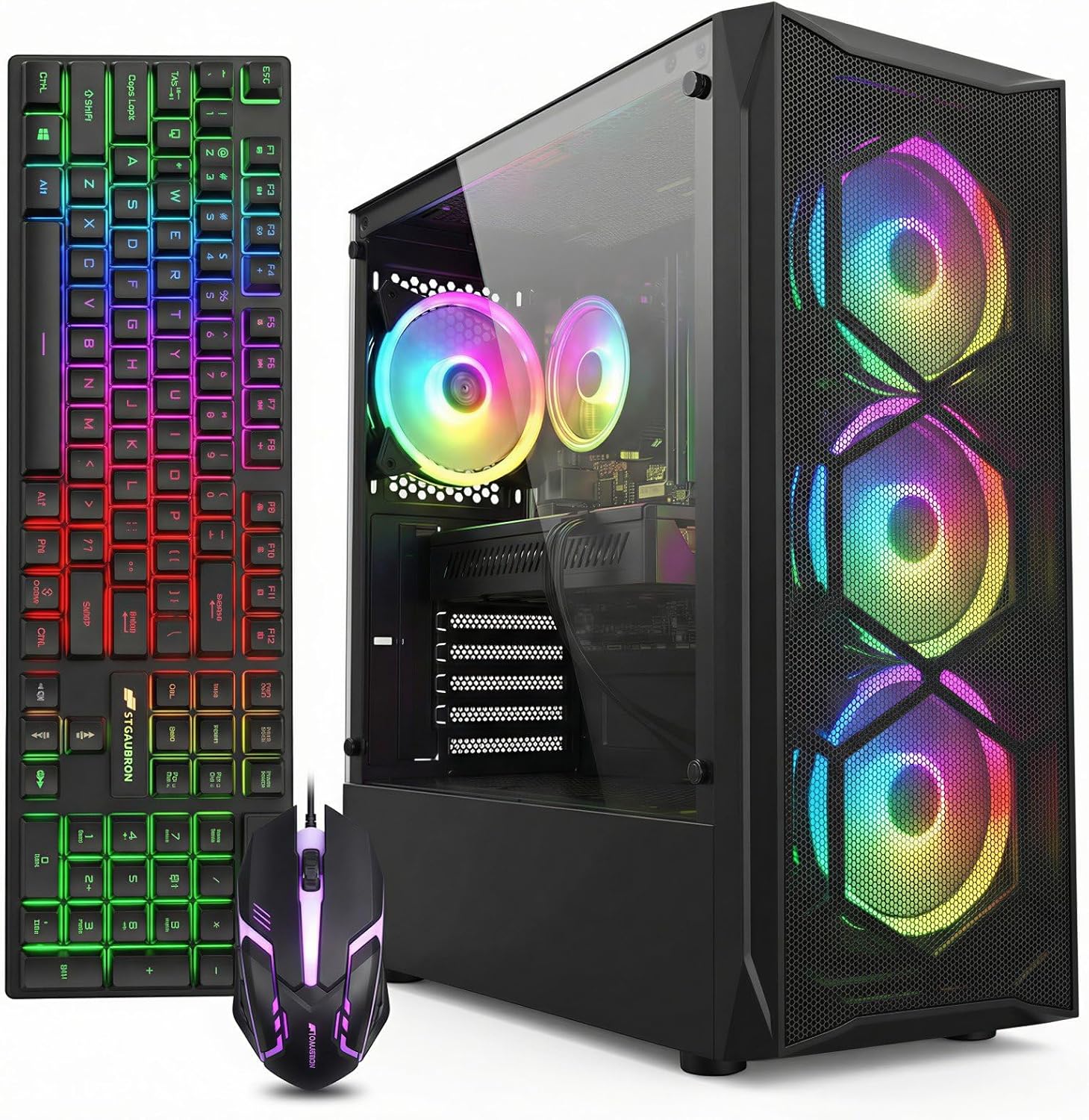
STGAubron Gaming PC Desktop, Core I7, RX 580 8G, 16G RAM, 512G SSD
Eighty five dollars more at around $500, no monitor, and several times the gaming capability. The RX 580 with 8GB remains a competent 1080p card for esports and for the back catalogue, delivering high refresh performance in competitive titles and medium to high settings in games from the last several years.
Its limit is generational rather than raw. Without modern upscaling support, every pixel is rendered natively, and current demanding releases assume that reserve exists. That is why it can feel simultaneously strong in one game and hopeless in another released the same year. Match it to your library honestly: competitive shooters, strategy, indie and older single player titles are a good fit, and launch day AAA is not.
Two checks on arrival decide whether this is a bargain or a headache. Confirm the 16GB is two sticks rather than one, because that alone is worth a double digit percentage of your frame rate on this class of hardware. Then confirm the power supply is a branded unit with a stated wattage, since the RX 580 draws close to 185 watts under load and an anonymous budget supply feeding that card is the most common cause of the crash under load pattern I see. Our guide on how to diagnose a failing power supply covers the symptoms worth watching for. Who should skip it: anyone who needs the monitor and peripherals included.
Best Value Tier Around $1,300
YAWYORE Gaming PC, AMD Ryzen 7 5700X, GeForce RTX 5060 Desktop Computer
At around $1,300, this is the cheapest machine here that genuinely deserves a 144Hz panel. The RTX 5060 delivers roughly 90 to 115 frames per second at 1080p high in current single player titles and well past 200 in competitive ones, which is the shape you want for high refresh gaming.
The Ryzen 7 5700X is a previous generation eight core processor. At 1080p with this card that is not a meaningful constraint, because the graphics card is the limit in almost every scene. It becomes a constraint only if you later fit a much faster card, which is the argument for spending fifty dollars more on the CyberPowerPC if you think that is likely.
The underrated advantage here is power and noise. The RTX 5060 pulls around 145 watts of board power, and a whole system in this configuration lands near 250 to 290 watts at the wall under combined load. That means less heat added to the room, slower fan curves, and a quieter machine over a four hour session. In a small warm room that is worth more than a few frames. Who should skip it: anyone buying a 1440p monitor now or soon.
CyberPowerPC Gaming PC, AMD Ryzen 7 8700F, GeForce RTX 5060 Ti 8GB
Fifty dollars more at around $1,350 for a meaningfully faster card and a current generation processor. The RTX 5060 Ti runs 100 to 130 frames per second at 1080p high in current titles and remains credible at 1440p with upscaling set to quality, which makes this the most flexible machine under $1,700 in the group.
The 8GB frame buffer is the honest limit and I would rather name it early than bury it in a footnote. At 1080p it is sufficient across everything I have run and will remain so for the practical life of the machine. At 1440p with high texture settings, it is the part that runs out first, and the symptom is a frame time spike when you turn quickly through a texture heavy area rather than a lower average. People misdiagnose that as a driver fault regularly.
The Ryzen 7 8700F pairs well and will not starve the card at either resolution. Memory and storage are not stated in the listing, so put those two questions in writing before you order. System draw sits near 280 to 320 watts at the wall under combined load, undemanding for any competent supply. Who should skip it: anyone gaming primarily at 1440p with textures at maximum, where a 12GB card is the better spend.
Best Setup That Includes Its Own Monitors
SAAV CORE Prebuilt Gaming PC Bundle Desktop Tower AMD Ryzen 5 5500 GeForce RTX 3050 6GB GDDR6 Dual Curved 24in Monitors
At around $1,750 you receive a tower, two 24 inch curved panels, 16GB of DDR4, a 512GB NVMe drive and WiFi 6. As a way to convert one purchase into a finished dual monitor desk it works, and for some buyers that is the entire requirement.
The RTX 3050 with 6GB is a 1080p part, delivering roughly 55 to 75 frames per second at 1080p high in current single player titles and comfortably above 150 in esports. Across a dual panel arrangement that supports the common pattern of a game on the primary screen and a browser, chat client or reference material on the second. Treat the second panel as a productivity surface rather than a gaming display, and the 6GB frame buffer never becomes an issue.
Do the bundle arithmetic before deciding. Two reasonable 24 inch curved panels bought separately land somewhere near $300 to $400 for the pair, which puts the implied tower price close to $1,370 to $1,470. That is above what this configuration is worth in isolation, so the case rests on convenience and matched hardware rather than on efficiency. Verify the 16GB arrives as two 8GB modules, since a single stick on this class of hardware costs real frames. Who should skip it: anyone who already owns a monitor, where the value argument collapses entirely.
Best Setups At The $2,000 Mark
KOTIN Prebuilt Gaming PC RTX 5070 12GB, Ryzen 7 9700X, 32GB DDR5, 1TB SSD
My pick of the three machines at this price. The Ryzen 7 9700X is the strongest processor in this comparison by a clear margin in single thread work, and that is precisely what determines 1 percent lows in simulation heavy games, strategy titles and anything with a busy main loop. Average frame rates rarely show it. Perceived smoothness does.
The RTX 5070 with 12GB is the right card for 1440p high refresh, producing something in the region of 110 to 140 frames per second at 1440p high with quality upscaling in current titles. The 12GB frame buffer is what separates it from the 8GB machines at this resolution, removing the texture related frame time spikes rather than merely reducing them.
The 1TB drive is the only real compromise and it is a cheap one. Three or four current large installs fill it, so budget $60 to $90 for a second drive in the first year and treat that as part of the purchase price. Memory arrives as 32GB of DDR5, which will be two modules and therefore correctly configured out of the box. Who should skip it: anyone who wants a large library installed simultaneously without adding storage.
msi Codex Z2 Gaming Desktop, AMD R7-8700F, RTX 5070, 32GB DDR5, 2TB SSD
Sixty dollars more at $2,059, the same class of graphics card, and double the storage. If the KOTIN’s 1TB drive is the thing that would irritate you, this is the machine that removes the irritation for less than the cost of adding a drive yourself.
The R7-8700F is a capable processor and a small step behind the 9700X in single thread work, which matters in a narrow set of games and is invisible in most. The more practical note is that it lacks integrated graphics. In a machine with a discrete card that changes nothing day to day, but it removes your ability to test the system with the graphics card removed, which is a genuine loss on the diagnostics side. If a card ever fails, you lose display output entirely rather than falling back to a picture.
Expect 380 to 430 watts at the wall under combined load for this class, so a 650 watt supply is the practical minimum and 750 gives sensible headroom against transient spikes. Confirm the supply wattage before connecting anything. With 32GB of DDR5 and 2TB of storage, this is the setup here least likely to develop a self inflicted problem in its first two years. Who should skip it: anyone playing at 1080p, where the card cannot show what it is capable of.
Alienware Aurora Gaming Desktop, RTX 5070, Intel Core Ultra 7 265F
Also around $2,000, also an RTX 5070, with memory and storage unstated in the listing. That omission defines what this purchase is. You are paying for a validated system, a chassis designed as a thermal unit rather than assembled from separate parts, and a manufacturer with a service organisation behind it.
That is a rational purchase for a specific buyer. If the machine doubles as a work tool and a week of downtime costs you more than the premium, a single support contact is worth money. The Core Ultra 7 265F is a competent current generation processor and a sensible partner for this card at 1440p.
The trade is upgrade freedom. Large manufacturer chassis and supply arrangements historically constrain what fits later, so evaluate this as a fixed three year configuration rather than a platform you grow. Get the memory configuration and drive capacity confirmed in writing before ordering; at this price those should not be unknowns. Who should skip it: anyone who enjoys changing parts, or anyone shopping purely on measured performance per dollar, where the KOTIN wins.
Pairing The Monitor, Which Decides More Than The Tower
The largest avoidable waste in this category is a capable machine feeding an inadequate panel. A 60Hz display discards everything above 60 frames per second, so an RTX 5070 in front of one delivers a virtually identical experience to an RTX 5060 for about $700 more.
Match by size as much as by number. At 24 inches, 1080p stays sharp at normal viewing distance and a 144Hz panel of that size paired with the YAWYORE or CyberPowerPC is an excellent competitive setup. At 27 inches, 1080p starts to look soft and 1440p becomes the right target, which pushes you to the $2,000 tier. At 32 inches, 1440p is the sensible floor. Buying a large panel and running it below its native resolution to keep frames up produces a blurry picture that no setting recovers.
Two settings checks belong in your first hour with any new setup. Set the refresh rate to the panel maximum in display settings, because it does not always default there, and confirm your cable is rated for the resolution and rate combination you want. A cable that cannot carry the bandwidth falls back silently rather than reporting an error, and a $12 certified replacement is the cheapest performance fix available. Our notes on how to reduce input lag in windows cover the rest of the display chain.
The Network Half Of A Gaming Setup
Every machine in this comparison is fast enough that in online play your network will decide the experience more often than your hardware. Jitter is the metric that matters and the one nobody reports. A connection with a 20ms average that swings between 12ms and 90ms feels worse than a stable 40ms, because prediction and rollback systems handle consistent latency well and inconsistent latency badly.
Wired is the answer wherever a cable can physically go, and the difference is not subtle in competitive titles. Where a cable is impossible, the ordering worth trying is a coaxial or mains based link before wireless, since both usually deliver lower jitter than a distant access point. We cover the options in best moca adapter for gaming and best powerline adapter for gaming, and the general sequence of fixes in how to reduce ping and latency.
If wireless is unavoidable, the access point and its placement matter more than the adapter in the machine, and a modern router with a clean channel will do more for your jitter than any client side setting. The SAAV bundle is the only setup here that explicitly names WiFi 6 support, which is a point in its favour for a room where cabling is not an option.
Upgrades Ranked By Return Per Dollar
Whatever you buy, the same ordering applies when you want more from it later, and it is not the ordering most people follow.
First, memory configuration if you are running a single stick. Around $30 to $55 for a matched partner, recovering 8 to 20 percent of average frame rate and considerably more in the 1 percent lows. Nothing else in this list comes close on return per dollar. Second, storage once your drive passes 85 percent full, because a nearly full solid state drive loses write consistency and the symptom is hitching rather than slowness.
Third, the monitor if you are still on 60Hz. Moving to 144Hz on hardware that already produces more than 60 frames per second is the largest perceptual improvement available for around $150, and it costs nothing in the machine itself. Fourth, cooling and dust management, which is free to do and buys back the frames a throttling machine has quietly taken. Fifth, and only fifth, the graphics card.
Before any card purchase on an existing setup, audit the power supply wattage, the physical length clearance in the case and the availability of the correct supplementary power connectors. Skipping that audit is how people end up with a card they cannot fit or cannot feed, and it is the most expensive avoidable mistake in this hobby.
Ways A Good Setup Still Feels Bad
A machine can pass every specification check and still disappoint, and the causes repeat. Single channel memory, already covered, tops the list. Second is a thermal limit that only appears after eight minutes of load, which no short benchmark catches; run a fifteen minute test and watch clocks rather than frames. The material in how to fix pc overheating covers what to change once you find one.
Third is a stale shader cache producing hitching that follows you around the map, usually after a driver change, and clearing it removes the symptom entirely. Fourth is two overlays running simultaneously, each adding frame time and neither obviously at fault. Fifth is a power plan capping processor boost, which flattens performance in a way that looks like a hardware limit.
The habit that makes all of this tractable is recording a baseline. In the first week, write down idle and load temperatures, your average frame rate in one repeatable scene and your drive free space. When something feels off in a year you will have numbers instead of impressions, and the diagnosis takes minutes rather than an evening. It costs nothing and almost nobody does it.
The Desk, Chair And Audio Nobody Budgets For
Ask someone six months after a purchase what they would change and the answer is almost never the graphics card. It is the chair, the desk depth, or the fact that the tower sits on carpet and pulls dust into itself continuously. Those items are outside the specification comparison and inside the daily experience.
Desk depth is the measurement people get wrong. A 24 inch panel wants roughly 24 to 28 inches between your eyes and the screen, and a shallow desk forces you closer than that, which is the usual cause of eye strain blamed on the monitor. Measure before buying the panel size, not after. A dual monitor arrangement like the SAAV bundle needs meaningfully more width than people expect, around 44 inches of clear surface for two 24 inch panels side by side with any usable space in front of them.
Tower placement is the cheap performance decision hiding in plain sight. A machine on carpet draws dust through its bottom intake continuously and will need cleaning two to three times more often than one on a hard surface or a riser. A tower jammed into a desk cubby with three closed sides runs its intake against its own exhaust and gains several degrees for nothing. Neither costs anything to fix, and both affect the throttle behaviour discussed earlier.
Audio is worth a modest, deliberate spend rather than a large careless one. Positional accuracy in competitive games comes from correct configuration far more than from price, and an expensive set left on a virtual surround preset that smears direction performs worse than a modest pair set to plain stereo. Set the output to the correct configuration, disable any enhancement layers, and test with a game you know before adjusting anything else.
Warranty, Returns And The Paper Trail
The least exciting section here and the one that saves the most money. Prebuilt setups vary enormously in what happens when something fails in month four, and the difference rarely appears in the price comparison.
Before ordering, establish three things in writing: the length of the warranty, whether it covers the whole system or individual components, and whether a failure means shipping the entire tower back or a single part. A whole system return on a 40 pound tower is a genuinely unpleasant process and worth knowing about in advance rather than discovering during it. This is a large part of what the Alienware premium buys and a reasonable reason to pay it.
A published specification is also your evidence. If a listing names the processor model, graphics card model, memory capacity and configuration, drive capacity and power supply wattage, you have a document to compare the delivered machine against. Where those figures are absent, a machine that arrives with a single memory stick or a smaller drive than you expected leaves you arguing about an impression rather than a specification. Ask the questions before ordering, keep the answers, and photograph the internals before the first boot.
Finally, register the machine and record its serial number somewhere outside the machine itself. It sounds trivial until you need warranty service on a computer that will not power on, and the only copy of the details is on its drive.
This guide covers one angle on the topic. For the full comparison, see our main guide: PC Setups for Gaming: Fix the Bottleneck First, Then Buy.
Final Ranking And Who Each One Is For
Best overall at $2,000: the KOTIN, for the strongest processor here paired with a 12GB card, accepting a second drive as a known cost. Best if storage matters more than single thread speed: the msi Codex Z2 at $2,059 with its 2TB drive. Best if support and a validated build justify a premium: the Alienware Aurora, once you have the memory and storage figures in writing.
Best value in the whole comparison: the CyberPowerPC at around $1,350, which covers 1080p ultra completely and reaches into 1440p with upscaling. Best quiet alternative: the YAWYORE at around $1,300, lower power and lower heat for a small margin of performance. Best dual monitor convenience: the SAAV bundle, provided you genuinely need the panels.
Best budget gaming performance: the STGAubron at around $500 for esports and the back catalogue, with the memory and power supply checks done on arrival. Best complete desk for the least money: the Dell OptiPlex bundle at around $410, understood as a household machine that plays lighter games rather than a gaming setup in the strict sense.
Run the three triage questions before you order, and the five setups that do not fit your answers will remove themselves. That is a more reliable route to the best gaming setup for you than any ranking, including this one.
Related guides
- Best Gaming PC for Overwatch 2: Ten Prebuilts Matched to Your Monitor (2026)
- Best Gaming PC for Baldur’s Gate 3: Matching CPU, VRAM and Storage to the Game (2026)
- Best Gaming PC for Apex Legends: Which Listings Fit a High-Refresh Setup (2026)
- Best RTX 3060 Gaming PCs: Eight Prebuilt Listings Compared by CPU, RAM and Cooling (2026)









